


SpaceBound Beats
Members
-
Joined
-
Last visited
Everything posted by SpaceBound Beats
-
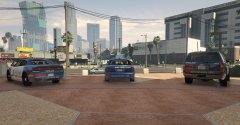 It would be nice to have one modeled as Arlington PD does but this was the closest I could find :I
 -
From the album: Arlington, Texas PD
-
-
GTA5 2016-10-29 03-21-10-12.jpg
-
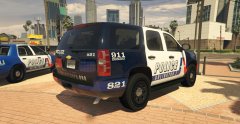 GTA5 2016-10-29 03-20-12-73.jpg
-
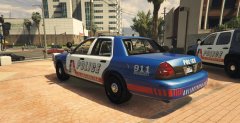 GTA5 2016-10-29 03-19-55-37.jpg
-
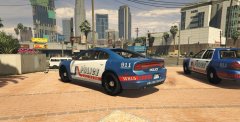 GTA5 2016-10-29 03-19-32-08.jpg
-
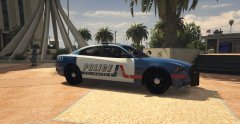 GTA5 2016-10-29 03-19-12-38.jpg
-
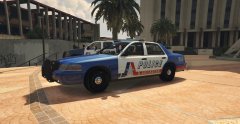 GTA5 2016-10-29 03-19-01-00.jpg
-
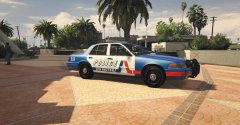 GTA5 2016-10-29 03-18-48-17.jpg
-
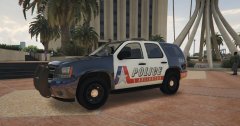 GTA5 2016-10-29 03-18-36-03.jpg
-
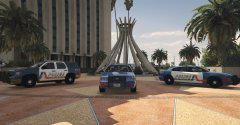 Arlington, Texas Police Department
-
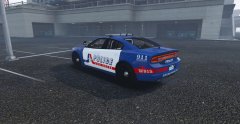 GTA5 2016-09-28 18-06-52-13.jpg
-
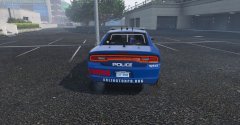 GTA5 2016-09-28 18-06-34-24.jpg
-
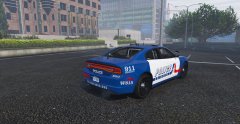 GTA5 2016-09-28 18-06-23-61.jpg
-
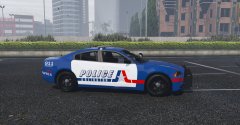 GTA5 2016-09-28 18-05-37-23.jpg
-
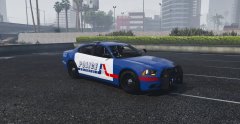 GTA5 2016-09-28 18-05-11-15.jpg
-
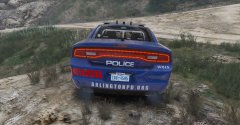 GTA5 2016-09-28 18-02-55-82.jpg
-
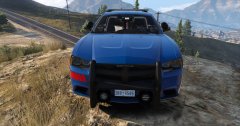 GTA5 2016-09-28 17-56-51-74.jpg
-
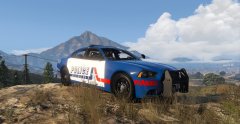 GTA5 2016-09-28 17-56-20-91.jpg
-
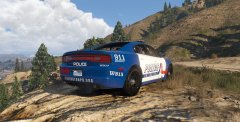 Arlington, Texas Police Department
-
-
From the album: Arlington, Texas PD
-
From the album: Arlington, Texas PD
-
From the album: Arlington, Texas PD
-
From the album: Arlington, Texas PD
-
From the album: Arlington, Texas PD
-
From the album: Arlington, Texas PD
-
From the album: Arlington, Texas PD
-
From the album: Arlington, Texas PD
APD does NOT have any CVPIs in their fleet anymore as of 2012, I just think it looks really good in GTA. -
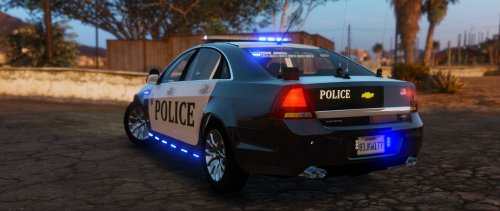 Forgot to mention this... but I 2nd this one, the running board lights should go... or at least there should be another version of this model without them.
- 32 comments
- 14 reviews
-
Model really looks good except it needs a Red and Blue light version, needs the black rims with the silver/chrome hub caps like most department's in the U.S have and the biggest thing... That "T Hawk" emblem on the trunk has got to go... I mean that sticker that BXBugs puts on his vehicles in the driver side of the dash is annoying asf and ugly as all hell but at least you don't really see it but this one you can see from the back, where your camera is positioned most of the time while driving and no offense but it makes this beautiful car look hideous. Make these changes and tons more people would download it, myself included.
- 32 comments
- 14 reviews
-
-

- 3
-
-
.thumb.jpg.4066677156985e22489bfecddc2f6c45.jpg) Does anyone know how to change the extras without having to go on duty to chose a vehicle? I like to force duty without going into the station but I have to go to the station if I want a car with certain extras on or off... anyone know if there is any way to do this?
Does anyone know how to change the extras without having to go on duty to chose a vehicle? I like to force duty without going into the station but I have to go to the station if I want a car with certain extras on or off... anyone know if there is any way to do this?- 376 comments
- 81 reviews
-
-
 If you can do one that does not remove the Vehicle Lights key, that would be magically delicious. That key is pretty useful when going lights out to work some speed radar or if you are a hardcore role-player and like to go lights out when arriving on certain scenes.
- 161 comments
- 23 reviews
-
-
- 1
-
-
-
 I am having an issue with the "Secondary Callouts" script, for some reason it says I have version 0.8.2.3 and there is a newer version of 1.4.0.0 but I have installed version 1.4.0.0 3 times now and it somehow still says it needs to be updated even though it is fully up to date. Any ideas? It has been this way since you updated the updater to 3.0.0.0.
- 136 comments
- 30 reviews
-
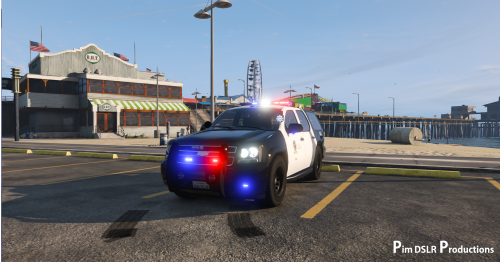 Would be PERFEC!!! Except for those rear lights, would be better with the stock lights, Personally that really killed it for me. UPDATE: Really wish I could change my star rating and rate it even less because I just noticed.... THERES NO TEMPLATE!!! :o
- 31 comments
- 9 reviews
-
From the album: Arlington, Texas PD
-
From the album: Arlington, Texas PD
-
From the album: Arlington, Texas PD
-
From the album: Arlington, Texas PD
-
From the album: Arlington, Texas PD
-
From the album: Arlington, Texas PD

.thumb.jpg.4066677156985e22489bfecddc2f6c45.jpg)

