
Hornby
Members
-
Joined
-
Last visited
Everything posted by Hornby
-
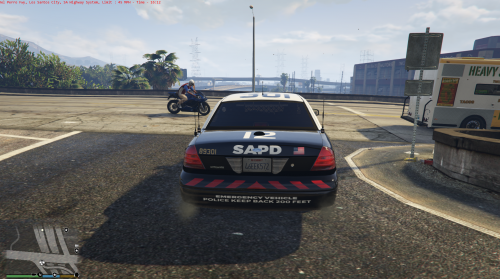 I want to use this texture on the state police cars as they are just plain white slicktop cars when I call for backup...
- 9 comments
- 1 review
-
-
 I reinstalled everything, added your 4k texture to your exact method and the same happened again, i posted some screens for you to see..
- 8 comments
- 4 reviews
-
-
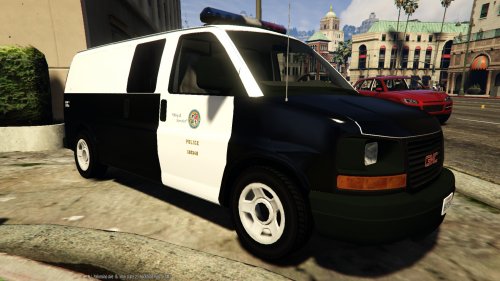
Do we have to rename them to savana_sign_1 and _2 to make them overwrite the originals in the policet.ytd?, only problem is they don't fit right, I had distorted writing on the sides of the van...
- 8 comments
- 4 reviews
-
 I think I have a fix for this, i'll upload it when I can, look for Hornbys less bright arjent in the next few weeks...
- 137 comments
- 22 reviews
-
-
-
 With all mods finally working here a few screens I'd thought I'd share.
 -
 With all mods finally working here a few screens I'd thought I'd share.
 -
-
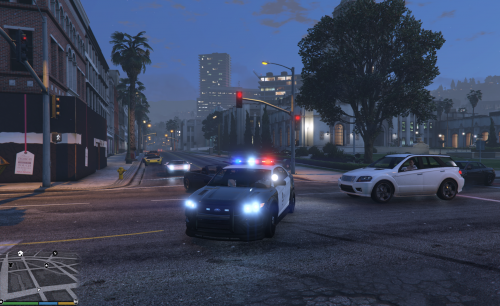 I'll say it in way that everyone else seems to be saying on here! This lightbar on this vehicle works with all my lighting mods I have installed, most lightbars from other authors are too bright and washed out, some even look orange when they should be red. We know other authors have put the Arjents on CVPI's and that but for most of us the lightbar fails badly, I too what to see this lightbar on other cars because it works as it should.. Maybe in the future you could add it to other vehicle texture mods, please..
- 44 comments
- 14 reviews
-
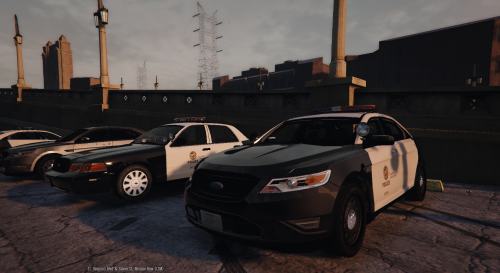 I also have the same problem, it's way too bright, can the author tell us which lighting mods conflict with it, this seems to be a common problem at the moment, I can't use it in this state its ruins the experience in 3rd person but it's excellent texture mod though, and i'll keep an eye out for future updates if the author changes the lightbar..
- 36 comments
- 13 reviews
-
-

- 2
-
-
 where do the .wav sound files go? do I put them in the same directory as the .aco file?
- 25 comments
- 4 reviews
-
Where do the files go? Not enough detail on where the Random_chat.oac file goes! Don't presume that we know what you are talking about...
- 25 comments
- 4 reviews