



Kevin499
Members
-
Joined
-
Last visited
Everything posted by Kevin499
-
 I want your ENB so bad
 -
Hello everyone, I just installed CryENB V1, but I'm having a little issue with it. When I go in-game, or just the menu itself, it has this like half a second pause or "flickers". It's not lag because I used all of the "Low-End-High-End" PC. If anyone knows how to fix this, please reply. Thank you! <Thank you to everyone for replying/supporting me in this Topic.>
-
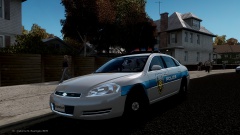
![Garden Grove, CA. CVPI [UPDATE]](//s3-gallery.int-cdn.lcpdfrusercontent.com/gallery/album_2717/sml_gallery_25138_2717_203860.jpg)
From the album: Kevin WIP's
Here's a little update. Tell me what you think, and should I release? -
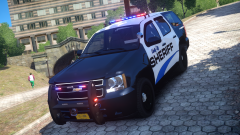
 That link isn't working for me.. it says "File not found."
 -
 Mother of God... Never thought someone would use my first charger.
 -
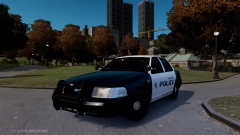 Well that's what you get for using a NFS model. :/
 -
-
 I need this...
 -
Thanks!
-
Lol, I was thinking the same thing XD
-
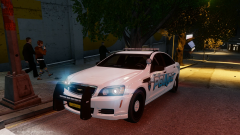 Nice pack, Foward :)
 -
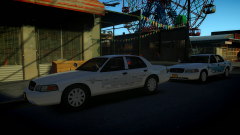
From the album: Kevin WIP's
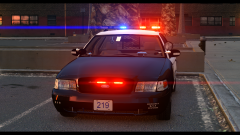
Made my Hometown police CVPI. Might NOT release this. -
Wow, the part with the roof collapsing scared me.
-
-
======================================== 2010 Impala Federal SIgnal Vision SLR v1.0 ======================================== This vehicle has two(2) versions. One with hub caps, other with normal wheels. **I had to remove the Whelen Ions due to private reasons. Sorry!** Model Overview: Name: 2010 Impala Federal Signal Vision SLR Version: 1.0 Light Bar: Federal Signal Vision SLR Other Lighting: Code 3, Wig Wags Equipment: Antennas, Console, Computer, Flex Cuffs Multiple Liveries: Yes (x4) Optimized For: police, police2, noose, fbi Status: Open Model Credits: - Model is original Chevrolet Impala From Driver SF, modified for and converted to GTAIV by Bxbugs123 - converted in to a Police vehicle by Bxbugs123 - Seats By Bxbugs123 - rims by Schaefft Lighting Credits: -Federal Signal Vision SLR 3-D Model created in 3DS Max by Master Yoda. -Texture created by GTAxB0SS and Master Yoda. -Textures UV Mapped by Master Yoda. -ELS UV Mapped by Master Yoda. Edited by Kevin499 -Whelen Par46 Spotlight modelled and converted by deco(Tim98). -Whelen TIR3's by Foward -WigWags and Tail lights by Kevin499 Other Equipments: -Antennas by PriMan -Stealth Antenna by Foward -Console by Foward, Textures by LCCOP -Flexcuffs by NickieB -Impala Stock wheels Modeled, Textured & Converted for GTA IV by Bxbugs123 -Panasonic Toughbook CF-31 modeled and converted by Ridgerunner Designs -Panasonic Toughbook CF-31 texture by Ridgerunner Designs -Setina BodyGuard 6,7 Partition made by deco. Additional Notes: Liveries by Kevin499 Assembled by Kevin499 Files Included: -ELS -None-Stock Wheels -Stock Wheels -Template(s) -Credits!.txt ============================ INSALLATION INSTRUCTIONS ============================ -OpenIV is recommended for this installation. -Before installing, make sure you BACKUP your "vehicles.img" located "Grand Theft Auto IVGTAIVpcmodelscdimages" - Take your ".wtf" and ".wtd" to replace the car that you want, then drag and drop it into the OpenIV. - Finally go to "File" on the top of OpenIV, and "Rebuild" (Shift + Ctrl + R). =================================================================================== ***DO NOT, REUPLOAD/REDISTRIBUTE THIS ANYWHERE ELSE WITHOUT MY PERMISSION*** ===================================================================================
- 5 comments
- 4 reviews
-
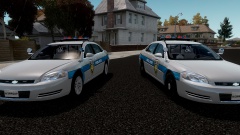 Thanks!
 -
Yeah I was thinking the same thing, but don't really know what to add yet. Edit: I'm just gonna leave it the way it is. I don't want to make it a Christmas tree.
-
From the album: Kevin WIP's
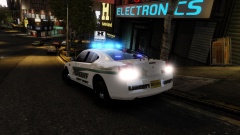
The car's basically done. I just need to polish up some stuff and it will be released soon. 99.9% DONE! -
 I'll do spotlights for sure, but I don't think I will add a push bar,
 -
 OMFG SO AWESOME
 -
Yeah, I was gonna make two versions. One with the Hub Caps and One without.
-
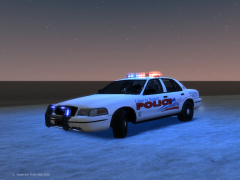
From the album: Kevin WIP's
Don't mind the skin, I might change it. CAR IS 75% DONE. -
 Yes.
Yes. -
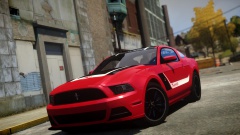 Awesome Pic! Can't wait until the ENB gets released
 -
The car looks like it has no glass...

![Garden Grove, CA. CVPI [UPDATE]](http://s3-gallery.int-cdn.lcpdfrusercontent.com/gallery/album_2717/sml_gallery_25138_2717_203860.jpg)

