



Matt in the Hat
Members
-
Joined
-
Last visited
Everything posted by Matt in the Hat
-
 What's with the toxic behaviour?? Being so scrutinous about a mod, nit picking at tiny little details and trying to bring someone down over a mod for a game is exactly how certain communities fall apart and what drives modders away from the game. Some people need to remind themselves that GTA V is just a game and there is no need what so ever to be so harsh just because you don't like something that you don't even have to use. If you find a problem with a mod be helpful and give some constructive criticism without being rude. That way the modder may want to recify any problems and improve the mod without feeling like they are being forced to do so. Think before you speak.
- 21 comments
- 7 reviews
-
-

- 5
-
-
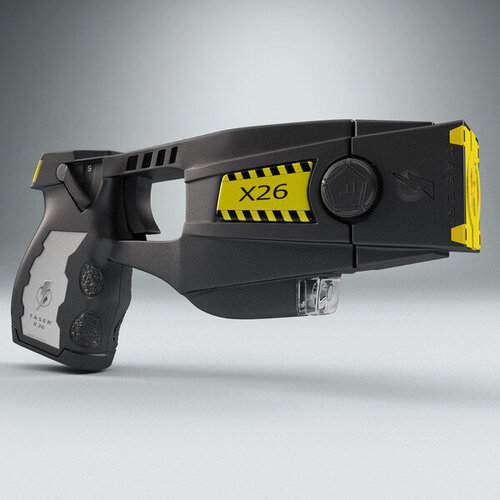 Might be a good idea to upload a demo video so people can hear what it sounds like in-game to help them decide if they want to download this or not.
- 19 comments
- 3 reviews
-
-
- 1
-
-
Had to make a new thread as my old one stopped getting replies. I'm able to play the game for about 15-20 mins normally without a problem but as I'm mid game I keep getting CTDs. I've tried removing all plugins except LSPDFR and the game runs fine. Is anybody able to pin point what may be causing the crash so I don't have to re-install every plugin? Thanks! RPH Log 09-03-2020.txt
-
Sorry for the late reply. I tried that but the prob still persists. I think it may be a plugin but haven't a clue what one.. RPH Crash Yet Again.txt
-
Thanks. I tried that but unfortunatly it's still crashing. RPH Log 2.txt
-
So I've recently updates my GTA & all the appropriate mods. I'm able to load the game & go on duty like normal. The problem seems to occur after playing whilst on duty about 10-20 mins RPH crashes the game to desktop. I'm not sure what would be causing this. Any help is much appriciated! RPH Crash Log.txt
-
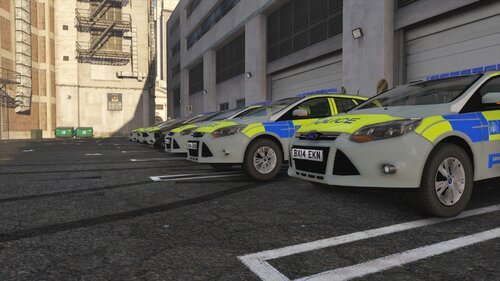 You should add a screenshot of the actual skin you've made. The screenshot you've used is taken from the original download and isn't yours. Please don't steal other peoples stuff. Also AFAIK only the MET use that nasty grey colour, the vast majority of police forces around the country use white. Also for the roof code 01 & 02 place the car as a MET vehicle, if you want it to be a "generic" car you should use either 51 or 69 as these are not in use by any police service. There is a guide for them here: https://en.wikipedia.org/wiki/Aerial_roof_markings#Police_vehicles
- 1 comment
- 1 review
-
 I've been looking forward to this for a while. Can't wait to play around with it. Really looking forward to the UK pack!
- 496 comments
- 33 reviews
-
Can a mod delete this thread please, as with the amazing help from MYSELF The problem no longer exists.
-
Anyone able to help?
-
Ok so I've removed all plugins and found that LSPDFR was causing the crash, so I installed a fresh version but the game still crashes. Here's a new Log.
-
So I was playing LSPDFR yesterday with no problems. Unfortunatly the game crashed, when I went to re-start the game RPH started to load then crashes and force quits the game. I have changed nothing between the crashes. I know about some plugins not being installed properly or being outdated. The game worked fine with them in that state. So unless the game is now being fussy about it after a few months then I have no idea what is wrong with it. Here is the RPH crash Log. Thanks in advance for any help.
-
If everything is up to date don't click play on the launcher RPH should load the game automatically.
-
 I'd suggest putting some in-game screenshots in so people can see what they're downloading.
 -
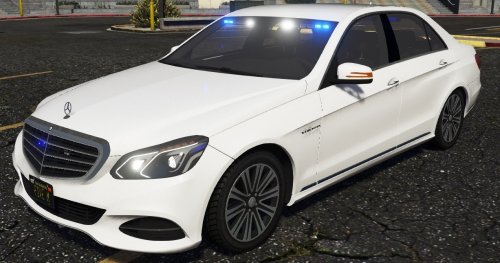 For an unmarked car the lower blues on the rear kinda give the game away. I'd suggest hiding the lights in the light cluster so it's lot too obvious.
 -
For those of us with some patience ScriptHook has been updated. http://www.dev-c.com/gtav/scripthookv/ Can't wait to play the new version of LSPDFR! Major thanks to the devs for continuing to update this amazing mod.
-
Yup that's about the size of it. Just gotta wait for an update. Usually only takes about a week for Scritphook to be updated.
-
Well regardless of what it was, SHV is knackered.
-
RPH has been updated today to support the new launcher. The problem now is the new "update" has broken ScripthookV.
-
Rockstar released an update today to add 1 new car to Online. Not sure what they've done but something in the update broke SHV. http://rsg.ms/c2f5146
-
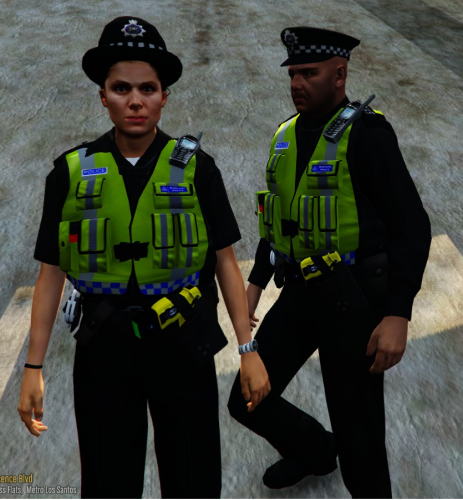 Do you have any plans to create a British outline EUP to work with LSPDFR 0.4?
- 53 comments
- 13 reviews
-
Hmm strange. I only have GTA in the programs folder. I have other things on the hard drive but it's a fairly empty secondary 1TB drive.
-
RPH crashes and force quits the game.
-
Thanks I've fixed those, but unfortunatly it's still crashing. RPH Log 4.txt
-
Sadly that didn't work. RPH Log 3.txt

