




BlueLine Vibes
Insiders
-
Joined
-
Last visited
Everything posted by BlueLine Vibes
-
 Lots of crashing. Hope this gets updated soon. Not fun to run a stream crashing all the time.
- 255 comments
- 16 reviews
-
-

- 1
-
-
You need to post what is wrong ....
-
If you need further help with Plugin Install, you can visit my tutorials in my signature. Have a ton on there. Did one about 4 months ago.
-
Cool, glad it is working
-
That is more than likely caused by a trainer. Check your trainer settings. Make sure you do not have No Vehicles Enabled.
-
When you say don't work, are you saying that the lights are dim? Or perhaps they just don't turn on? Try pressing Alt + J. Also double check on the install of you ELS vehicle. PostFX settings on Very high or Ultra
-
I speak with Beljojo from time to time. He is the maker for Stop the Ped and Ultimate back up. He is working on a plate check through Stop the Ped. The only other alternative is to pull a vehicle over. Use something like Compulite to get vehicle info.
-
This happens from time to time. Might need to reboot LSPDFR. Or you can press F4 type in unloadallplugins then reloadallplugins. Then type Forceduty. See if that fixes it.
-
More than compatible. No problem. You can view my LSPDFR install for the 2020 on my channel if you like.
-
Not outdated yet.
-
Yep as Cyan mentioned here. Got to get to Franklin's house first. Pull up that cell phone and do a quick save once there after prologue.
-
Personally I use Stop the Ped with Traffic Policer and Police Smart Radio. Seems to work fine. Has Prisoner Transport support. Arrest manager does as well, but perhaps at a slight cost of FPS.
-
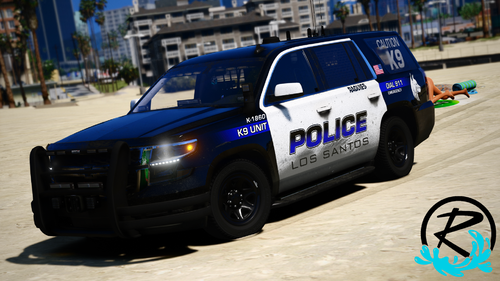 Same here. Install is perfect. Models have this pixels around bottom flickering.
- 30 comments
- 5 reviews
-
 @Ripple Great job on this pack. ELS light pattern looks fantastic Livery looks great as well Inside the vehicles - hands on the wheel, police computer is the perfect shade of bright Vehicles drive great 5/5 To Learn How to install this amazing pack, go to this video
- 73 comments
- 22 reviews
-
-
- 1
-
-
Looks like you might want to install these instead of leaving them in their rar files.
-
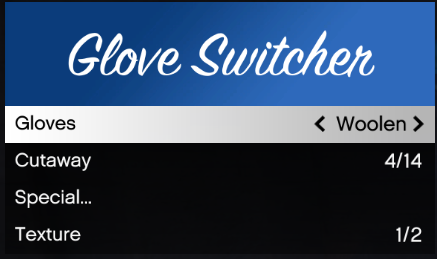 Exactly! Would be great immersion in my opinion. Seen tons of officers literally going back to their car to grab gloves before they even lay hands on a suspect that has been shot or bleeding in general. Would be really nice to do it on button press keybind, but I would settle for a saved gloved option in menu 🙂
 -
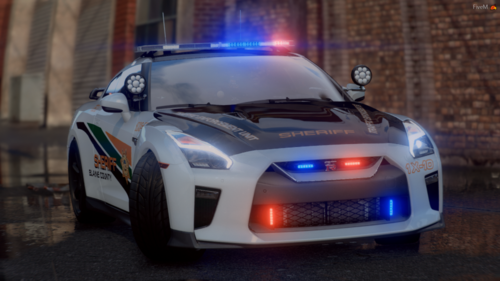 Fantastic vehicles. Love the livery and thank you for having the ability to have this in either LSPD or BCSO. The lights are really fantastic! I did change the audiohash in the vehicle meta file as it just felt right using this <audioNameHash>elegy2</audioNameHash>
- 45 comments
- 9 reviews
-
-
- 1
-
-
-
This sounds very promising. Especially for arriving on scene or dealing with "Certain Types" of suspects 😉 Would there be a way to hot key or keybind a glove set up, to where we can do a quick change of gloves? For example, if a suspect is down most officers will glove up before rendering aid. Takes a bit of time to go through the menu. Maybe you can add a "favorite" or a "last used" section to the menu?
-
This sounds very promising. Especially for arriving on scene or dealing with "Certain Types" of suspects 😉
-
-
-
 Just curious why we need the Albo1125.Common.dll for?
 -
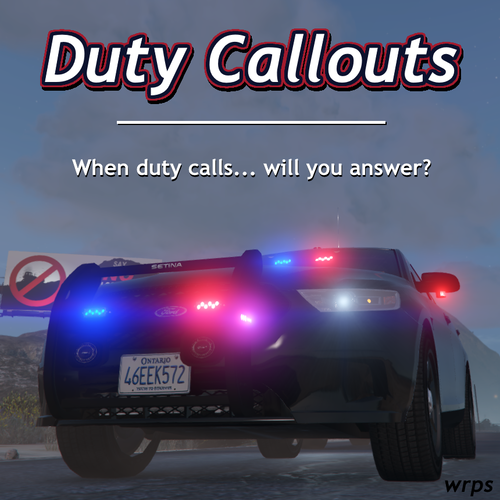 Glad you made this callout. We had an ambulance callout in the past but the ambulance always did not want to follow or they would just get stuck forcing you to end the call. This one, the ambulance actually follows you. Great callout. Please do more!
- 12 comments
- 4 reviews
-
-
- 1
-
-


