


A Stranger
Members
-
Joined
-
Last visited
Everything posted by A Stranger
-
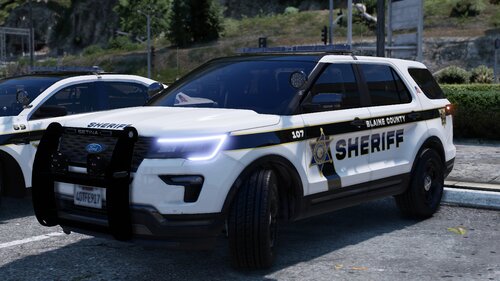 Pleasently surprised how nicely put together this pack is. Definite favorite goes to the Explorer. 😉
 -
Make sure you are using the manual installation of LSPD:FR.
-
No. Also, update GTAV.
-
Delete your /lspdfr folder in your Grand Theft Auto V folder. Then, reinstall LSPD:FR 049 manual.
-
Don't copy or transfer lines in the handlings.meta. I recommend using or trying to use the baller2 handlingID in the vehicles.meta. Every car has a different setup and you can not just copy over the handlingID's and expect it to work. vehicletasks.ymt's, etc.
-
You have an invalid weapon asset. Rename your mods folder to _mods and then retry.
-
The second picture definitely has a window tint on. Go to the vehicles.meta -> Find Diffusetint (for the car slot) and change it to <diffuseTint value="0x00FFFFFF" /> But for the first car; do not mess with the carcols / textures unless you know how. Especially if you import .png's
-
Add your Grand Theft Auto V folder to Antivirus exceptions. (How, depends on your Antivirus.) Make sure your GTA V folder, RagePluginHook.exe and GTA5.exe have permissions set for SYSTEM, your User and ADMIN. (all checkmarks.) Disable any Overlays, and then restart your PC. Should be good to go.
-
From what I know, it's not something that can be specifically fixed. It just is. If you want a more indepth explanation, I am more than happy to provide it. But I am sure you got your own explanations. The important factor is that NRS is being helped and that his game runs smoothly & he is able to enjoy it.
-
It is not DeadlyWeapons.

-
 That is literally your plugin; Dangerouse Callouts. Please stop harassing me in my LCPDFR dm's or Discord dms.
 -
Not to start drama here so this will be my only comment on your comment. You have been muted on the RagePluginHook Discord for many reasons. 1. You advertised which is against the rules. 2. You kept interrupting support after being told not to because you had no idea what you were saying. 3. You kept randomly tagging people for support. You clearly never read the rules as you did not know you could advertise. The next time you want to drag a Discord through the mud, please consider that your code is a 1:1 copy with like 3 minor changes from a YouTube tutorial video. If you consider moderating a 50k+ community discord "toxic" when you are the one who broke the rules, then you might need to readjust your perspective. Especially during a Grand Theft Auto V Update, when thousands of people type in the support channel to such an extend, that the slow mode gets set to an hour and you still can't see every message. Thank you.
-
Those are LSPD:FR plugins; therefor they go to /Plugins/LSPDFR and get loaded once you go on duty. 😉
-
You using AsiSupport and a Trainer?
-
Update RageNativeUI: https://github.com/alexguirre/RAGENativeUI/releases
-
Yes, that is my recommendation. Downgrading only makes you run into issues once everything gets updated.
-
Mods folder is not affected by ScripthookV. And for a Trainer you may use AsiSupport.
-
For those who want an in-depth answer as to why. For those of you who experience RagePluginHook closing after validating system please do the following: It's a false-positive. Add your Grand Theft Auto V folder to Antivirus exceptions and your RagePluginHook.exe, too. Then allow it on your device when the error pops up in the right corner. For a quick and fast solution, please do this after doing the above: 1. Disable Windows Defender. 2. Launch RagePluginHook. 3. Once it passes Validating System and Grand Theft Auto V starts, re-enable Windows Defender. Not all of you will experience this, but for those who do, please follow the above. ^
-
If your ELS lights randomly stop working, despite ELS loading perfectly in the asiloader.log, please do the following: 1. Delete OpenIV.asi and asiloader in your Grand Theft Auto V folder. 2. Restart your PC. (Not a shutdown, a restart) 3. Once back up, reinstall OpenIV.asi and asiloader from OpenIV. (OpenIV -> Tools -> Asi Manager)
-
Short form: Databases got updated for some users. For those of you who experience RagePluginHook closing after validating system please do the following: It's a false-positive. Add your Grand Theft Auto V folder to Antivirus exceptions and your RagePluginHook.exe, too. Then allow it on your device when the error pops up in the right corner. For a quick and fast solution, please do this after doing the above: 1. Disable Windows Defender. 2. Launch RagePluginHook. 3. Once it passes Validating System and Grand Theft Auto V starts, re-enable Windows Defender. Not all of you will experience this, but for those who do, please follow the above. ^
-
Please do not downgrade. Not only is it not supported, but you'll only run into issues trying to get a hold of older version. (LSPD:FR and RPH, f.ex.) Update your game and wait for ScripthookV. If you must; use AsiSupport in the meantime.
-
That log is 6 days old. If you crash when RagePluginHook "Validates System", please do the following for now, since it's a false positive: Add your Grand Theft Auto V folder to Antivirus exceptions and your RagePluginHook.exe, too. Then allow it on your device when the error pops up in the right corner. For a quick and fast solution, please do this after doing the above: 1. Disable Windows Defender. 2. Launch RagePluginHook. 3. Once it passes Validating System and Grand Theft Auto V starts, re-enable Windows Defender. Not all of you will experience this, but for those who do, please follow the above. ^
-
I don't understand how that is a big problem. LSPD:FR and RagePluginHook do not require ScripthookV. Only scripts; like ELS and a Trainer might. And even then you can use AsiSupport.
-
-
There is no crash in your log so it might be related to outside influence; like a mods or scripts folder.





.thumb.png.6c577481b8511bcf5b202ca741efe85b.png)