Skip to content
View in the app

A better way to browse. Learn more.

LCPDFR.com

A full-screen app on your home screen with push notifications, badges and more.

To install this app on iOS and iPadOS
  1. Tap the Share icon in Safari
  2. Scroll the menu and tap Add to Home Screen.
  3. Tap Add in the top-right corner.
To install this app on Android
  1. Tap the 3-dot menu (⋮) in the top-right corner of the browser.
  2. Tap Add to Home screen or Install app.
  3. Confirm by tapping Install.

Xhyxter

Members
  • Joined

  • Last visited

  1. tested all by myself and yep, it's those bcso pack causing the loading screen crash.
  2. Scott Wellington     Arrested Alexandria Jamone in Strawberry, Crusade Rd
  3. Scott Wellington     Responded to a ActiveShooter in Davis, Covenant Ave
  4. Scott Wellington     Arrested Claus Bauer in Davis, Covenant Ave
  5. Scott Wellington     Responded to a ViolentDomestic in Mission Row, Vespucci Blvd
  6. Scott Wellington     Transported Jay Arteaga to jail in Mission Row, Vespucci Blvd
  7. Scott Wellington     Arrested Jay Arteaga in Pillbox Hill, Vespucci Blvd
  8. Scott Wellington     Responded to a Holdup in La Puerta, South Arsenal St
  9. Scott Wellington     Responded to a Pursuit in Pillbox Hill, Elgin Ave
  10. Scott Wellington     Went on-duty at Downtown Police Station in Mission Row, Atlee St
  11. Scott Wellington     Went off-duty at Vespucci Police Station in Mission Row, Atlee St
  12. Scott Wellington     Responded to a Pursuit in Mission Row, Vespucci Blvd
  13. Scott Wellington     Transported Brian Parker to jail in Mission Row, Vespucci Blvd
  14. Scott Wellington     Transported Furio Alfaretti to jail in Mission Row, Vespucci Blvd
  15. Scott Wellington     Arrested Furio Alfaretti in La Puerta, Davis Ave
  16. Scott Wellington     Arrested Brian Parker in Strawberry, Innocence Blvd
  17. Scott Wellington     Responded to a Holdup in Mission Row, Vespucci Blvd
  18. Scott Wellington     Transported Chris Waverfield to jail in Mission Row, Atlee St
  19. Scott Wellington     Arrested Chris Waverfield in Strawberry, Innocence Blvd
  20. Scott Wellington     Responded to a Holdup in Pillbox Hill, San Andreas Ave
  21. Scott Wellington     Went on-duty at Downtown Police Station in Mission Row, Atlee St
  22.    dimkashvet reacted to a comment on a file: SuperCallouts
  23.    OfficerJessica reacted to a post in a topic: LSPDFR 0.4.2 - Coming Soon!
  24.    LostBoyLazarus reacted to a post in a topic: LSPDFR 0.4.2 - Coming Soon!
  25. alternative cuffing animations maybe? like in the STP Plugin but a little bit better.
  26. cool, i look forward to pursuit standoff
  27. it looks cool, but pls dont stretch the licence plate.
  28. not just the cars, when im requesting transport unit in Blaine the LSPD ped and cars showed up. they also spawn ambiently in places like Paleto Bay. Edit: Sorry sir, i did an oopsie, it looks like the "XML for Jurisdiction" by Tread Red is causing this problem, your mod do just fine. Sorry once again.
  29. why do the police, police2, police3 spawns at Blaine County? how do i fix it?
  30.    Xhyxter reacted to a post in a topic: LSPDFR 0.4 - Coming February, 2019
  31.    Xhyxter reacted to a post in a topic: LSPDFR 0.4 - Coming February, 2019
  32.    Xhyxter reacted to a post in a topic: LSPDFR 0.4 - Coming February, 2019
  33. Thank you guys, finally i can afford P's & Q's, very cool.
  34. Xhyxter started following Alex_Ashfold
  35.    Xhyxter reacted to a post in a topic: LSPDFR 0.4 - Coming February, 2019
  36. Xhyxter changed their profile photo
    • 114 downloads
    • Version 1.0.0
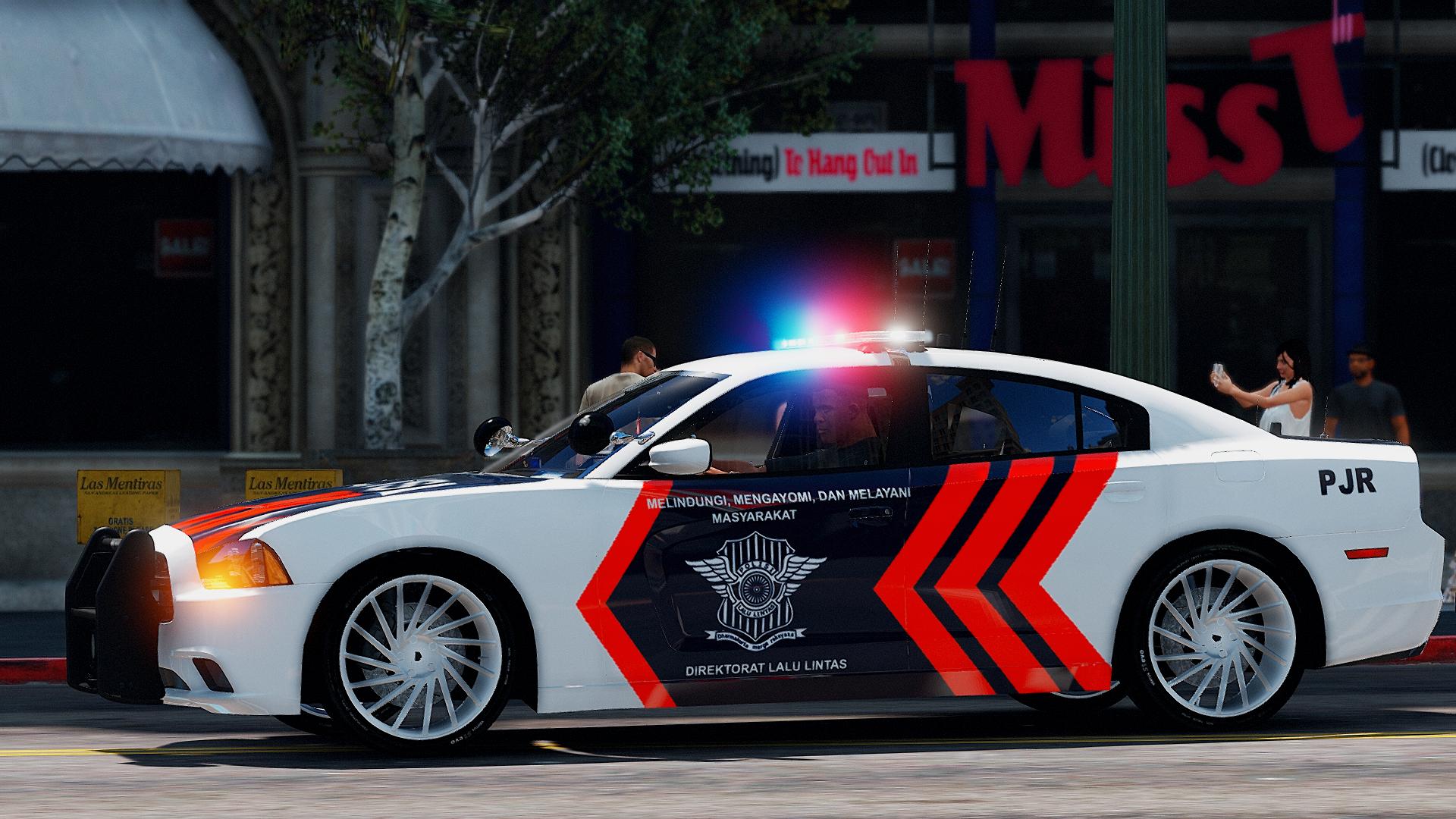
    RCPD Enforcer Unit skin from Need for Speed : Rivals based on Dodge Charger SRT8 {ENF} I have nothing to do, so.. i made this.. Model : Police Mitsubishi Evolution 9 (Pack) - Marked & Unmarked by BritishGamer88 n Jayone

Account

Navigation

Search

Search

Configure browser push notifications

Chrome (Android)
  1. Tap the lock icon next to the address bar.
  2. Tap Permissions → Notifications.
  3. Adjust your preference.
Chrome (Desktop)
  1. Click the padlock icon in the address bar.
  2. Select Site settings.
  3. Find Notifications and adjust your preference.