




Maki Nishikino
Members
-
Joined
-
Last visited
Everything posted by Maki Nishikino
-
I like it, currently reformatted my PC and having to get my LSPD:FR back up, it's just a pain.
-
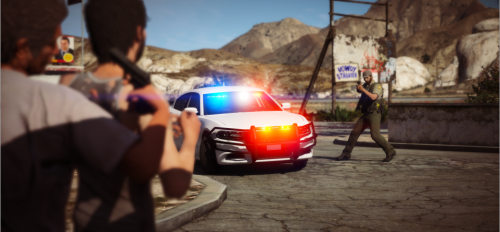 Well this is certainly getting off topic but I will look into it, thank you for informing me. I will try out another graphics mod I found.
- 35 comments
- 2 reviews
-
Seems to come with this mod, scroll down to “Effects”... https://gta5redux.com/features/
- 35 comments
- 2 reviews
-
-
-
-
Are you dropping them here? D:\Steam\steamapps\common\Grand Theft Auto V\update\x64\dlcpacks\patchday20ng\dlc.rpf\x64\levels\gta5\vehicles.rpf\ EDIT: Nevermind, I had to reread what you said, thought they didn't work at all, my bad! >_<
-
ELS doesn’t seem to work. EDIT: I found out it was an error on my end. I'm so used to just pressing the "Control" key and clicking all the files except "Albo1125.Common" and then when I'm done with all that I will get the latest version. I thought "AdvancedHookV" was "ScriptHookV" so I didn't bother dragging and dropping it. I just downloaded "ScriptHookV" thinking it was an updated version of "AdvancedHookV" when it's not.
-
 Sadly I feel ELS is broken and if it is indeed true that nobody but Lt.Caine has the source code I don't think it can be updated. The Player Location Display script (is dependent on Script Hook V also just like ELS) works just fine. My game doesn't crash but ELS just won't work. EDIT: I found out it was an error on my end. I'm so used to just pressing the "Control" key and clicking all the files except "Albo1125.Common" and then when I'm done with all that I will get the latest version. I thought "AdvancedHookV" was "ScriptHookV" so I didn't bother dragging and dropping it. I just downloaded "ScriptHookV" thinking it was an updated version of "AdvancedHookV" when it's not.
- 2,705 comments
- 241 reviews
-
-
-
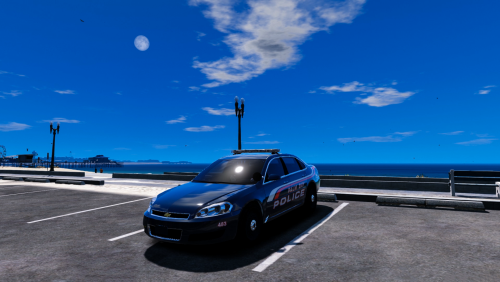 Love it, only wish there was a Los Santos version of it but I understand you wanted to make it realistic and I am fine with that. @J.J Designs You can download the spotlight mod, 3 stars for that?
- 18 comments
- 7 reviews
-
-

- 1
-
-
For some reason my siren is marked as being not available on the ELS panel. Only happens on this vehicle.
- 18 comments
- 7 reviews
-
Not surprised Palm Bay is a city in Florida, the name gives it away. Will try now and rate later, thank you.
- 18 comments
- 7 reviews
-
Playing as the Coast Guard! <3
-
Hey there, just open the "Menu" folder in the download and drag it to your main GTA V folder, don't forget to apply the patch after. :)
-
Hi, I am getting this error... ERROR: Could not load plugin from "C:\Program Files (x86)\Steam\steamapps\common\Grand Theft Auto V\Plugins\EUPMenu.dll". Could not load file or assembly 'EUPMenu, Version=2.0.6035.33924, Culture=neutral, PublicKeyToken=null' or one of its dependencies. The system cannot find the file specified. EDIT: Fixed, had to manually install it.
-
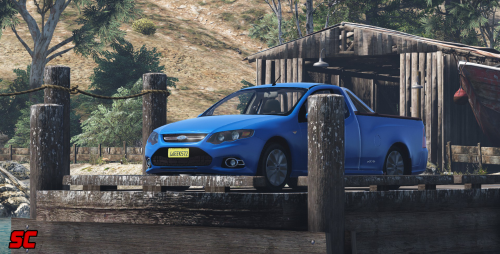 I like the sporty look to it, do they sell these in the US? I have never seen them.
- 18 comments
- 3 reviews
-
-
- 1
-
-
 I just fresh installed GTA V and EUP as I reformatted my PC, just a few days ago it was working fine. EDIT: Fixed it.
- 2,353 comments
- 238 reviews
-
I just tried it, my game gets corrupted and I have to verify the game cache through Steam to get the game working again. The mod needs to be updated.
- 2,353 comments
- 238 reviews
-
I would like a bit more with 20+ rioters, lol.
-
We would need a variety of less-lethal weapons like bean bag rounds, CS gas, ect.
-
 Nice screenshot but having three officers firearm muzzles in the direction of the officer behind the suspect is not a good idea :P
 -


