


Compeast
Members
-
Joined
-
Last visited
Everything posted by Compeast
-
I lol'd at all these comments. Who the hell cares it's ugly lmao. It's supposed to do its work, check plates. It's not a showcar...
-
-
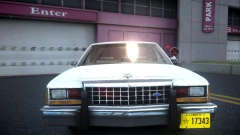 ^Thats the Netherlands. It most likely is not accurate.
 -
Very cool!
-
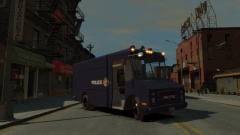 Thats a way older Stepvan. Too much work to change.
 -
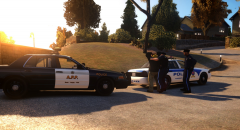 Well, thats an interesting livery switch. I would say its usually the other way around!
 -
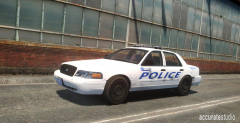 It looks good and realistic. A real copcar, with its "usage marks". Good work!
 -
 Ik kan dit spelletje ook spelen, hoor.
 -
 Thats cool!
 -
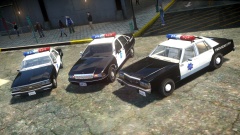 Two out of three cars is by Carface. Why not the third?!
 -
-
Has the size been fixed yet? I remember one of these released being awfully huge.
- 17 comments
- 4 reviews
-
 So, you only like Beemers if they have emergency lights?
 -
Go brag somewhere else will ya. If you can't help him, don't tease him with a worthless post about how you will have it and he won't.
-
Maybe you can take them off this one.
-
What I often see that could cause this is that people directly import equipment and lights and leave it as it is. The lightbar is literally named lightbar. Parts are parts. The best is to attach the parts to the chassis, and same for the lightbar. Second, there is a huge amount of materials. Get rid of the materials you do not need. To avoid textures mixing it's the best to do this when you've pressed: ''SHOW ALL'' and ZModeler shows all parts active. Then you can remove textures. If you're unsure what to remove, press the checkmark and then that material will appear invisible til you checkmark it active again. Third, check how many miscs you have. Too many can cause this as well.
-
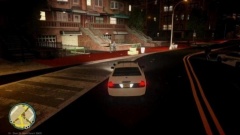 I've been thinking about this a lot as well for the default light system users. Would be cool.
 -
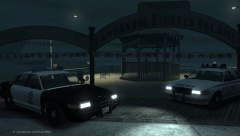 Keeping cities across the United States safe since 2008* ? =D
 -
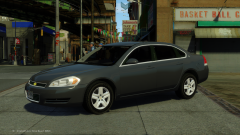 Are you sure youve seen a detective unit and not an Unmarked unit (responding purposes) ? I just did some googling but I cant find too many detective Fords from the Chicago Police.
 -
For a detective unit I think it has too much lights. It should be very simple, but thats just my opinion. Its still an Impala, which I like the most! Good job.
-
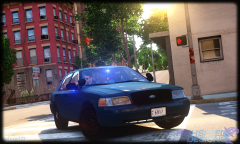 Really cool. Reminds me of my CPD pack where I also did a misshing hubcab feature on a unit. Maybe its a Chicago thing, home of the molested policecars. I guess you are now also bothered with four tire markings when you drift.
 -
![Whiz Wireless Utility Van [WIP] - Main Body Color Suggestions?](//s3-gallery.int-cdn.lcpdfrusercontent.com/gallery/album_3675/sml_gallery_64826_3675_61888.jpg) White will do fine. Its just a Utility van. Companies cant spend all their money on liveries. Advertising, sure, but a Utility van should be simple IMHO. Minor prints.
White will do fine. Its just a Utility van. Companies cant spend all their money on liveries. Advertising, sure, but a Utility van should be simple IMHO. Minor prints. -
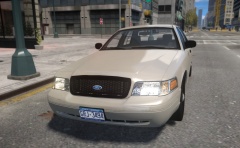 It looks very realistic. I like it a lot. Good job!
 -
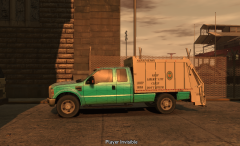 Two streets and his route is done.
 -
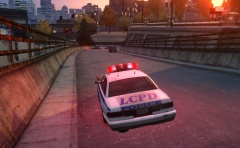 What does this ENB do to decals? :/ and you using stock cars? Nice picture though.


![Whiz Wireless Utility Van [WIP] - Main Body Color Suggestions?](http://s3-gallery.int-cdn.lcpdfrusercontent.com/gallery/album_3675/sml_gallery_64826_3675_61888.jpg)
