


.png.9858a625260e3de2a2c1f831c748984d.png)

Abz
Members
-
Joined
-
Last visited
Everything posted by Abz
-
You can use Audacity to increase the siren volume. Use the 'Amplify' function and do not increase it too much as this will cause the sound to distort.
-
There's no way to increase the Heap Limit, but have you tried editing the lspdfr.ini file? If you haven't then refer to this page: https://www.lcpdfr.com/wiki/lspdfr/04/features/settings/
-
LSPDFR 0.4 uses a character system similar to GTA Online, and so only vanilla uniforms can be applied to that character when on duty. However, you can fix this by using a Trainer and spawning your UK character models.
-
I have an OC i5 3570k and I've been having performance issues too, so it definitely isn't your CPU as it's much newer. I fixed the micro stuttering by editing the lspdfr.ini file. Here's a list of settings that you can modify: https://www.lcpdfr.com/wiki/lspdfr/04/features/settings/ The main settings to edit are the World Events and Ambient Spawns. Also, not sure why using K&M increases the micro suttering. Anyways, hope this helps.
-
After an hour of testing, I saw some interesting results. First of all, the issue with the lspdfr.ini file was fixed by changing the value from 0 to 0.0f. So thanks for that! The settings Chase.DisableCameraFocus = true and Callouts.DisableBigRadar = true work as intended as shown in this link: https://imgur.com/a/AwEnTR8 However, if I change the value back to 0 then the lspdfr.ini file glitches out. So this definitely was the problem. Although, the second issue with the LSPDFR Tab glitching out, has returned once again. Though this only happens once in a while. Here's a screenshot: https://imgur.com/a/qQ19col Anyways, just want to say thank you for helping me out. Keep up the great work with LSPDFR. You guys are the best. I can now finally play LSPDFR 0.4.1!!! 😀
-
Yup, same problem for me. The website is quite slow and the pages keep refreshing itself. For example, If I'm on page 1 and I click on page 2, page 1 appears again before showing page 2.
-
I'm not on 0.4 so I can't try that. But I do recall trying both values and the issue still persisted.
-
Sure, I've attached it. The log is from end of March which was the last time I fiddled around with 0.4. I've since reverted back to 0.3. RagePluginHook_28032019_181332.log
-
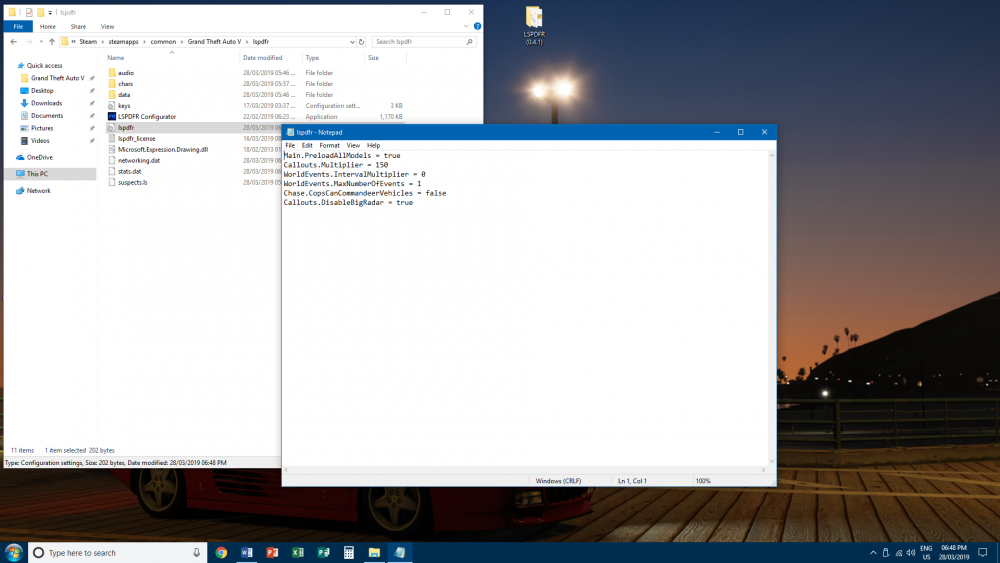
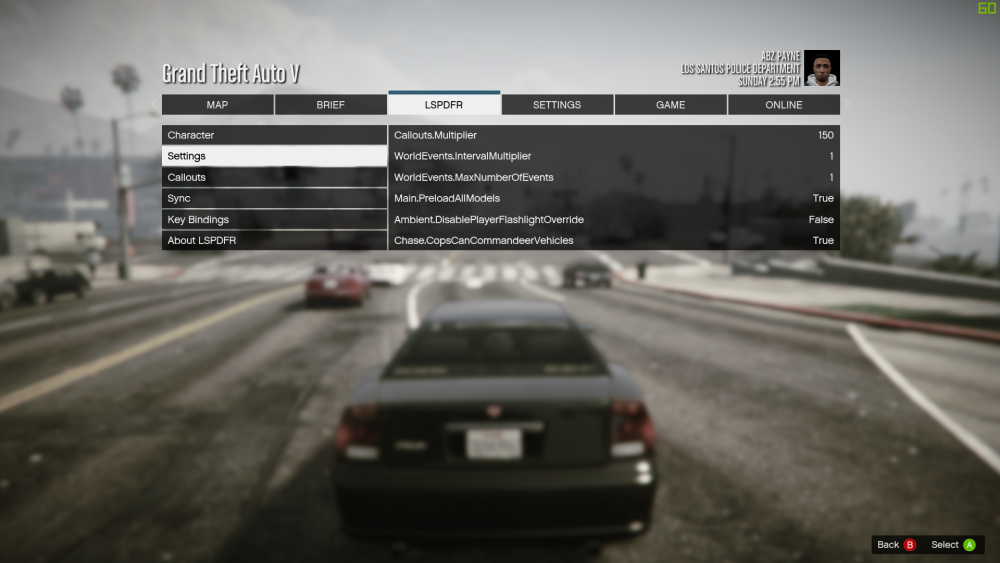
I'm sorry to tag you @LMS but I've been having a problem with the lspdfr.ini file for over a month now, and I literally don't know what else to do. I haven't been able to play 0.4 since it's release. 😞 Anyways, the problem is that every time I add new settings to the lspdfr.ini file, it does not seem to apply the changes when I launch the game. For example, If I add the setting Chase.DisableCameraFocus = true the changes are not reflected in-game. Also, when i'm in the pause menu under the LSPDFR tab, only some settings seem to show up such as Callouts.DisableBigRadar = true. Furthermore, occasionally the LSPDFR tab glitches out and instead shows the Stats Tab. I'm on the latest version of GTA 5, my GPU drivers are up to date, no other plugins are installed and I'm using the latest RPH (0.65). I've also reinstalled LSPDFR 0.4.1, however the issue is still there. It seems to me like a bug with 0.4.1, but I appreciate any help. Thank you. Here are some screenshots: https://imgur.com/a/OSQoPMq
-
Funny thing is that the "disable big radar" setting works for me, while "disable camera focus" doesn't. And yeah, it does seem like a bug with the LSPDFR plugin. Glad to know I'm not the only one having this issue. EDIT: Just realised, the setting "disable big radar" was added in 0.4.1 so that's where your problem lies.
-
I've been having a weird issue with LSPDFR 0.4.1. Every time I add new settings to the lspdfr.ini file, it does not seem to apply the changes when I launch the game. For example If I add the setting Chase.DisableCameraFocus = true the changes are not reflected in-game. Also, in the pause menu under the LSPDFR tab, only some settings show up such as Callouts.DisableBigRadar = true. Furthermore, occasionally the LSPDFR tab glitches out and instead shows the Stats Tab. I'm on the latest version of GTA 5, my GPU drivers are up to date, no other plugins are installed and I'm using the latest RPH (0.65). I've also reinstalled LSPDFR 0.4.1 but the issue is still there. Here are some screenshots showing the issue I'm having: https://imgur.com/a/OSQoPMq
-
Here are some screenshots that show the issue I'm having. The only mod I have installed is LSPDFR 0.4.1. Notice how the lspdfr.ini settings does not apply in-game.
-
I've been having a weird issue with LSPDFR 0.4.1. Every time I add new settings to the lspdfr.ini file, it does not seem to apply the changes when I launch the game. For example If I add the setting Chase.DisableCameraFocus = true the changes are not reflected in-game. Also, in the pause menu under the LSPDFR tab, only some settings show up such as Callouts.DisableBigRadar = true. Furthermore, occasionally the LSPDFR tab glitches out and shows the Stats tab information instead. I'm on the latest version of GTA 5, my GPU drivers are up to date, no other plugins are installed and I'm using the latest RPH (0.65). I've also reinstalled LSPDFR 0.4.1 but the issue is still there. I hope that this can be fixed soon and thanks so much to the LSPDFR team for all their hard work over the years.
-
Holy shit! It's released!!!
-
This is epic! Can't wait for this!!
-
I agree with @BejoIjo. For me this plugin did fix the "ghost car" issue and it has also improved stability as I haven't had a CTD for a while now. Btw, when do you plan on doing a public release of this plugin? And one more thing, just want to thank you for all your hard work lately. It's very much appreciated.
-
This is AWESOME!!!
-
Any updates on progress?
-
 One of the better callout packs I've tried! The variety of calls is insane. All of the callouts function properly with lot's of spawning points. Great job on this script.
- 110 comments
- 33 reviews
-
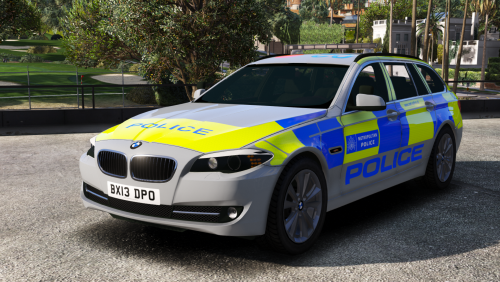 @ObsidianGames It's nice to see you now modding for GTA 5. Keep up the great work and thanks for the release.
- 7 comments
- 1 review
-
-

- 1
-
-
YES!! I have been waiting for such mod for a VERY, VERY long time! It's very frustrating to know that you have run out of controller buttons to use for various plugins and it's annoying when you are on patrol and that stupid phone keeps popping up. This is a MUST HAVE if you play LSPDFR with a controller!!! Thank you so much for this. This is truly an amazing mod. :)
- 40 comments
- 16 reviews
-
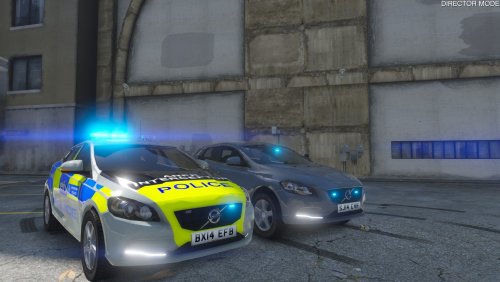 @Bleep999 I suggest that you change the 1st screenshot to a better one. You will get more views & downloads for your amazing mod. :)
- 3 comments
- 1 review
-
-
- 1
-
-
Absolutely amazing police vehicle. I especially love the Unmarked version. Can't wait for the next car! Keep up the great work.
- 3 comments
- 1 review
-
-
- 1
-
-
 @Techengage Hello, thanks for the reply. Yes, the headlights are the only ones which are very bright. The taillights and brake lights are fine. Also, I am using the 'Bright' setting. Thanks.
- 110 comments
- 23 reviews
-
@Techengage Hello, I've just tried your custom visuals and I would like to provide feedback. The feedback concerns car headlights appearing too bright. This has been something which I have been trying to fix for a VERY long time, but to no avail. I did however find a fix by lowering the numbers under the emissive bits line, but that resulted in the police lights to become very dim. Now you claim that you have fixed this issue though after using your mod, the car headlights still are too bright as you can see from the screenshot below. Anyways man, I do hope that you can look into this further. Thank you. Car Headlights (Extra Sunny - 12:00) ---- http://imgur.com/a/TVJdG
- 110 comments
- 23 reviews


