


11john11
Members
-
Joined
-
Last visited
Everything posted by 11john11
-
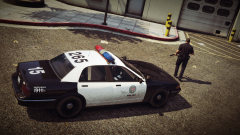
From the album: John's Workshop
-
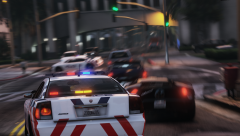 Nice to see that the lore friendly cars are getting some love again!
 -
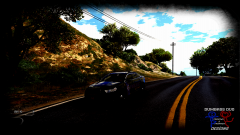 That feel when there is so much contrast in a picture that you can't see the car anymore
 -
Sorry, didn't see the video you put in the spoiler
-
I saw lots of units with a MX7000 and those hubcaps on the picture I posted. While looking through videos of recent car chases in LA and recent pictures of patrol cars on the streets, sure depends on the station though.
-
Are you going to include a 2005 Crown Vic too? Still quite common on the streets of LA from what I've seen, sadly nobody did one for V as far as I know
-
Sounds like a Light ID problem to me, you will have to fix that in Zmodeler
-
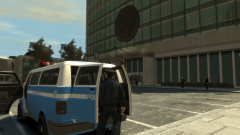 I really like the Youga as a police van, the retro livery makes it look even better!
 -
Maybe you should upload that to gta5-mods.com too, from what I've seen people are panicking over there
-
business moves
-
OpenIV still works, just disable internet access for it and you should be fine for the future hopefully
-
I can't say any words to this, I'm speechless...
-
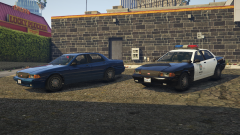 Damn, if only I knew a FIB obsessed guy who could do that for me :P
 -
I created it myself using parts from the game, I think it's a modified and resized front emergency light of the police motorcycle combined with some other stuff.
-
From the album: John's Workshop
-
-
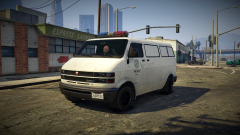
From the album: John's Workshop
-
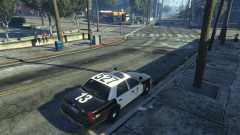 I have seen some without hubcaps though, would be nice as an extra but sadly different wheels as extras won't work from what I've experienced myself
 -
You need to change the IDs too I think, go in vertex mode select the parts and go to the settings on the right, find the ID setting and change it to 0 for each part, repeat on every LOD level and it should work.
-
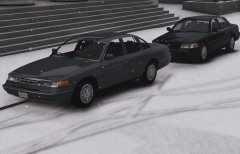 Nice, you should put some sort of shield behind the light on the dash though, so it doesn't shine into the interior and blinds the driver. I think Solo has one on one of his lights.
 -
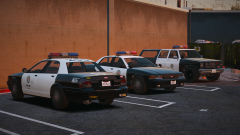 Thanks, yup, already did one, just haven't posted a screenshot of it yet.
 -
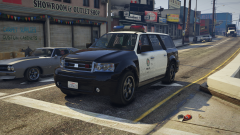 Thanks, I'll include ELS configs for the non-els cars so you can use the ELS flashing headlights and siren control features with my cars ;)
 -
From the album: John's Workshop
For the small upcoming RDE Style 2006 LSPD pack -
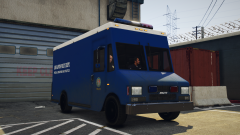 The LAPD didn't like having many lights on their vehicles back then :P (the van in the pic is a also movie prop)
 -
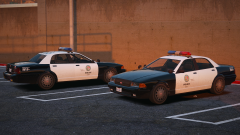 I just want the default vehicles to more reflect their real counterparts, the vanilla emergency vehicles look unfinished and just not good to me, I have my opinion about them and you can have a different opinion, I'm fine with that.



