


11john11
Members
-
Joined
-
Last visited
Everything posted by 11john11
-
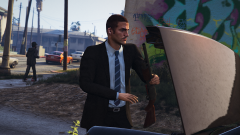
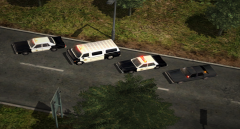
70s-80s LAPD Van, haven't seen a pic of one before, no idea what is going on in front of it though, I think it's part of some celebration. The pic is from 1983.
-
From the album: John's Pics
-
Sorry, we are not interested in using more real life models, Skylinegtrfreaks models were only used because the team needed proper military vehicles for the mod and GTA didn't offer enough fitting ones to use (at least not at the time when they were added.) I like the idea of more real life taxi models for GTA though, haven't looked that much but I can't say I haven't seen that many good ones except a few Crown Vics, the community could need some.
-
I really like the Pony, maybe you should try the Youga Classic, I have a mapped version laying around somewhere if you need it, I just need to ask the author if it's okay. Oh, I also love that you put Psychotic Reaction by The Count Five on the video, I love 60s Garage rock and Psychedelic Rock. rock
-
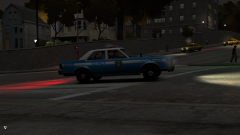 I'm afraid I don't have the files anymore but I can easily remake the model for you, it's just the templated Marbelle from ThatOneHick with a taxi sign instead of a lightbar, are you interested in doing some taxi skins for it? I lost em' too I guess
 -
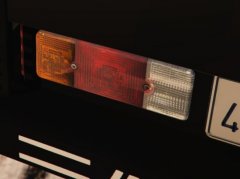 GO-4 Interceptor
 -
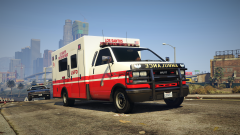 This was only a skin for the default ambulance, I will eventually make a proper model
 -
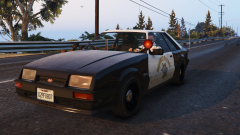
From the album: John's Workshop
Car edited by @Voit Turyv with advise and equipment parts + carcols.ymt edits by yours truly. Coming to the download section very soon! -
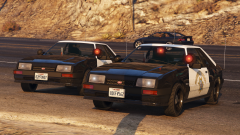
From the album: John's Workshop
Car edited by @Voit Turyv with advise and equipment parts + carcols.ymt edits provided by yours truly. Coming to the download section very soon! -
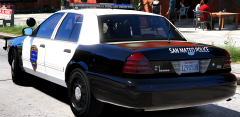 Not entirely true, the law only requires the two front doors to be white as far as I know. The CHP Commercial Vehicles Enforcement units are good examples for this law in action.
 -
Glad I could help you
-
Excuse me if I overlooked it Thero, but I think you also haven't copied the dirt mapping coordinates to your new material, this will break your dirt-mapping ingame. Here is a little tutorial, hopefully I got everything right, first, before you start with the real mapping, select all parts that use the default paint material (should be that smallspecmap material) then you open the edit UV Mapping window and set it up exactly like I did. After you did that just hit ok and you can assign your material to the parts and start mapping as usual. I think you also have to do this to all LODs first. (the material at the bottom should be your new livery supporting material)
-
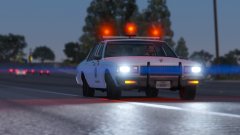 It looks awesome, if you need help with setting up a custom sirensetting for realistic looking halogen lights/ patterns and stuff, hit me up
 -
Well, it's actually against the guidelines on here, though people rather complain in the comments instead of actually reporting it, it seems.
-
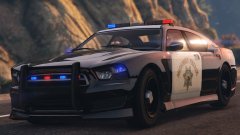 There is one without modkit luckily https://www.gta5-mods.com/vehicles/bravado-buffalo-s-stock-add-on-replace
 -
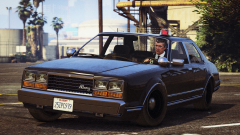 Well, there already is a 1990s addon in work by me. It will be an official addon once it's finished, you can check out the progress on the RDE discord, you can find the link on the RDE thread.
 -
From the album: John's Workshop
-
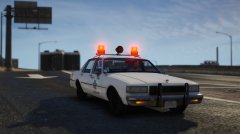 Damn, this makes me want to use real life cars again.... Great job!
 -
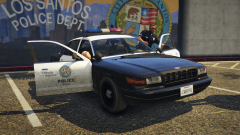
From the album: John's Workshop
-
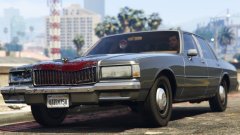 I found one pic with a unmarked car from the LAPD that had it
 -
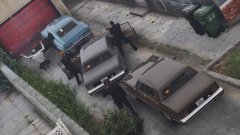 Nice to see my cars being used, I will upload some other retro style models very soon
 -
-
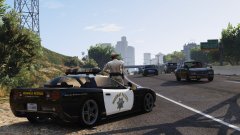 Awesome pic! Great to see some lore friendly cars in action.
 -
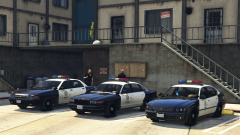
From the album: John's Workshop
-
 It's a edit of the LA mod by me. Not sure if it's moddable, only messed with EM4



