




ISPfan12
Members
-
Joined
-
Last visited
Everything posted by ISPfan12
-
So I have a lightbar that I converted from gta4 to gta5. Its causing my game to crash when I spawn the model. Is there any way I can fix the part or do I need to throw it out and start over with it?
-
-
-
-
-
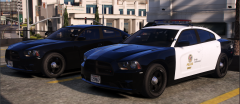
-
From the album: The WIP's
Look for guns, drugs, puke -
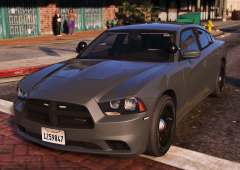
From the album: The WIP's
An idea had based off LAPD's new unmarked and slicktop units -
 Installed with all the required up to date files and it is saying it is not compatible with ragehhok 0.62 it causes lspdfr the freeze then ragehook terminates lspdfr. I'm finding lspdfr+ mod does the same thing. Yes I have traffic policer and all other required files installed and up to date
- 1,196 comments
- 127 reviews
-
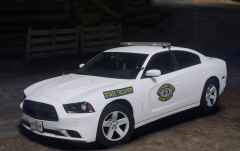
From the album: The WIP's
-
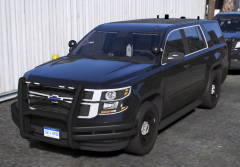
From the album: The WIP's
With a Westin -
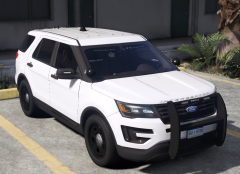
From the album: The WIP's
I wasn't happy with the original light setup on the rear so I changed it up. I'm happy with it now -
-
-
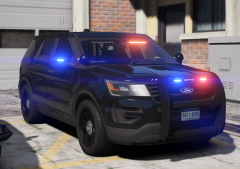
From the album: The WIP's
-
-
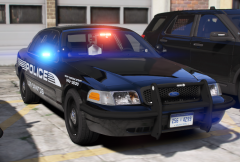
From the album: The WIP's
-
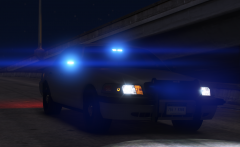
From the album: The WIP's
No I will NOT be adding ALPR's -
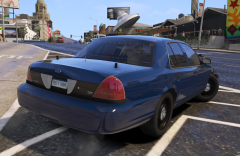
From the album: The WIP's
No I will NOT be adding ALPR's -
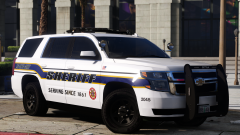 Love this! Really like the colors
 -
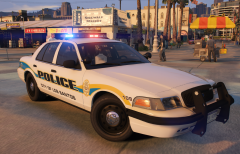 Negative. These are not just skins, it will be a model pack. I wont be making a caprice model.
 -
No its not lol I just took some things from some different vehicle ive seen and put them together. There will be a couple of crown vics in the pack including this one, as well as a charger, fpiu, and Tahoe. The vics will be geared more towards a basic older style lighting setup and the rest will be newer stuff. The newer cars will have this skin. Its based off Dearborn MI pd.
-
-
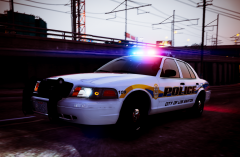 Thanks, its actually based of West Wilwaukee PD in Wisconsin
 -
From the album: The WIP's





