




ISPfan12
Members
-
Joined
-
Last visited
Everything posted by ISPfan12
-
I wouldn't think that would make a difference because it still gives me the error even with all the add on parts removed. It does it even with the base model itself.
-
I made a new car model and when I try to spawn it it says "game error please reboot or start game". It was working fine before. I removed all of the dev parts, exported it several times, tried adjusting the user definition and there is no change. I cant find what is wrong.
-
-
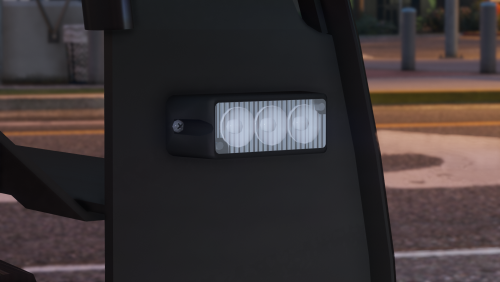 Thank you so much for all 3 of these surface mount lights! These are way better than the other that are out there
 -
Any update on the 51 inch Valor?
-
-
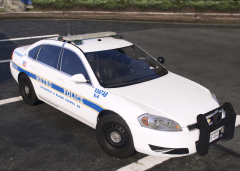
From the album: The WIP's
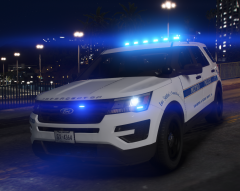
Coming in an update to my latest LSPD pack -
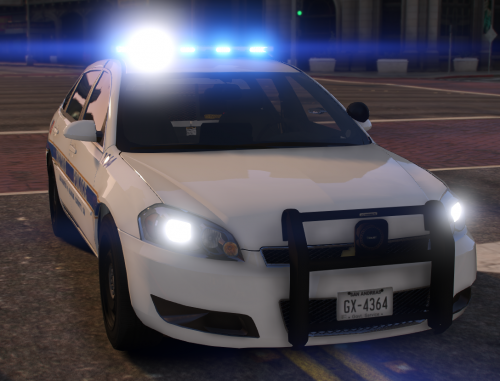 Try setting window tint to "none" in the vehicle modification in your native trainer. If that doesn't worth then it may be your computer. This is the first report of anything like that happening.
- 28 comments
- 10 reviews
-
Thank you, I'm glad you like it! I can definitely add an unmarked version in the update. haha I didn't even notice that! Thanks for pointing that out. I will fix it in the update👍
- 28 comments
- 10 reviews
-
That will be coming in an update. The unmarked impala with the push bar replicates MNPD's older traffic units, that's the reason for the LoJack and push bar. They do have other unmarked impalas that are detective/admin cars that don't have push bars or anything. I will be adding those due to several requests.
- 28 comments
- 10 reviews
-
This is pretty much it. They had the impala, then the fpis, and once the sedan is discontinued in 2019 they will be going to the fpiu. They have begun the switch to the utility this year so this years cars will be a mix of the sedan and utility. I was considering adding some more fictional cars matching the setup these have but I have not decided
- 28 comments
- 10 reviews
-
-

- 3
-
-
Release date 9/30/2018 Version 1.0.0 Made by ISPfan12 with liveries by @Sinnisa Information: This is a new pack I made based on the Nashville Metro Police Department after moving to the Music City. It includes several vehicles with equipment based on the real MNPD cars with some minor tweaks I wanted to do. It also has some amazing 4k liveries made by Sinnisa, the pack would not be the same if it wasn't for him so a HUUUUGGGEEE shoutout to you bro! Your the best! I hope everyone enjoys this pack as much as I did making it. Game on! Important!!!! Use the ELS files included in each model. Each vehicle has a particular lighting setup and the ELS file I have created is needed for the lights to function properly! Vehicles Inside: 2013 Chevy Tahoe Unmarked 2012 Chevy Impala 2012 Chevy Impala Unmarked 2016 FPIS 2016 FPIS Unmarked 2017 FPIU Known Bugs: Rear lighting on the FPIU does not move with the tailgate due to lighting limitations Please let me know of any other bugs you may find Full credits are included in download Please respect my work and the others who contributed Do not upload on any part of this file to any other site You may use these vehicles on any server you would like as long as proper credits are given
- 28 comments
- 10 reviews
-
-
-

- 18
-
-
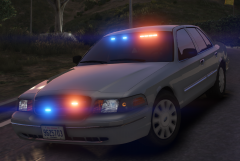 Its Code 3 lighting Its a Code 3 Wingman for the upper rear windshield Code 3 Supervisor TL
 -
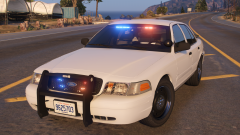
From the album: The WIP's
-
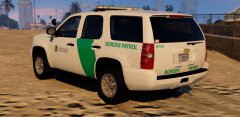 "If they are in fact Aliens, sir, wouldn't that make them Airforce jurisdiction?" "If they're just visiting, sure. But the moment they try to work here, they're mine."
 -
From the album: The WIP's
-
 Thats awesome! Tomar isn't used very much. I really like it! Nice job.
 -
I like the lightbar! It actually looks like a Tomar Scorpion
-
What light bar is that? Scale down your dashcam and the radar head unit👍 The rest looks great👌
-
-
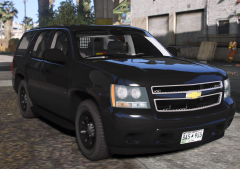
From the album: The WIP's
Made a few texture changes and resized the wheels. I think Im happy with it..... -
-
From the album: The WIP's
-
-


