




RobertTM
Members
-
Joined
Everything posted by RobertTM
-
-
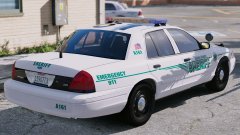
From the album: Robert's GTA V Endeavors
The BCSO pack has been released! This is one of the lightbar glass coloring options included at launch! Enjoy! -
.thumb.jpg.930b3b93c7c75c01f46faeecf9341ab2.jpg) Blaine County Sheriff's Office IMPORTANT: -These vehicles are not meant to be accurate to any specific department as they are lore friendly, please do not post reviews criticism on what is innacurate. -To switch liveries you will need to put a 4K version of the livery in the +hi.ytd and a 2K version in the regular .ytd. INFO: Over the past few months I've worked very hard on this pack to make it the best it possibly can for release, and its my best work yet of course. This pack comes with: 95% breakable windows (all except the CVPI windshields), pushbar collisions, three light stages per vehicle, and functioning takedowns for every vehicle. CONTENTS: SHERIFF- Marked CVPI - extra_12 - PB-5 Wrap SHERIFF2- Marked Tahoe - extra_12 - PB-5 Wrap POLICE4- Slicktop CVPI - extra_12 - PB-5 Wrap POLICEOLD1- K-9 Tahoe - extra_12 - PB-5 Wrap POLICEOLD2- Marked FPIS - extra_12 - PB-5 Wrap FBI- Marked 2017 Charger - extra_12 - PB-5 Wrap FBI2- Marked 2016 FPIU - extra_12 - PB-5 Wrap INSTALLATION: 1. Make backups! 2. Drag all files included in the "Models" folder into: gtav/mods/update/x64/dlcpacks/(LATEST PATCHDAY)/dlc.rpf/x64>levels/gtav/vehicles.rpf, using OpenIV in edit mode. 3. Drag the vehicles.meta included in the "vehicles.meta" folder into: gtav/mods/update/update.rpf/common/data/levels/gtav, using OpenIV in edit mode. 4. Drag all VCF files in the "ELS VCFs" folder into Grand Theft Auto V/ELS/pack_default. DISCORD: Join my Discord to learn more about my projects! https://discord.gg/wsEyXUK KNOWN BUGS: -CVPI windshield does not shatter. -Due to the slots they are in, policeold1 and policeold2 spawn in with matte paint. This can be fixed by manually changing the color of the car in your trainer. ENJOY!
Blaine County Sheriff's Office IMPORTANT: -These vehicles are not meant to be accurate to any specific department as they are lore friendly, please do not post reviews criticism on what is innacurate. -To switch liveries you will need to put a 4K version of the livery in the +hi.ytd and a 2K version in the regular .ytd. INFO: Over the past few months I've worked very hard on this pack to make it the best it possibly can for release, and its my best work yet of course. This pack comes with: 95% breakable windows (all except the CVPI windshields), pushbar collisions, three light stages per vehicle, and functioning takedowns for every vehicle. CONTENTS: SHERIFF- Marked CVPI - extra_12 - PB-5 Wrap SHERIFF2- Marked Tahoe - extra_12 - PB-5 Wrap POLICE4- Slicktop CVPI - extra_12 - PB-5 Wrap POLICEOLD1- K-9 Tahoe - extra_12 - PB-5 Wrap POLICEOLD2- Marked FPIS - extra_12 - PB-5 Wrap FBI- Marked 2017 Charger - extra_12 - PB-5 Wrap FBI2- Marked 2016 FPIU - extra_12 - PB-5 Wrap INSTALLATION: 1. Make backups! 2. Drag all files included in the "Models" folder into: gtav/mods/update/x64/dlcpacks/(LATEST PATCHDAY)/dlc.rpf/x64>levels/gtav/vehicles.rpf, using OpenIV in edit mode. 3. Drag the vehicles.meta included in the "vehicles.meta" folder into: gtav/mods/update/update.rpf/common/data/levels/gtav, using OpenIV in edit mode. 4. Drag all VCF files in the "ELS VCFs" folder into Grand Theft Auto V/ELS/pack_default. DISCORD: Join my Discord to learn more about my projects! https://discord.gg/wsEyXUK KNOWN BUGS: -CVPI windshield does not shatter. -Due to the slots they are in, policeold1 and policeold2 spawn in with matte paint. This can be fixed by manually changing the color of the car in your trainer. ENJOY!- 66 comments
- 41 reviews
-
-

-

- 34
-
-
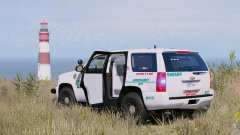
From the album: Robert's GTA V Endeavors
The pack is coming along greatly! I've made a K-9 tahoe (with a scratch made cage), added two CVPIs, one marked, one slicktop and an FPIS since the last official update. -
Make sure that your extras are above the glass in your hierarchy and that the emissive material is above the lightbar glass material in the material editor.
-
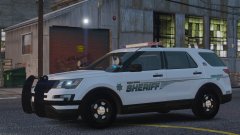
From the album: Robert's GTA V Endeavors
Been working on making this pack the best it I can. I'm planning on adding another four vehicles that are not pictured here. None of the cars are officially finished yet. -
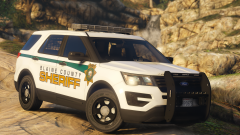 I like it! Placer County based right?
 -
From the album: Robert's GTA V Endeavors
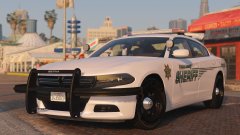
This is going to be basis for my next pack. The car from the last picture is going to be part of a different pack down the line. This car is not finished yet, but will be soon once I add a partition, gun rack and test it further. The Bay Area Pack is in the process of being updated too! Merry Christmas! (Some of these pictures are older than others, the main picture is up to date) -
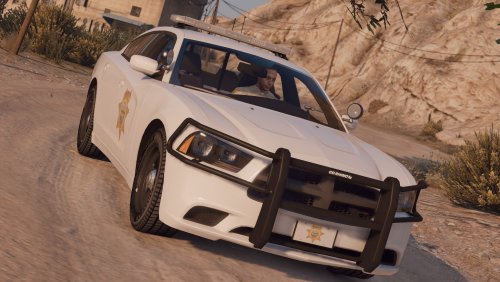 Wow, I've never been asked to add a steadyburn before, I'll see what I can do to add an optional one.
- 7 comments
- 3 reviews
-
-
- 1
-
-
From the album: Robert's GTA V Endeavors
-
-
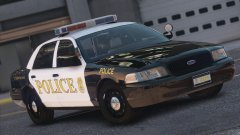
 Hmm, I didn't notice that. I think the wrong extras are toggled in the vcf. Also if the steadyburn bothers you that muhc you can set steadyburn to false in the vcf too.
- 21 comments
- 23 reviews
-
-
What do you mean? The ones included are 2014s. Thanks! Maybe eventually if I can gather the parts
- 21 comments
- 23 reviews
-
-
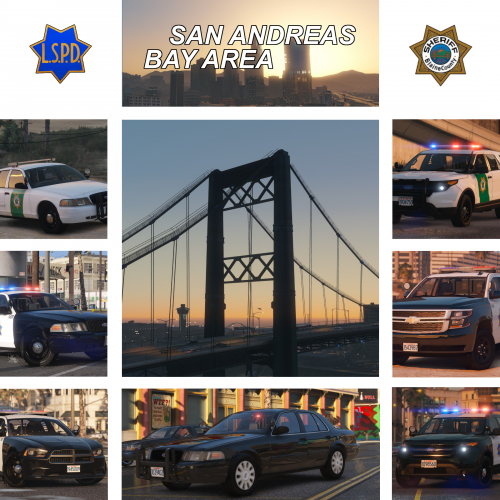
LSPD & BCSO Inspired by the San Francisco Police Department & the Marin County Sheriff Office. IMPORTANT: -These vehicles are lore friendly, therefore do not judge based on realism! -You must install the vehicles.meta included for the vehicles to work properly! INFO: These vehicles are inspired by the San Francisco Police Department and Marin County Sheriff Office. Due to these cars being based on California departments they are equipped with steadyburns. This pack comes with 95% breakable windows (all except the CVPI windshields), pushbar collisions, and three light stages per vehicle except for the unmarked CVPI, and functioning takedowns for every vehicle. If you have any problems / bugs please post a comment about it instead posting a negative review, it may just be a simple fix. I will try to help fix any problems and answer any questions. CONTENTS: -2010 CVPI (Unmarked) -2010 CVPI (LSPD) -2014 Charger (LSPD) -2014 FPIU (LSPD) -2015 Tahoe (LSPD) -2010 CVPI (BCSO) -2014 FPIU (BCSO) INSTALLATION: 1. Make backups! 2. Drag all files included in the "models" folder into: gtav/mods/update/x64/dlcpacks/(LATEST PATCHDAY)/dlc.rpf/x64>levels/gtav/vehicles.rpf, using OpenIV in edit mode. 3. Drag the vehicles.meta included in the "data" folder into: gtav/mods/update/update.rpf/common/data/levels/gtav, using OpenIV in edit mode. 4. Drag all VCF files in the "ELS" folder into Grand Theft Auto V/ELS/pack_default. DISCORD: Join my Discord to learn more about my projects! https://discord.gg/wsEyXUK KNOWN BUGS: -CVPI windshield does not shatter. ENJOY! If there are any issues with credits please PM me and I will resolve the issue.
- 21 comments
- 23 reviews
-
-
- 38
-
-
Looks like Harrison County Sheriff in Texas.
-
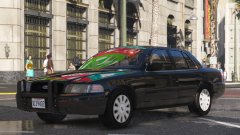
From the album: Robert's GTA V Endeavors
The Bay Area Pack is getting there! The LSPD part is completely finished, BCSO is in it's final stages, and this "multi-department" unmarked CVPI is getting it's finishing touches! On the other hand, I've made a Discord where you can ask questions, and chat about GTA stuff. If you wanna join: https://discord.gg/wsEyXUK Anyway, here are the completed vehicles: -
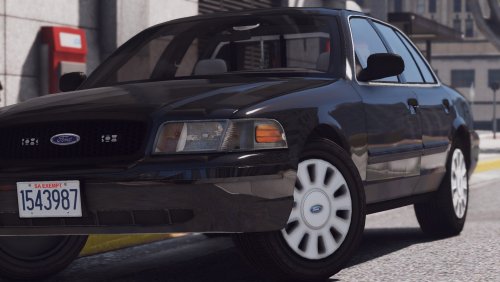 Hmm that's weird, I haven't been able to recreate it on my end, so I'm not sure what's going wrong.
- 19 comments
- 10 reviews
-
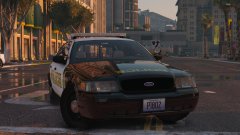 Yeah I think I will, the more I look at it the more I think it would look better, especially on the highway patrol livery.
 -
From the album: Robert's GTA V Endeavors
100th Gallery Image Over the past day or so I have installed some new visual mods, worked a bunch on the Bay Area Pack, and whipped up a random car when I had the time (and some liveries too, it's been a while!) :D I'm liking this setup, and I'm considering making the next setup for the next pack (after Bay Area ofc). Opinions? MEGA PICTURE SPAM BELOW: (Silver CVPI is unmarked I released last week) -
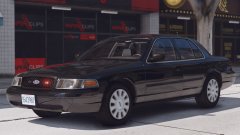 I'm not sure, it depends on how busy I am and if all the resources I need are finished by then.
 -
Try going into your vehicles.meta, finding the slot you replaced and setting the "<layout>" entry to this: <layout>LAYOUT_STANDARD</layout>, that should lower your view.
- 19 comments
- 10 reviews
-
-
- 1
-
-
Thank you so much! I think I have an idea of what the problem is, but I'm a bit busy atm, so I'll look into it and get back to you in a few hours with the solution.
- 19 comments
- 10 reviews
-
-
- 1
-
-

.thumb.jpg.930b3b93c7c75c01f46faeecf9341ab2.jpg)
