Slendis
Members
-
Joined
Everything posted by Slendis
-
So just recently i did a fresh install of my GTA V game becuse i did not want LAPD cars in my game only, i wanted some other police departments too but to the problem. After i did the fresh install i wanted to install PimpDLSR's explorer into the ''police'' slot. And then the Taurus into the ''police2'' slot. And then another Explorer into the ''police3'' slot. And i thought i need to change the carvariations file so the lights are not fucked up so i copied the ''police3'' text and changed ''police3'' into ''police'' and so on for the Taurus. I dont know if the game is crashing becuse of i fucked my carvariations file up or if it is some plugin. I did try Albo's ''LSPDFR Troubleshooter'' but nothing about plugins showed up there. I'll include a picture of my Plugins and Callouts, and also a crash log.
-
-
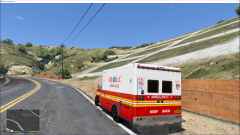 Looks awesome. But you should make a Charger model with the Valor. I would love it :)
 -
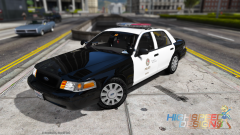 Haha, someone has to try. And this time it was me :p He has not answered but i asked :p
 -
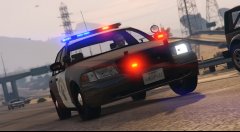 Is it your model? Looks really nice :)
 -
To me it sounds like the Whelen Cencom Sapphire.
-
Yes it will work if you are using steam. You can not play Online while having mods installed so keep that in mind. There is also alot of videos out there showing how to install. Watch this one for example this i a 4 part series explaining how to do everything regarding GTA V LSPDFR https://www.youtube.com/watch?v=7ZnBwl7R4cg . Please ask me again if you need any more help.
-
I've heard that LSPDFR is having problems with .32. So please install .29 .30 or .31. And come back and tell me if you are having the same problem.
-
You can't disable it i think. Since it is a part of GTA V's engine i think.
-
Read the ReadMe file in the download and it should give you a replacement location. You also need OpenIV if you did not know.
-
From what i've From what i've heard Ragehook .32 is having problems with LSPDFR. So please use .28 .29 or .31.
-
Please give a more detailed explanation of whats happening when its crashing, what you are doing and so on. Then its easier for us to help you :)
-
There is no manual update for GTA V. So the only fix i've found to this is to delete all the files in the GTA V folder, and then validate the files through steam. And it should update.
-
What do you mean with ''Can't install RagePluginHook''. Give me a more detailed explanation and i'll be pleased to help you.
-
-
Put your Post-FX on High or Ultra i think. Or just use one of the pre-made settings files in RadianceV. Or as i would recommend, only use one of RadianceV or Improved Spotlight and vehicle lighting.
-
No, not until ELS for GTA V is released i think.
-
Dont know if this is what you are looking for but i found this http://www.badge714.org/LAPDcodes.htm , http://wiki.radioreference.com/index.php/Los_Angeles_County_(CA)_Sheriffs_Department Don't know if that was what you were looking for there is probably someone out there that knows it much better then i do. And i also have no idea if LAPD and LASD are using the same ones.
-
No that is not possible becuse the modder has to go into Zmoddeler and change the light colours. So that is not possible.
-
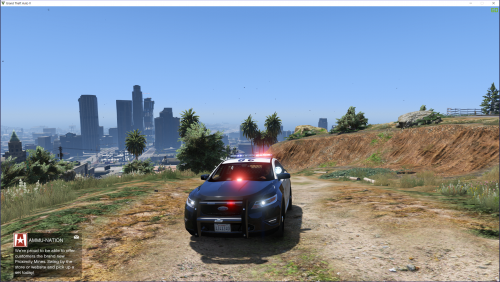 You don't have to make your own skins. There is plenty of skins and skin packs out on LCPDFR at the moment, so you just have to download one of those and i'll think you'll be alright. For example this LAPD/LASD skin pack http://www.lcpdfr.com/files/file/9401-real-lapdlasd-liveries/. And im also knowing that previous mods includes both LAPD and LSPD, but some modders just make the model itself and does not probably wanna make own skins, or wait for someone else to let them use their skins. But if you are adding alot of cars in the game, you should already know you don't have to make your own skins.
- 49 comments
- 10 reviews
-
Yea, i understood that. But what i was asking was, what did you mean with LAPD version? Like with a Arjent or things like that? If you are thinking about the skin, you can change that buy yourself.
- 49 comments
- 10 reviews
-
-
Haha, same as S0berDrunk, didnt expect this model coming. But as i said before since i love the valor, i'll love every single model that comes out with the valor! Great job, you have been doing a 10/10 job on all of your models lately! Unfortunatly you can't put more than 5 stars in one review :( xd
- 49 comments
- 10 reviews
-
-

- 1
-
-
yee
-
Having the same problem..