Alexander195
Members
-
Joined
-
Last visited
Everything posted by Alexander195
-
What version of Windows are you using?
-
Have you tried reinstalling it? Maybe you put it in the wrong area during installation?
-
 you are one sexy mf blackjesus
 -
F5544 has done some great work with crown vics, check his stuff out
-
 Holy shit this is dope!
 -
 Beautiful
 -
that hairline though
-
I would love to see an option to call for paramedics, I don't know how it would work as all they do when they arrive on-scene is evaluate the the patient and pronounce him dead, they don't try to save the guy. :/ Really solid idea though.
-
I saw these hubcaps in a screenshot in the gallery on a Fedsig Arjent CVPI. I'm guessing we will see this very soon. :)
-
Ugly boy is also really fucking weird, I came across this group in the movie Chappie as they were they main characters lmao
-
http://openiv.com/?p=1132
-
There will eventually be a Tahoe, people said the same thing when the crown vic was in development. Only thing we can do it wait.
-
 Every time I put a file in any of the x64 rpf archives, OpenIV freezes and crashes then that archive is corrupted. This doesn't happen with the "update.rph" archive. My openiv ASI's are up to date and both are installed. Any idea how to fix this issue?
- 2,341 comments
- 236 reviews
-
I'll take your current pc if you don't need it ;)
-
-
I could kiss you right now Sam.
-
 you never cease to amaze me :O
 -
If you reinstall ragehook 0.24 in the settings part of the installation, if you go to game settings and revert back to your old backup. That is word for word how I got mine to work earlier today.
-
If you made a backup through Ragehook when you installed Ragehook 0.24, you could revert back to that backup. That's what I did earlier today and it worked.
-
Tah-hoe lol
-
I saw a screenshot of a WIP ford explorer in the gallery like a week ago for gta 5, looked pretty dope.
-
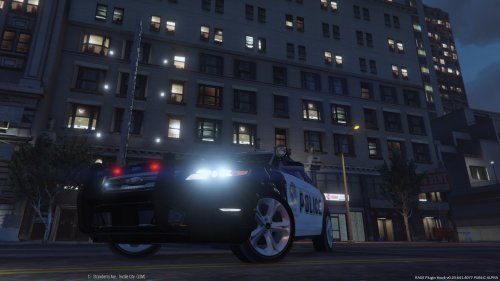 This has a lot of potential, keep working though man! Practice makes perfect. 2/5 (Lots of bugs)
- 15 comments
- 11 reviews
-
 haha
haha -
 I commend your extremely hard work on this, I've never encountered a crash before with this mod. The transport is always there when and where it needs to be! In my eyes this is a flawless mod. 5/5
- 1,915 comments
- 242 reviews
-
-

- 1
-
-