


OfficerArk
Insiders
-
Joined
-
Last visited
Everything posted by OfficerArk
-
-
-
 Definitely in the future! I have stepped away so I do not know when I will get to it!
- 239 comments
- 15 reviews
-
 The Chargers have this issue. I am looking into it but I have stepped away for a couple days.
- 476 comments
- 18 reviews
-
-

- 1
-
-
Look at the original livery! You can align your livery with mine in paint.net and copy over the license plate.
- 476 comments
- 18 reviews
-
-
-
-
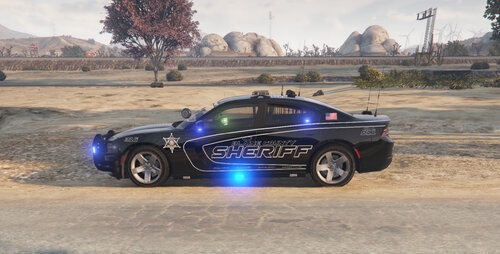 Amazing liveries as always!
 -
There are indeed floating LODs, I have looked at the Zmodel and while I can’t find any stray lights in the different levels, I might not be looking deep enough. I will look into it again.
- 239 comments
- 15 reviews
-
-
-

- 2
-
-
Extract the files inside the car folders to the pack_default folder. The pack-default folder should have .xml files not the ELS folder
- 239 comments
- 15 reviews
-
You can use a trainer to change the cars paint color to black. Otherwise you can extract the livery from the YTD, import to paint.net, then throw a black background layer and merge. I’m happy you have enjoyed the packs! It was very fun making all of these and hope everyone can enjoy them for awhile.
- 476 comments
- 18 reviews
-
-

- 1
-
-
-
-
-
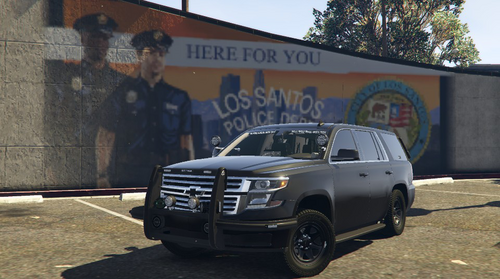 It is included in the download!
 -
 *Vehicle Extra Flags Happy you got it working!
 -
-
Whatever slot you installed the car in needs to have the proper livery flags in the vehicle meta. u2020fpiu
-
Are you using the car in a different slot?
-
-
-
The ones in the photos are outdated and I haven't had a chance to update them. Each "unmarked" YTD comes with 2 liveries, one unmarked and one with the graphics.
-
-
Just took a look and fixed them. Will get an update out today!
