


GreenAid
Members
-
Joined
-
Last visited
Everything posted by GreenAid
-
Hmm actually, if you looked for the cars by PG1313, then you missed these: http://www.gta4-mods.com/misc/gtav-vehicle-pack-3-f19283
-
Ceril made both an ELS & non, the one I PMed you is non, & look into Ekalb's Thread you'll find DL for the lightbar version of the slicktop I requested time ago. (t looks like noose)
-
-
-
-
I think he meant that if you had Hardcore mode "maybe" the backup button has been disabled (but I don't think). So not to install it.
-
-
-
![enb2013 3 26 1 8 6 [4]](//s3-gallery.int-cdn.lcpdfrusercontent.com/gallery/album_954/sml_gallery_9318_954_144098.jpg) Very nice, +1.
Very nice, +1. -
-
-
Not really I do that always & it works fine >_>
-
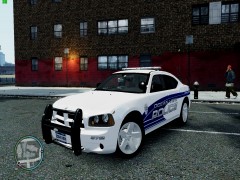 Coooool!!
 -
Try reinstalling maybe.
-
Ehh I use it since on my weak comp I modded onl 20 cars & I like them not sh!tty stuff like rusty cars on ugly cars lol.
-
-
It's not that bad for many reasons, first it will load less models so less texture popping, second you can choose only the models you like more to spawn, & third you can eventually spawn more cars by making a second or third (didn't test this last 1) copy & call it TrafficFlow2.ini or 3.
-
I'm not using it but I suppose you need to install a model, did you do it?
-
 He's wrong, he just can't see the donwload button, it's the site that's a bit confusing xD & I mean the skin but now it's out also on Gta4-mods.
 -
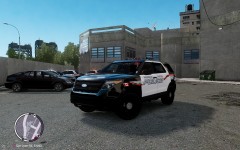 gta-modding-chest.com
 -
It isn't released yet? But it looks cool!
-
First you don't need to highlight nothing since spark IV will replace the model automatically, then when you replaced the highlighted skin, click save and close. After this Rebuild FIRST then Save (it has no sense in opposite since saving before is useless) Afetr you did this in vehicles.img, no need to do anything else you can close all & go ingame.
-
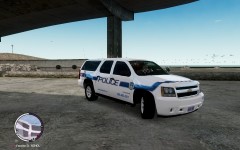 Hum could I have your version by PM? I tried to run it on EFLC But it didn't work...
 -
As normal?? ._.
-
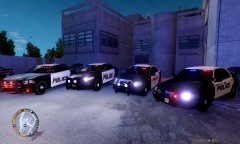 Awesome! & I think the vehicles were from EVI but he removed them :'(

![enb2013 3 26 1 8 6 [4]](http://s3-gallery.int-cdn.lcpdfrusercontent.com/gallery/album_954/sml_gallery_9318_954_144098.jpg)

