




Kilyin
Members
-
Joined
-
Last visited
Everything posted by Kilyin
-
 but I kinda like the original pobison more. I'm not a big sheriff guy. Does anyone really like all that crap in the bed? If so, direct me to them. ;)
- 371 comments
- 38 reviews
-
-
@dbock1989 On the original pobison, there is still 'junk in the trunk' (bed)... cement bags, etc... Or am I using an older version?
- 371 comments
- 38 reviews
-
I can confirm PoliceRadio is fully functional with RPH 24 if installed correctly. That includes K9 and additional traffic unit.
-
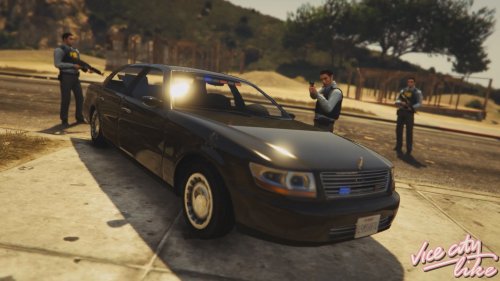 Let me post a couple screenshots. I'm 100% sure I installed everything correctly.
- 16 comments
- 1 review
-
 No. This is an API plugin and it starts automatically if installed correctly. You do not use loadplugin on it. Move entire HEROCOP_CUSTOM_SOUNDS folder to \LSPDFR\Police Scanner
- 542 comments
- 98 reviews
-
-
Yeah this for sure needs a key modifier and all keys remappable, but I have to say this is a great start.
- 542 comments
- 98 reviews
-
-
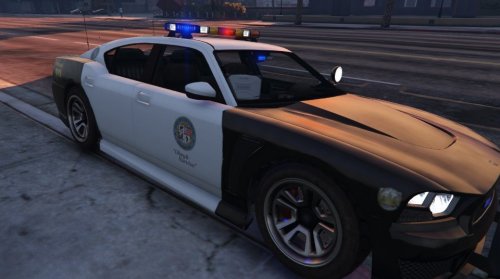 This only comes with a handling.meta, and I don't think the coroner van uses that file at all... so maybe that's why you crashed.
- 54 comments
- 19 reviews
-
from the .ini // 1. Press DETONATE (usually G in keyboard and left on dpad in controller) to call dog to you. If you are in car, dog will enter the car (Dogs can open and close car doors, trust me :P)
- 542 comments
- 98 reviews
-
Do the drives still spin up? If they do, often times a Linux boot CD can recover/read data from a drive deemed unusable by Windows.
-
Love the concept, and the ending of the video. Also, how can you go wrong with Mr. Peanuts?
- 542 comments
- 98 reviews
-
There is still a texture glitch in this car on the driver's side dash. It's like a patch of some red graphic. Also I'm using this as a standalone vehicle and when I search the trunk with Vehicle Search, it doesn't find the medkit, armor, or carbine like other police vehicles.
- 16 comments
- 1 review
-
-
Nevermind, I see 2.2 is just an addon... so you have to download both versions.
- 371 comments
- 38 reviews
-
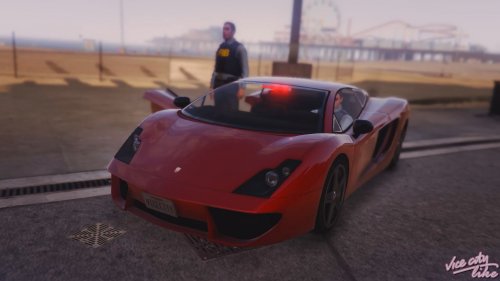 I got this car and the FIB Washington both working together, with some carvariations and vehicles.meta editing, but when I type spawn in RPH console, they don't show up as autocomplete entries like other car mods? I can still spawn them but do you know how I can fix that?
- 4 comments
- 1 review
-
-
 Download from http://ragepluginhook.net/Downloads.aspx Then replace these files with the ones from the 22 archive:
- 1,915 comments
- 242 reviews
-
-

- 1
-
-
 Mitigate this by using the modifier key in the .ini. TrafficStopFollowModifierKey=???
- 3,646 comments
- 306 reviews
-
 check your .ini file (pedsearch.ini) and see if you have a modifier key. I highly recommend that you do.
- 107 comments
- 18 reviews
-
No worries man, I have no doubts about your integrity. If it weren't for stumbling upon you and @FinKone's channel, I may have never found LSPDFR. I have to thank you for that alone. I am sure this will all come out in the wash, as they say. I didn't mean to blow this thread up into a shitstorm. Sometimes I vent and it gets out of control. ;)
-
Cool, I definitely meant no disrespect to @JFavignano, I think he is a stand up guy and I appreciate his view on this and all the content he puts out. I guess my sack was just a tad chafed at all the peacocking that I was seeing.
-
I'm gonna guess that it's distance based. So if a 'police ped' is close enough, you won't actually see the hooker get in the vehicle with the john (as you clearly did), whereas if you're playing a story char, they don't seem to care.
-
Didn't your video prove that you can? ;)

