




Kilyin
Members
-
Joined
-
Last visited
Everything posted by Kilyin
-
-
-
Wait for an OpenIV update that should hopefully be out soonish to fix this issue. You didn't do anything wrong.
-
 Try this one. I took the original one down. Just unzip, drag and drop the .awc into resident.rpf. https://dl.dropboxusercontent.com/u/66291495/vehicles_awc.7z I'm gonna take this one down in a few hours because I have no way of knowing how many times it gets downloaded, etc.
- 316 comments
- 31 reviews
-
It's a problem with the new openFormats and OpenIV, but a fix should be out soon, I think.
- 316 comments
- 31 reviews
-
-
-
I can't PM anymore today but do this. Download this AWC file: https://dl.dropboxusercontent.com/u/66291495/vehicles_awc.7z Drag it into resident.rpf, load the game, spawn the car police, turn on sirens and drive around. Sounds fine right? Okay, now go export the vehicles.awc file as openFormat .oac, delete it from resident.rpf, and reimport it into resident.rpf. Go back in the game, spawn the car police, turn on sirens and drive around. Notice the sirens work but they intermittently cut out/mute. I just tested it on the latest version of OpenIV.
- 316 comments
- 31 reviews
-
-

- 1
-
-
-
 But wouldn't that require you to actually use a taser and not mow everyone down with an AK-47? :)
- 86 comments
- 33 reviews
-
 @Desmond98 ? Hi Desmond, can you please provide PimDSLR the models with working LODs so we can all enjoy this variation of it? Thanks in advance. :)
- 221 comments
- 34 reviews
-
 This mod is one file - visualsettings.dat so overwrite it in \update\common\data with this one.
- 336 comments
- 70 reviews
-
small correction, v2 has all blue option, he didn;t kill it off til v3.
-
Yeah, hopefully it will get fixed, because I really like the model otherwise.
- 221 comments
- 34 reviews
-
To be fair, you can't directly import and export zmodeler or 3dStudio files with OpenIV as you could with .oac files. Pretty much every sound mod out there is in .oac format, it's just not just LSPDFR. Then there is still the problem that .oac files don't export and import properly anymore. While they don't give an error if re-exported with the new OpenIV version, the sounds don't get imported correctly and either don't play at all or play briefly and then muted.
- 316 comments
- 31 reviews
-
-
You thinking of another mod? This doesn't have any sounds that I can see. If you manipulate an .oac file with the current version of OpenIV though, there's a good chance that's what caused it, as it's currently kinda broken.
- 86 comments
- 33 reviews
-
Does it only crash when adding cars?
-
-
Yeah I was able to do that before the latest update, but the problem is when you reimport the .oac the sirens are all janky and don't play right (muted etc) sent links to above people ^
- 316 comments
- 31 reviews
-
-
Thanks, I honestly quit accepting that callout because it was just so goddamn annoying.
-
-
new OpenIV update just came out, might wanna check and see if he fixed this shit.
- 316 comments
- 31 reviews
-
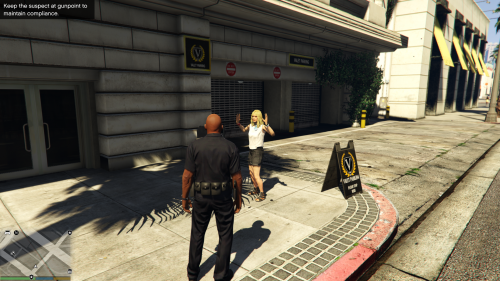 these are plugins & callouts developed by the community. LSPDFR has come a long way but it's still very much in beta, whereas LCPDFR is many many years old. Never seen anyone complain about the community developing content before, heh.
- 54 comments
- 22 reviews
-
-
- 1
-



