



Gelse16
Members
-
Joined
Everything posted by Gelse16
-
seems like there's no autoload for the lspdfr plugin at gamestart. but that's the better way to start, i prefer to load into the story mod. once you are finished with loading into it, open rage console (standard F4) and load the lspdfr plugin (reloadallplugins). it will take some seconds, be patient. now you should be able to go to the police station, create your character and start duty. if you have already created your own character you can use rage console commands again to go on duty instant (ForceDuty). keep it this way, it's much more flawless without autoloading some plugins and reduces crashes of plugins.
-
so after new reinstalling gta5 did you manage to start it clean before installing scripthook, rage and lspdfr? did you try it more than once? i've faced the same troubles with some small mods. installing a lot of mods and scripts at once seems to be no problem for gta5 but when i change only one single car and make some changes in visualsettings.dat or something like this my game crashes at start, also without any message or helpful logfile. but after the third attempt in row it works flawless again though i haven't changed anything. at one single time it helped me to completely UNINSTALL vga drivers and REINSTALL them new not just update it to the latest patch. i didn't have to restart my system either to make gta5 working again. try this one? another thing that appears rarely is some memory problem where files get corrupted in any way, i don't know how this happens. but when i get some access violation blabla message you can try this also: run command prompt AS ADMINISTRATOR and type: sfc /scannow it may take a few minutes but when it's finished once, close the window and try to start gta5 again. even if he writes that no problems were found my gta was working again without any starting issues at all.
-
big thx for updating the scripthook under the most worst circumstances you could imagine! all best for you and your beloved ones!
-
 still a must have!
 -
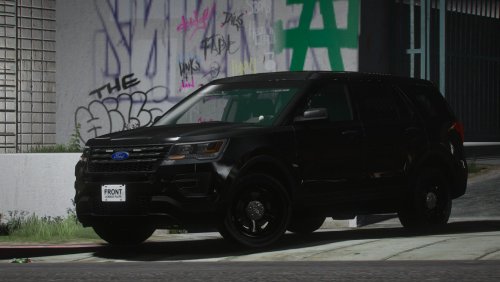 i like it in every way. at most that there is no pushbar since a lot of my other cars have one. exactly what i was searching for and much more beautiful than expected. thx for sharing!
- 16 comments
- 9 reviews
-
-

- 1
-
-
i've been searching for half an hour without any finds. best regards
-
 has suddenly stopped working with controller since last rockstar gamepatch 😕
 -
 well, find it out?
 -
i don't think it's so bad to use the internet instead of being lazy... 😁
-
for all requirements please visit the original page at https://www.gta5-mods.com/scripts/skip-intro-legal-messages-mod#description_tab
-
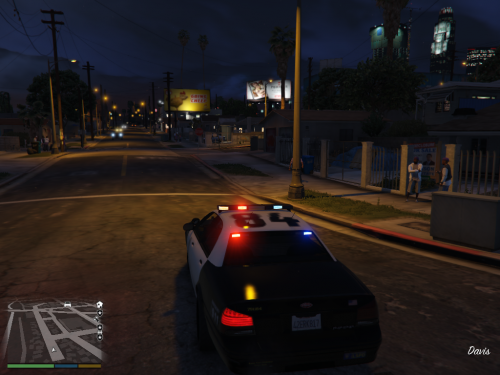 tested this plugin. i wasn't waiting for the callout i have forced it after a few minutes ingame. works like a charm, also if you change the .ini since i'm missing some staff from albo this is a nice sideaction where you can use the red and blues without that much work to do for you. nice idea, nice addon to the game and, for me, very enjoyable.thanksand keep up the good work!
 -
it's all about that in the describtion. so - guess???
-
it was not a lot of work. just rewrite one line and load it up on 2 platforms 🙂 but you're welcome!
-
asi file that puts you directly into the loading screen of the game. no intro, no ads, no legal warnings etc. since this is a simple asi script your main gta.exe will not be modified. also there's no need to change any .rpf file. which prevents crashes or online issues. BEWARE this script was made for singleplay story mode ONLY! yes, you can use it along with lspdfr to get on duty faster 🙂IMPORTANT NOTE:this asi script was made by grasmanek94 (from gta5-mods.com). also one line was changed by tgetetetevzx (from gta5-mods.com). so all credits go to them! i just put together one and one. all information at the original thread:https://www.gta5-mods.com/scripts/skip-intro-legal-messages-mod#description_tab Requirements; dinput8.dll (comes along with ScripthookV) Install: put this file in your main GTA5 directory.since i got a lot of mails asking for the reworked asi already including the changed line i decided to upload this file now. so all you have to do is put it in your main gta5 directory and thats it. in case it doens't work i can't help. but there should be no reason for that.ALL CREDITS GO TO THE AUTHOR grasmanek94 AND FOR CHANGING LINE tgetetetevzx !!! THX GUYS FOR SAVING TIME OF OUR LIFES!!! 🙂
-
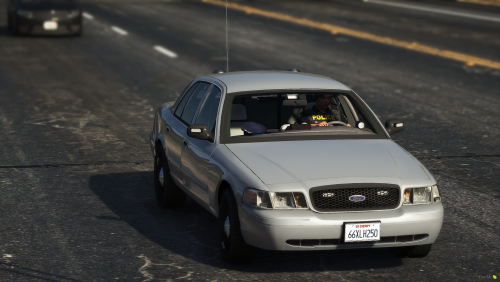 glad that its really stealth which means without the rambar. so its finally a good uc car.
- 8 comments
- 5 reviews
-
-

- 1
-
-
-
-
ich bekomme trotz anleitung die uniformen nicht ins spiel. auch im trainer scheint sie nirgends als auswahl, alles nur standard lspdfr outfits. habe leider kein eup paket sondern manuell laut angepinnter anleitung in diesem forum installiert. es tut sich nur gar nix. sehr schade. ebenso verwenden bei mir alle fahrzeuge nur die polizeisirene. ambulance und feuerwehr, die auch eine eigene haben sollten, verwenden sie ebenso und nie die eigene. els. sehr eigenartig und auch hier ratlos.
-
 works fine for me at 0.4.2 - instead of the phone my police radio shows up. very useful when playing with controller, thanks for that one mate! 👍
 -
works fine for me at 0.4.2 - instead of the phone my police radio shows up. very useful when playing with controller, thanks for that one mate! 👍
-
.gif.ef71e5660a9974a47d7678c5aa25d9ea.thumb.gif.e29002164b287fddeca8c59836e258bc.gif) too bad that it's not included in elr. thanks a lot to help out with this very useful fix, like it!!! :-)
too bad that it's not included in elr. thanks a lot to help out with this very useful fix, like it!!! :-)- 42 comments
- 13 reviews
-
 i like it very much. would reach the 5th star if there is an option without the automatic headlights at night, which i don't like at all. that's much too bright.
- 81 comments
- 16 reviews
-




.gif.ef71e5660a9974a47d7678c5aa25d9ea.thumb.gif.e29002164b287fddeca8c59836e258bc.gif)
