


rukrim
Members
-
Joined
-
Last visited
Everything posted by rukrim
-
yes, depends on the code you put... 0xFF000AFF will make it blue. Also you need to analyze the direction of the light, rotation of the axis to make the environmental lighting face the correct direction according to each light position.
-
that would be very usefull. i hope they can let us know how it will be so that we can start working on our models as soon as possible. +1
-
Hey Achilles. You should change that on the carcols.ymt file Color value section: This needs to be setted on each siren node. Remember, if you want to make the light show enviromental lighting, to set ''light'' value ''true'' If you need any help or dont understand something just contact me through pm

-
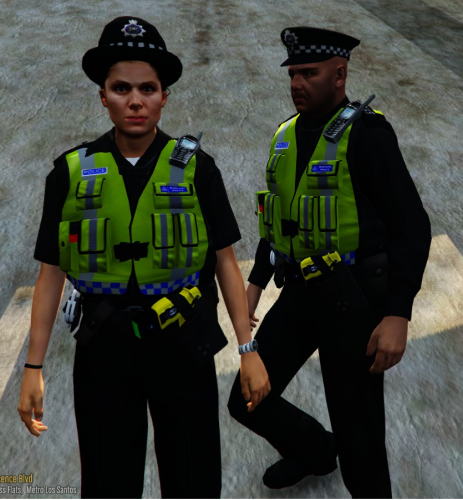 I get crashes when editing the ped set up through the trainer whenever i change the ''accessories'' slot from 1 to 2 , i know that those parts are meant to be hidden and not used....because i saw it through openiv preview...but i wonder why it crashes when messing with them. EDIT: on the male version i get crashes when changing decl_ parts. , on the female one when changing accs_ parts . I know is not big deal because i can leave it and not touch it ....but when it comes to people that scroll down changing the set up through the trainer and not knowing about the bug or which section changes a specific part, they get an instant crash and that bothers. anyway, i love this ped. great job on it! :D
- 53 comments
- 13 reviews
-
did you set the appropiate carvarations.meta set up?
-
Dunno why but when the pattern showed up i started to feel the beat. It was dope music
-
lol...i was talking about the lights set up xD
-
@Windows446 That video gave me a good perspective of how christmas will be.
-
 will do. srry for the late reply
 -
 then i guess we should get used to it unfortunately
 -
that butt looks weird with those pants . i dont approve
-
he is referring to vehiclemods, which are separate from the main vehicle (as bxbugs did for a cvpi showcased by prophet)....so there is no chance for duplication of the siren nodes tho
-
 QEPD
QEPD -
 soon, i need it to be delayed because of some personal things i need to finish. So i hope i can update between this week and the next one. Stay tuned.
- 273 comments
- 61 reviews
-
-

- 1
-
-
-
the only thing i can tell you is that i tried with 64 bits before and it didnt work because a specific part of the pattern/code written was not played/shown. So sadly i assume we can only use 32 bits atm.
-
please next time use the ''spoiler'' function when uploading many lines or a complete sirensetting section
-
Em...you can change the bpm from each siren node.....check speed value under flashiness section at each siren node section. And you need to set false on "sync to bpm"
-
Yes. As soon as I uploaded v4 in the next days (due to something that came up last few days amd I couldnt finish small fixes) yes I will make a sheriff variant texture. I just want to let you all kbow that you need to have patience because I do this in my free time which is very few. Will keep ya all updated.
- 273 comments
- 61 reviews
-
-
- 2
-
-
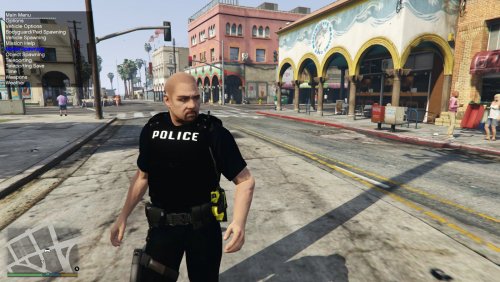 oh cool....you should include both so that people can choose :D. also i will pm with some cool rank patches i made time ago
- 28 comments
- 15 reviews
-
-
- 1
-
-
lol no...i mean that you, at this mod post, uploaded pics showing hands withouth glooves. When i install this files i get the heads with glooves....is it supposed to be like that? or you wanted to upload the ones withouth gloovess? , thats what i mean :D
- 28 comments
- 15 reviews
-
emm. @majorpaine2015 !! you uploaded the version with glooves with the heads i provided you... you didnt include the ones showed at the pics at this mod that dont have glooves...you might have got them switched just to let you know
- 28 comments
- 15 reviews
-
-
How just how ?
-
cool...i wonder how...we 've tried this since the very first moment...but we never managed to make it work...it surprises me you can make it just with zm3 and not using carcols lol


