



xAKRONSFINESTx
Members
-
Joined
-
Last visited
Everything posted by xAKRONSFINESTx
-
ok so i am having the exact same issue, i have changed over ytd/yft textures, and they display correct. i have added a carvariations file to patchday1 folder ( where the policeb shows up) and have no issues. but when i change out the vehicles.meta file the game crashes when loading. if i swap it back to the original the game loads but the car only has tires/wheels on the driver side. lol. the model im using is the charger. i successfully swapped the fbi car for the charger, and even tried using the lines from the fbis vehicles.meta but that doesnt work either. please help!
-
man thank you so much these look great! cant thank you enough
-
-
I think the content creators have done a superb job so far in terms of whats been made, and keeping those things updated. Props to you guys! However, i think the number one thing missing (for me atleast) are ordinary, day to day calls that are apart of routine police work. I know Finkone is working on something (it was in one of his videos) and mentioned these types of calls were needed. Below are an assortment of different types of calls. An example of non emergency calls: And of course, some emergency calls: And then you have the stuff in between: I work for a police dept and these are just the usual calls/codes from day to day. There are a lot more out there obviously. And i know that tons of work go into these mods and scirpts. This is just a list someone can use if needed. If anyone has a question or idea of how a call might go/workout just ask. Thanks again to those who do create this stuff.
-
i changed the vehicles.meta, but pretty sure i didnt do carvariations. what exactly would get changed in there? ( sorry. i am able to do the simple stuff in openiv and trying to learn more and more)
-
Hey guys I was wondering if it is possible to change the policeb slots to an actual vehicle (like the sahp cvpi/one of the chargers). i tried messing with it myself but alls i got was a game crash. The bikes are kind of out of place in pursuits and such . Any ideas on if this is possible, and if so , how? Thanks in advance!
-
i understand the badge is bad so thank you. those will work great for now until someone can do better or i get a better badge. i will gladly take them. thank you!
-
. this is the best i can do for now. the straight picture is obviously full of salt. damn ohio...
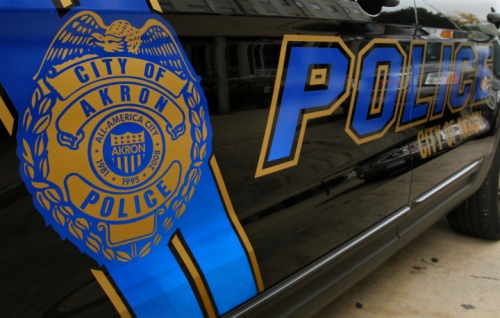
.PNG.bd7a9657b66fb1c212f7756ec4ce8896.PNG)
-
working on it
-
if you need any more pictures i can get them. just lemme know!
-
I really appreciate it man! Thanks so much
-
Hello. I am not skilled or knowledgable enough to make these on my own. If someone could make textures for the explorer for the Akron cruisers that would be amazing.
.thumb.jpg.7f596d28122273d251e022a8c7410f85.jpg)
.thumb.jpg.9dfb02bc0b0ac67e63baad45de897547.jpg)
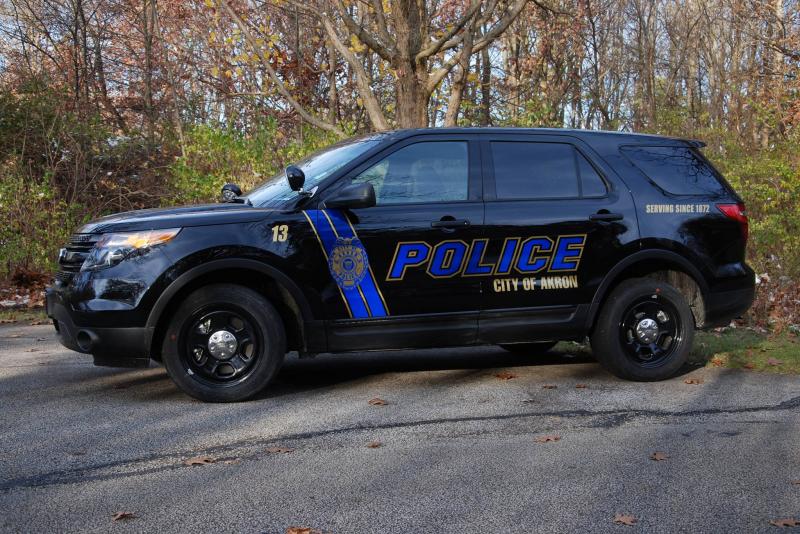
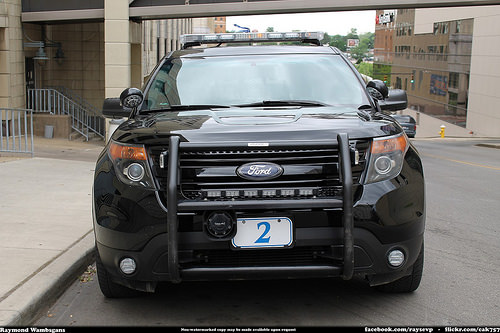
-
ok. ive tried that but normally i would be free from the pursuit but ai units would chase them all over until they had them arrested. ill keep trying this though. thanks for the quick replies.
-
Hello all. I think it would be nice to be able to cancel a pursuit. Sometimes they just get too crazy or go out of jurisdiction and I dont feel like chasing them anymore. Otherwise the AI continues to chase them forever. If it could be added to the backup screen as a separate screen with the option to cancel that would be great. Anyone else think so?
-
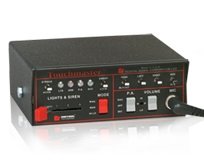 This has been my only siren since installing lspdfr. Absolutely fantastic. Loops are perfect. Can you update it to work with the new oac?
- 23 comments
- 12 reviews


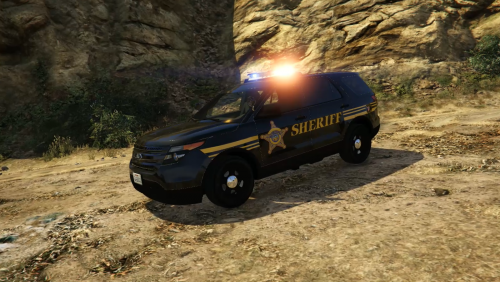
.PNG.bd7a9657b66fb1c212f7756ec4ce8896.PNG)
.jpg.a147d95fe3fd24629ef6c85e1dabb46c.jpg)
.jpg.ea4ab11d0460b8b2a5eb369ec65473d7.jpg)
