




SgtManley
Members
-
Joined
-
Last visited
Everything posted by SgtManley
-
 Only problem I have so far is the trim around the windows have nothing but a white color; which is pretty ugly when trying to make a skin. Is this part of the alpha process, or is there somewhere to change that? EDIT: I realized that's only in OpenIV's model window.
- 371 comments
- 38 reviews
-
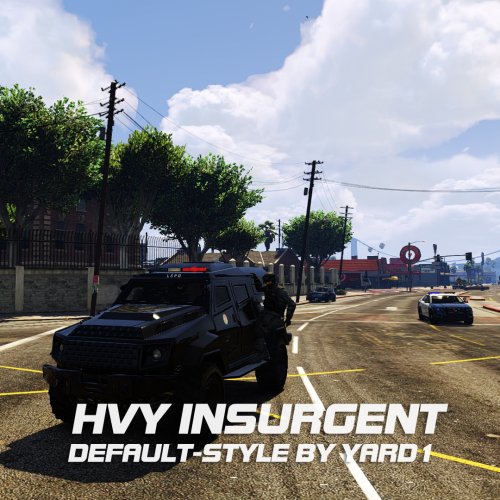 This may be an add on, but you better believe I'm replacing the Riot with it anyway.
- 27 comments
- 4 reviews
-
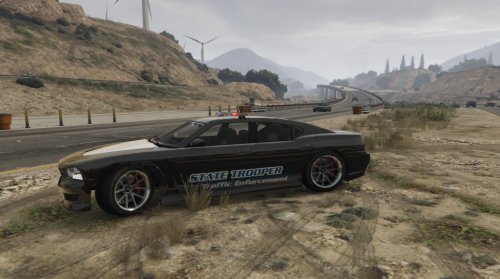 This is a skin I made for personal use, but I thought the community should be able to enjoy it, too. This is literally my first "reskin" of a car, so any CONSTRUCTIVE criticism is welcome. It includes a few light bar modifications as well, which will be in the credits section. This replaces "police2" in x64e > Levels > gta5 > Vehicles.rpf Props to both Kpdofficer (ELS Style Lights) and LtMattJester (Templated Buffalo S) for making this model possible. Depending on the interest, I will release some other textures that I have made, and perhaps even include files to make these standalone vehicles.
 -
Gauntlet Bison Insurgent Interceptor Granger
-
 Excellent timing, good sir! I just started the process of reinstalling my mods (because while playing around, I've made a bit of a mess of things).
- 95 comments
- 17 reviews
-
@drunkpolice I misread your first post. Unfortunately I don't know how to edit the stock vehicles in the game, but I can tell you how to add new ones and customize those (I'm still kinda figuring it out though). But I have no idea where the meta files that point to the original emergency vehicles are. Maybe you could put the data in there yourself and it would work? I'm literally just starting making textures / vehicles today, so there's still a lot to learn.
-
@drunkpolice As I just learned, there are two of the files: Grand Theft Auto V\update\x64\dlcpacks\mpheist\dlc.rpf\common\data\carvariations.meta Grand Theft Auto V\update\x64\dlcpacks\mpchristmas2\dlc.rpf\common\data\carvariations.meta And you only need to edit one per vehicle.
-
@JHubbard92 Thanks! I tried to look around the forums, but I guess I overlooked what I needed.
-
If anyone has any ideas, I am very interested in this topic as well. I'm trying to add a vehicle to the game (Sheriff SUV with a trooper texture), and although I've gotten the textures to load in the game, so far it's not recognized as a police vehicle, doesn't have any sounds, etc. Also, where is the carvariations.dat located for the emergency vehicles?
-
 It must be. I'm starting to regret buying the steam edition of GTA V because of the updates.
- 268 comments
- 44 reviews
-
-

- 1
-
-
-
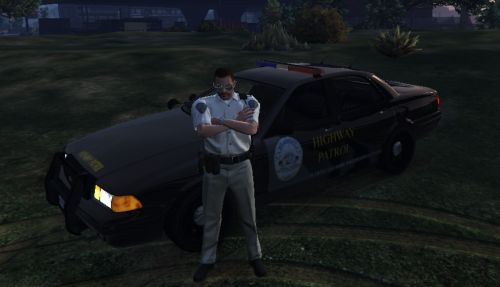 Here's a fix that Exiled told me (it's temporary, but it works better): Rename both files to replace the sheriff car instead of the police.
- 55 comments
- 4 reviews
-
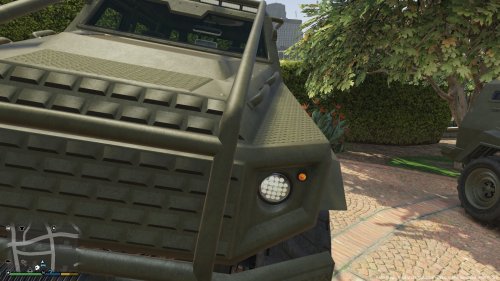 I would LOVE to see the Insurgent as a police vehicle.

