SCSDDeputy
Members
-
Joined
-
Last visited
Everything posted by SCSDDeputy
-
I will merge it over to bitbucket later today, probably easier to keep it separate from all my work stuff anyway
-
Its been ALONG time since i have been around the community, as we get older we start taking on alot of different responsibilities and work becomes a burden. But since i am now a full-time remote web developer i have a bit more free time, so i started rebuilding an old project of mine. If anyone can remember i used to run a different gta modding website, that we shut down, but we build an online mdt/mdc that was available for clans. Well i decided to spend a bit of time rebuilding that and im making it completely open sourced and free for everyone. If you want to know what the old project looked like, look through the images here: http://www.lcpdfr.com/gallery/image/34855-clan-management-dispatch-system/# I have already started rebuilding the application, its going to be modular, so you will be able to use what you want and turn off the modules you dont want, i am about 30% finished with the dispatching module, and once i get that finished ill make an installer and release an alpha version. If you want to contribute or if you want to start jotting down some suggestions or you want to get in on the alpha testing, then visit the repo: https://bitbucket.org/scsddeputy/clan-management-system and let me know what you want to see by starting a new issue.
-
-
-
-
 The hosted one is no longer available, im working on a public release for private hosting that ill probably release sometime soon
 -
https://mdt.lcpdmods.com
-
When im coding, i use brackets (made by adobe) it has a live preview function so you can see the website updating as you change things http://brackets.io/
-
Every single anti-virus is a virus itself not just norton
-
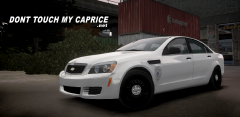 wouldnt touch it with a stolen dick on a 10 foot pole
 -
Another user and myself will be adding a reporting module in our MDT / Clan management system if you want to check it out '?do=embed' frameborder='0' data-embedContent>>
-
-
-
MODEL OVERVIEW ================================= - NAME: 2008 GMC TopKick Ambo - VERSION: V1.0 - OPTIMIZED FOR: Ambulance CREDITS Model: - Model is from Driver:SF - Model converted to GTA by SCSDDeputy - Interior Scratch modeled, textured, and converted by SCSDDeputy Whelen 4500 Lightbar Scratch modeled, textured and converted by SCSDDeputy Other lighting scratch modeled and converted by SCSDDeputy Skin made by Carper vehicles.ide line: ambulance, ambulance, car, AMBULANCE, AMBULAN, VEH@TRUCK, NULL, 100, 999, 0.2406, 0.2406, 0, 2, 1.5 ,1, noboot+isvan+truckfirefx+ext_strong YOU ARE NOT PERMITTED TO UPLOAD THIS MODEL ON ANY WEBSITE WITHOUT MY WRITTEN PERMISSION.
- 11 comments
- 2 reviews
-
'?do=embed' frameborder='0' data-embedContent>>
-
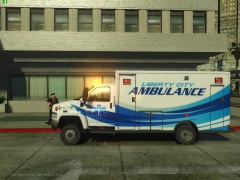 IDK... is it parked in your driveway?
 -
From the album: Conversions
About 95% complete. Converted by Me. Skin and photos by Carper -
-
I recorded a showcase of the dispatching module this morning.... it was about 4 am, so forgive the horrid voice and mistakes lol http://youtu.be/NqNA3KaCeTE
-
We are currently looking for Clans to be Closed Beta testers for our new Clan Management System! PM me for more info on how to enter!
-
Posting about post boosting is still post boosting haha
-
Would it be possible to get an function to overright the suspect names when doing traffic stops etc. With our MDT/Clan management system i want to be able to integrate a proper NCIC database to search from and not get a completely random name everytime. Would be great to be able to get some repeat offenders lol
-
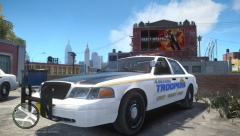 I changed out the pushbar to the 450 instead so its the newer edition
 -
Maybe we are only doing the states that start with the letter A?
-