Tacticalparamedic
Members
-
Joined
-
Last visited
Everything posted by Tacticalparamedic
-
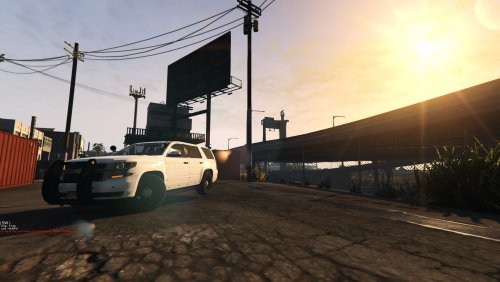 I cannot knock you what so ever for the time and work you have put into this vehicle. Hats off to you for that. However, to call this a Christmas Tree, well it appears as though this Christmas Tree only has lights on the Front and Back of it, the sides, not so much. Christmas Trees are lit all the way around, 360 degrees. Even if you do not prefer the side runners, you could add some lighting to the side steps or the side body of the vehicle on each side. This would complete your 360 degree visibility. The lights in the rear side windows don't really do it for full side lighting. Also, would love to see this in ELS. Just my opinions, take em or leave em.
- 12 comments
- 3 reviews
-
-

- 1
-
-
-
 Well, let me be the first. Congrats on your new, and your first mod! My first suggestion would be to place all of the files in one item so people do not have to download three separate files. Second, and this may be too early, but maybe some screenshots from your mod. Words do not always do things justice. I will download this and try it out and will provide my review afterwards. Congrats on this accomplishment again, with your first mod.
 -
-
 All I can say is, WOW and THANK YOU!!!!! I knew when I saw this pack that it would be great just based off of your previous models you have provided. When I actually was able to load the vehicles into my game, shear amazement. I have been hoping for so long that someone would add the LoJack system to a LEA vehicle, and you my friend have gone above and beyond. You have added the antenna 4-pack as well as the signal indicator on the inside. This creates a whole new level or realism to the game. Not only this, but all of the details to both the interior and exterior of these vehicles is just magnificent. It actually looks like the inside of a real word fleet patrol vehicle. For this, I cannot thank you enough for sharing these with the LSPDFR family. I look forward to using these for a long time and checking out future releases. Respectfully, Derek Hunt tacticalparamedic
- 501 comments
- 104 reviews
-
-
- 1
-
-
-
 There are free versions of office that you can download such as Kingsoft that I believe will have what you need to read these files. These are completely free btw. Hope this helps.
- 51 comments
- 21 reviews
-
 I know there have been a ton of people asking for this, but I figured there are good things in large numbers. Can you please add a control for the siren and lights. If not the lights then at least the siren please. Thank you for spending the time you have on improving this mod! DH
- 26 comments
- 12 reviews
-
 Is there a way to end the callouts or a callouts menu? I have tried several of the methods that some of the other callouts use with no success? I just got it loaded and want to try it out a little longer before I write a review. Thanks.
- 329 comments
- 53 reviews
-
 Hey Gump, I just downloaded this and plan on trying it out today. As usual, I am sure it will be just freakin awesome! I did notice from the pictures though that there were no side runners? Does this vehicle not have them? I know how big of a fan you are of these and so I was surprised to see that they were not there in the pictures of the model. I too am a fan of these and would like to request, if possible please, that these be added as an extra. That way those that want them can have them, and those that don't can remove them. Can't wait to try it our in-game. Thanks for everything you are doing!
- 58 comments
- 20 reviews
-
-
- 1
-
-
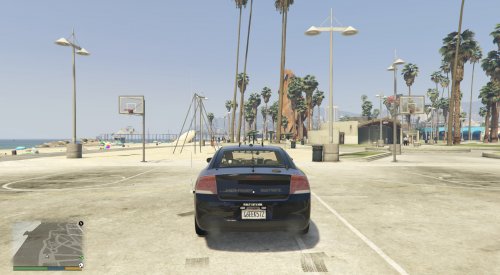 This is exactly what everyone needed for the game. Absolutely love this slick top Christmas tree!!!! Great job on this! Already installed into my game and am loving it. I would love to see the ALPR added as an extra, if possible, to make it even more over the top.
- 23 comments
- 13 reviews
-
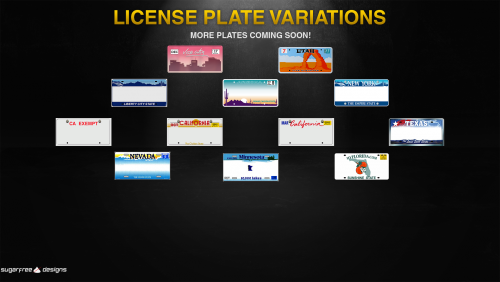 Any chance you could take a look at Texas again. The one you have is the old plate. Then new ones are simply Black and White now for civilian vehicles and Blue and White for exempt vehicles. Thanks.
- 17 comments
- 1 review
-
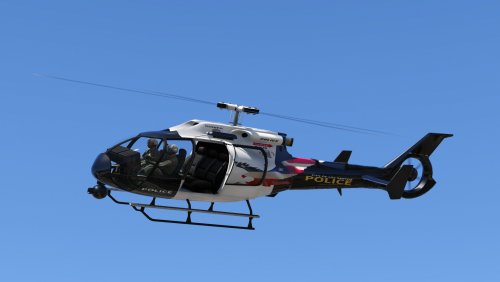 Love this!!! I just installed this updated version from the last. I do have one question/comment though. When looking at the yft file in openiv, it appears that the Right side is all backwards like it is mirrored. I wasn't sure if this was just my file, computer or something else. Sill love it though. Keep up the great work.
- 11 comments
- 2 reviews
-
 Can you please, add a Tahoe livery to this pack? You have done a great job on all of the included liveries thus far!!! Thank you for all of the work and time you have put into this pack.
- 101 comments
- 17 reviews
-
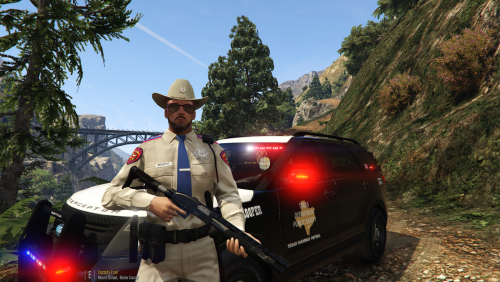 Great job on these. Any way of you possibly please adding the DPS Tahoe to this pack to complete it? Thanks.
- 18 comments
- 3 reviews
-
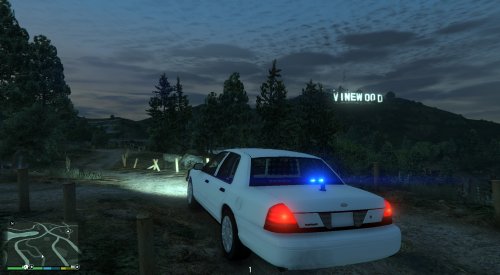 Xplicit92, I greatly appreciate the time and effort you have put into making this mod!!! Is it possible to have red/blue lights in the front grill and also have it so that you can turn on only the rear lights such as only the red/blue? Can additional lighting be added to the vehicle, such as on the sides? Also, can you please explain what the cruise lights option is in the menu. This option was not listed in your documentation provided as to how to access it (what keys it is to turn on and off). My hopes is that sooner than later more people will share their EVL vehicles with us all. As of this post there is only yours and one other posted. Keep up the great work and thank you again!!!
- 35 comments
- 3 reviews
-
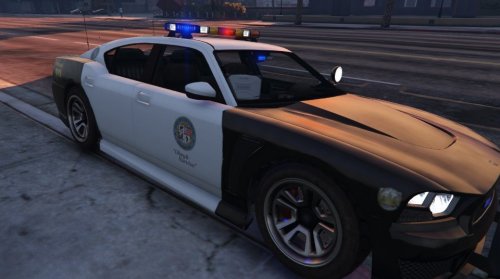 Absolutely love this car!!!! Though I have found after this last update that the amber lights on the light bar stay illuminated having the parking lights mod. Also, when attempting to adjust the window tint, the light bar darkens with it. On the darkest tint use lose half of the lights on the light bar. Other than those two items this is awesome!!!
- 54 comments
- 19 reviews