




Fenix2525WOT
Members
-
Joined
-
Last visited
Everything posted by Fenix2525WOT
-
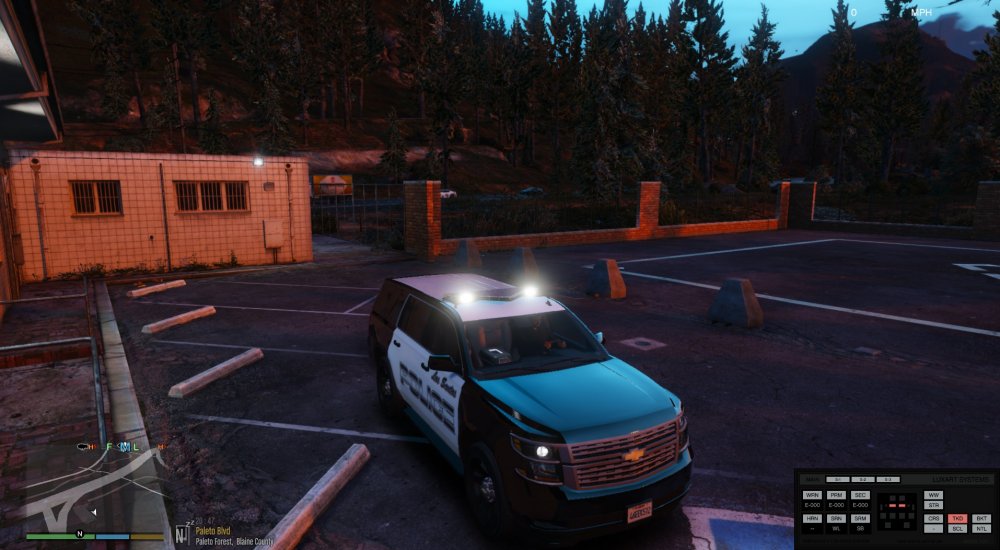
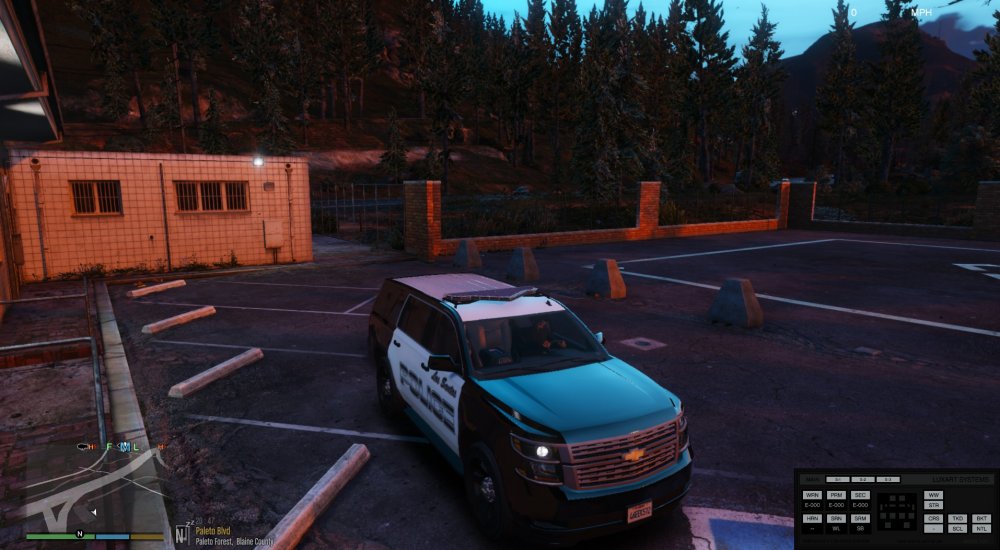
Hi! I'm trying to make my first ELS vehicle and now I'm messing with Takedowns. Take a look at theese pictures. With Takedowns On, the interior of the car is lit up. So, I suppose something is wrong with Takedowns extras (Pivot points?) rotation? Can someone help me with that?
-
UPD: Solved myself. Had to create a dummy helper.
-
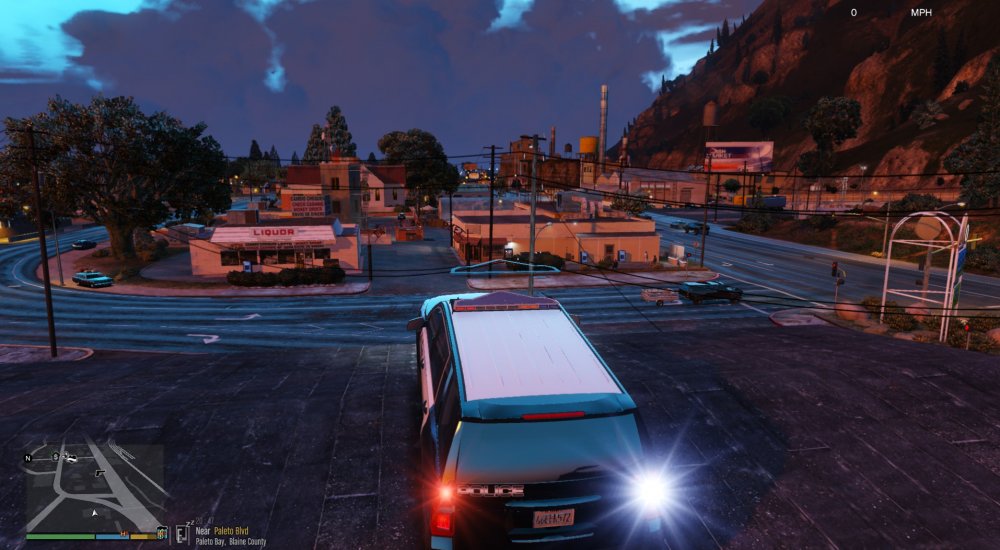
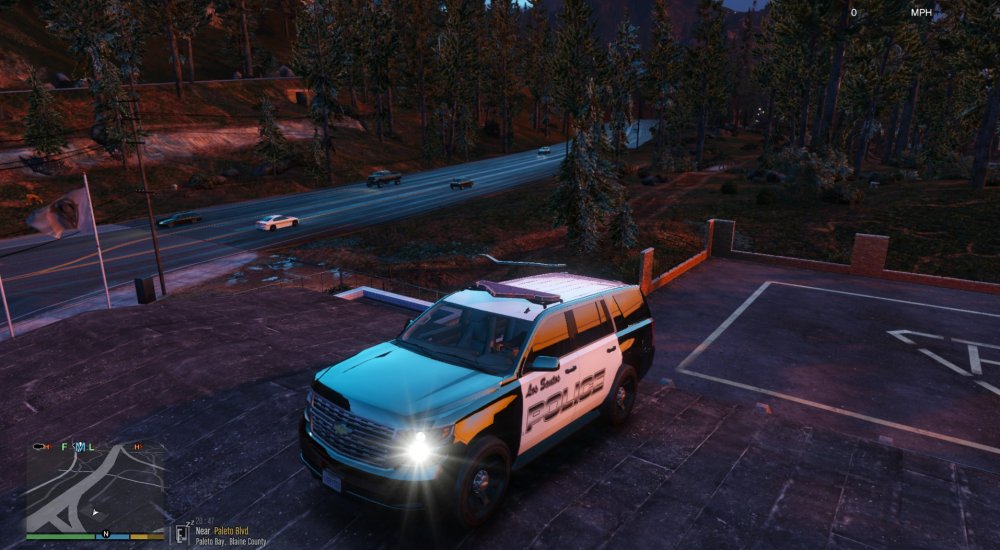
Hello! I have converted a ELS Valor from GTA IV to V and I'm having a problem with Emiisives or Beams. Not sure what exactly. The thing is ELS extras in game do not shine like they should. I suppose it's a modelling issue. I'm attaching some screenshots and VCF file. PLEASE HELP! vcf.xml
-
Спасибо, все работает :D Thx Edit: Ты не пробовал делать ELS Vehicles для 5?
-
I have an error when trying to paint vertexes "glass node has no color in vertex format"
-
-
Can you please tell how do I do this?
-
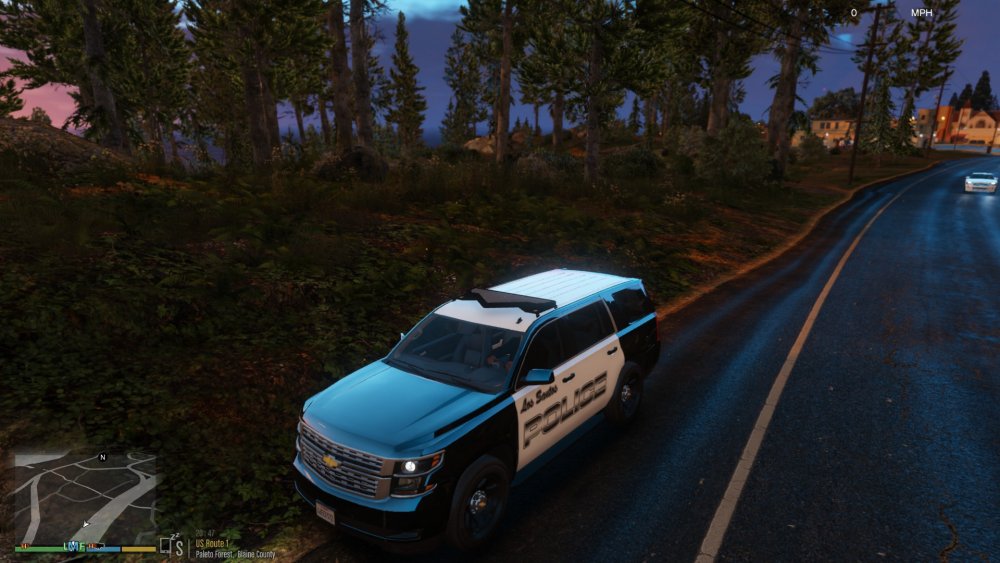
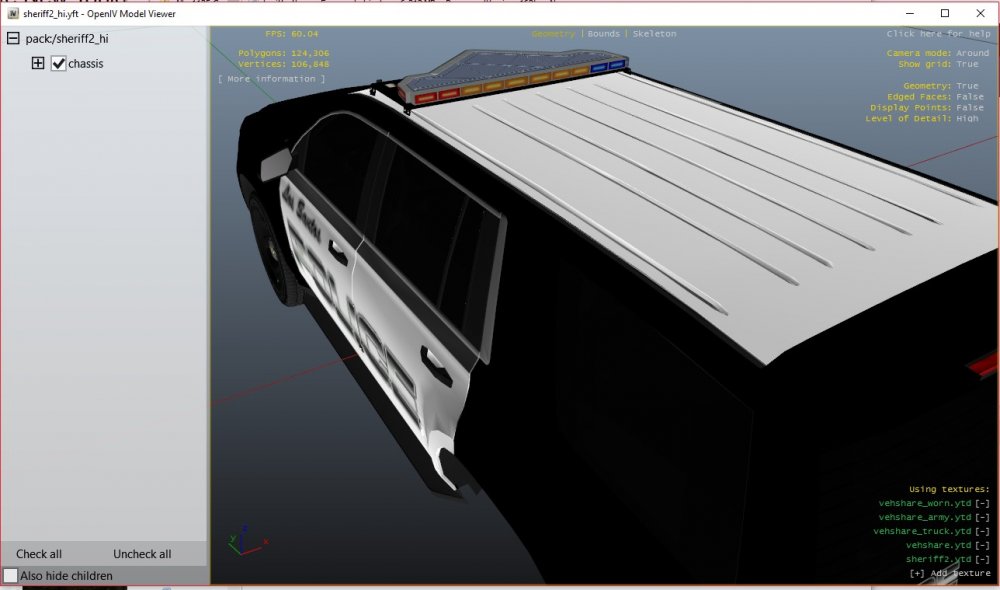
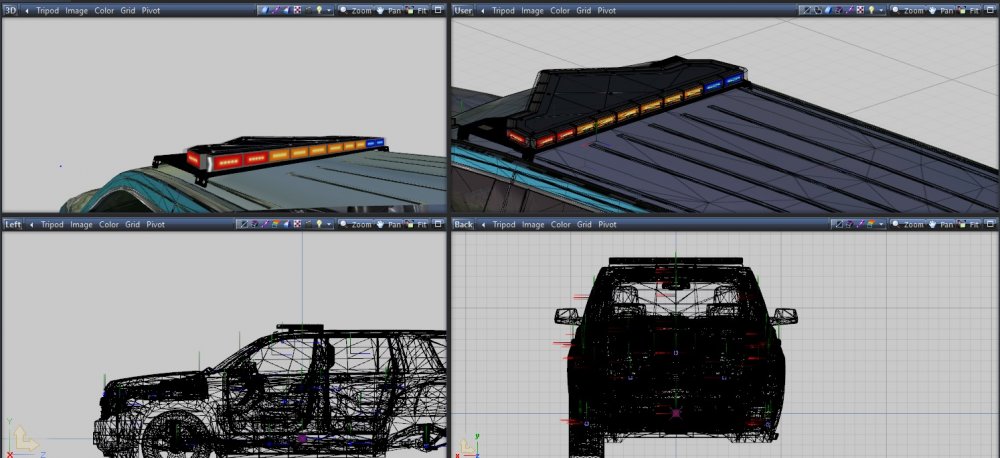
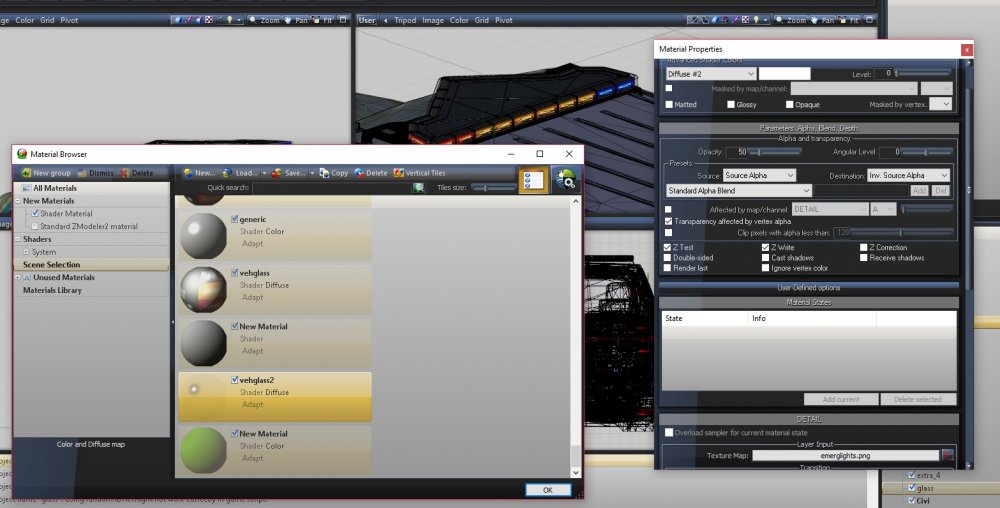
Hello! I have just started using Zmodeler. I have converted a lightbar from GTA IV to V and I have a glass material problem. In Zmodeler I set transparency to 50 out of 255. In OpenIV and Zmodeler car looks good, but in game glass is just solid black. Can anyone help me? Material: Screenshot(Zmodeler, OpenIV, GTA V)
-
try 10 or 11
-
He asked about AI cars though...
-
Man this is cool! I've been waiting FOREVER to have a valor pack! Edit: If you need any help I can do for you - PM me!
-
-
@vynlthrash
-
Hi! I'm currently developing my new RagePadder. It's purpose is to make game more handy for Controller-users. NOW THE MOD NEEDS TO BE TESTED! If you have a controller (No matter Xbox or PS4's one) you are welcome to test out the mod! Please PM me for download link.
-
@C35Signal1 and @Narobic , the mod is now WIP and is being tested. Would you like to participate? I don't want people to download bugged mod. Lets get rid of all bugs and then release good product.
-
NEWEST VERSION: 1.7.1.1 "Go on Duty" is a plugin that will greatly speed up your before-patrol preparations! No more having to mess with trainers to get weapons, set time, etc. GO ON DUTY IN SECONDS! Existing Features: Set Duty Start Time Freeze Time After Duty Starts Set Duty Start Weather Freeze Weather After Duty Starts Give Player a MedKit and Body Armor Whether or not plugin should remove all your weapons before giving new ones Whether or not plugin should add flashlights to weapons CUSTOMIZE YOUR POLICE LOADOUT! Whether or not plugin should Teleport You To PD after going on duty or pressing the button GET DRESSED INTO YOUR FAVOURITE EUP UNIFORM! GET A PATROL CAR ON PD's PARKING LOT (customizable) OPEN IN-GAME MENU AND CHANGE CARS/UNIFORMS ON THE FLY! Planned Features: EUP characters support Separate Loadouts INI Ability to choose from list of custom loadouts SUGGEST YOUR IDEA IN REPLIES! LINK TO THE FILE DOWNLOAD: Changelog: 1.7.1.1: -Fixed a bug to open in-game menu when hitting Backspace or Escape 1.7.0.1: -RageNativeUI.dll is now included in package 1.7.0.0: -Added IN-GAME MENU allowing you to choose UNIFORM and CAR after going on duty! CHANGE THEM ON THE FLY! -Added support for add-on police cars (Confugire you car list in INI) -Added support for every EUP outfit you have in your EUP Wardrobe -IN-GAME menu triggers either by going on duty or pressing button -Plugin now requires RageNativeUI.dll (You can still download old 1.4.0.0 version without EUP support, spawning cars, old settings structure, without In-Game menu) 1.6.0.0: -Redone INI structure, please reconfigure your INI after updating -Now you can configure your setting for Going On Duty and Keypress separately -Added oprtion to spawn a car on Mission Row PD's parking lot -Added option to customize car model in [Settings] in the INI -Added option to configure bullets quantity for loadout in [Settings] in the INI 1.5.1.0: -Fixed a bug when voice was not applying to EUP character -Removed option 'Activation Type' from INI File -Now mod activates when going on duty, after that use MainKey to refill ammo and outfit -Removed option 'Go To PD on Key' because it's not useful anymore -Removed option 'Apply EUP outfit on Key' because outfit now applies when either going on duty or pressing key 1.5.0.0: -Added EUP support! -Added option to enable/disable EUP integration -Added option to INI to select EUP outfit from wardrobe -Added option to apply outfit on pressing the button (if set to 'False' outfit will apply when going on duty) 1.4.0.1: -Corrected INI Helping Line For Activation Mode 1.4.0.0: YOU MUST DELETE PREVIOUS VERSION FROM 'PLUGINS' FLODER! -'Go On Duty' is now an LSPDFR plugin -Added Option To Teleport To PD after giving Loadout -Added Option 'Activation Mode' to INI -Now you can activate plugin by going on duty (Is Configured In INI) -Added Option To Teleport To PD after going on duty -Added Option To Teleport To PD after pressing the button -Added Log Messages For Giving weapons, setting weather, setting time 1.3.0.0: -Added 'Heal' Option -Added 'Give Armor' Option 1.2.0.0: -First public release LEAVE YOU IDEAS FOR NEW FEATURES BELLOW!

-
-
It's closed because it's WIP
-
-
-
.gif.ef71e5660a9974a47d7678c5aa25d9ea.thumb.gif.e29002164b287fddeca8c59836e258bc.gif) Very strange, cause plugin is really simple. It just sets vehicle's lighs off while siren is running and sets back on while siren is not running. But anyways, thanks for trying out!
Very strange, cause plugin is really simple. It just sets vehicle's lighs off while siren is running and sets back on while siren is not running. But anyways, thanks for trying out!- 42 comments
- 13 reviews
-
 It's NOT the solution. This way lighting won't work. You need to adjust only <lightSettings value="1" /> <sirenSettings value="1" />
- 81 comments
- 16 reviews
-
I think I can do it with LUA so, maybe It'll be... You never know... :)
-
-





.gif.ef71e5660a9974a47d7678c5aa25d9ea.thumb.gif.e29002164b287fddeca8c59836e258bc.gif)