


corleone
Members
-
Joined
-
Last visited
Everything posted by corleone
-
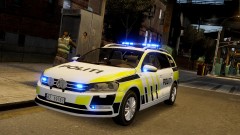 Awesome! :D
 -
-
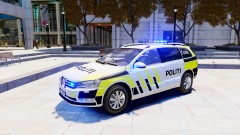
From the album: Corleone's album
Now released: -
= 2012 VOLKSWAGEN PASSAT (B7) =- - NAME: 2012 Volkswagen Passat (B7) - Norwegian Police Edition - VERSION: 1.0 - LIGHTBAR: Whelen Liberty - MULTIPLE LIVERIES: Yes (4x) - OPTIMIZED FOR: Any police vehicle - MOD STATUS: Complete - 100% - CREDITS: Original model by BloxBloger, converted, modified and improved by corleone. Taillights and brakelights by corleone. Mapping and templates by corleone. Whelen Liberty by PFCBarefoot, modified by corleone, LED alley lights by EVI, LED takedowns texture by Break. Whelen Vertex by corleone. Whelen LINZ6 modules by Ridgerunner Designs, texture by Bxbugs123. Motorola radio by Ridgerunner Designs. Fog lights by Rockstar Games. Garmin nuvi GPS Unit by Bxbugs123. Antenna by PriMan. Liveries by SwedishModding. - NOTES: Rembember to add "+livery" @ vehicles.ide. - HANDLING: The original POLICE handling should work just fine: 1700.0 6.0 85 0.0 0.0 -0.16 0.0 5 0.20 1.0 150.0 0.22 0.67 0.7 35.0 1.35 1.10 15.0 0.15 0.47 1.5 0.8 0.8 0.14 -0.17 0.0 0.5 1.0 1.0 0.8 1.5 0.0 25000 440040 0 0 corleone :)
- 10 comments
- 10 reviews
-
-
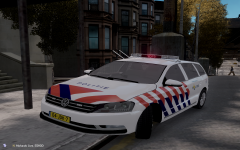 hamana-hamana-hamana!
 -
Awesome, Break! Enjoy guys!
-
-
----------------------------------- | FEDERAL SIGNAL VISTA ARJENT ELS | ----------------------------------- - MOD NAME Federal Signal Vista Arjent ELS - VERSION 1.0 - SPECIAL MODEL ELS - CREDITS Model is made from scratch by F5544. Textures are made by Lt.Caine. ELS mapped by corleone. - MOD STATUS Complete - 100% - NOTES This is F5544's Federal Signal Vista Arjent, with ELS lights added by me, corleone. All credits go to the original author of this model, F5544. - corleone
- 12 comments
- 10 reviews
-
-

- 1
-
-
I'm on it!
-
If you don't know how to els map, I can do it for you tomorrow.
-
Hans Zimmer - Chevaliers de Sangreal Part of my relax/work music! :p
-
If you are ready for some converting, here's one from Forza 3: http://slg.serv1.free.fr/riva3d/index.php?option=com_weblinks&task=view&catid=72&id=630 (http://slg.serv1.free.fr/forza3_cars2.html)
-
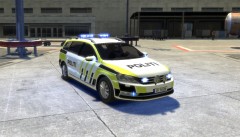
From the album: Corleone's album
Liveries by SwedishModding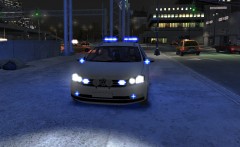
From the album: Corleone's album
He did. No problem here! ;)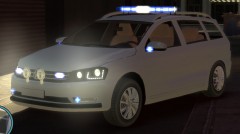
From the album: Corleone's album
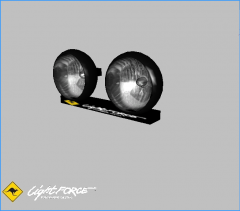 Not bad!
 Sorry, I don't have permission from the original author to release it unlocked. Model released:
 Model released:
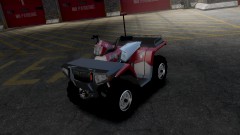
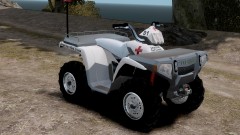
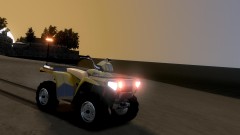 Model released:= 2005 POLARIS SPORTSMAN 500 H.O. ELS =- - NAME: 2005 Polaris Sportsman 500 H.O. ELS - VERSION: 1.0 - LIGHTBAR: Federal Signal LP400 - MULTIPLE LIVERIES: Yes (x4) - OPTIMIZED FOR: Airtug - MOD STATUS: Complete 100% - CREDITS: Original model by Þðåö (Yures_00@mail.ru) Converted to GTAIV by corleone. Mapping and template by corleone. Federal Signal LP400 by EVI. Whelen LINZ6 lightheads by Ridgerunner Designs, textures by Bxbugs123. Liveries by corleone. Screenshots by Carrythxd. - VEHICLES.IDE: airtug, airtug, car, AIRTUG, SABREGT, VEH@BIKE_SCOOTER, NUL, 100, 999, 0.2365, 0.2365, 0, 5, 1.0 ,0, ext_requi+livery - HANDLING.DAT: AIRTUG 333.0 0.33 85 0.0 0.0 -0.45 0.5 5 0.120 0.9 160.0 0.52 0.60 0.6 40.0 1.60 1.45 15.0 0.13 0.48 4.0 2.5 2.5 0.20 -0.15 0.0 0.5 0.5 0.5 0.5 0.5 0.0 25000 440800 1 0 - NOTES: A huge thank you to EVI for helping me get the model to work allright in-game! Thanks! Also a thank you to KevinDV for some tips along the way. Aaaand, the wheels are not connected to the suspension, but it is what it is! That's the way it had to be. - corleone :)
- 14 comments
- 8 reviews

