


tunnelrat
Members
-
Joined
-
Last visited
Everything posted by tunnelrat
-
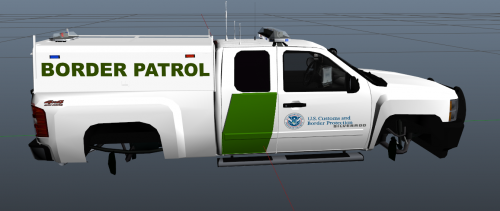 Great job on the skins! I would suggest putting them in a compressed folder though, so they can be downloaded all at once.
- 9 comments
- 2 reviews
-
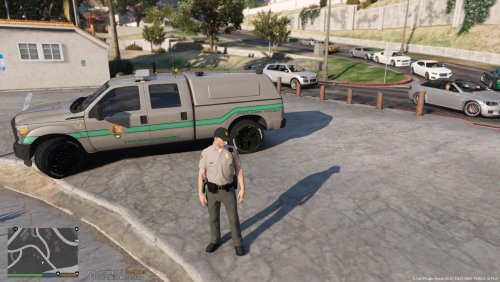 This is just a single fictional skin, based on the Delaware Park Police with the National Park Service Logo for Thehurk's 2013 LSPD Ford F350 SSV: *Model not included! You must download from the link above. Install instructions included to add livery or replace original.
- 1 review
-
-

- 1
-
-
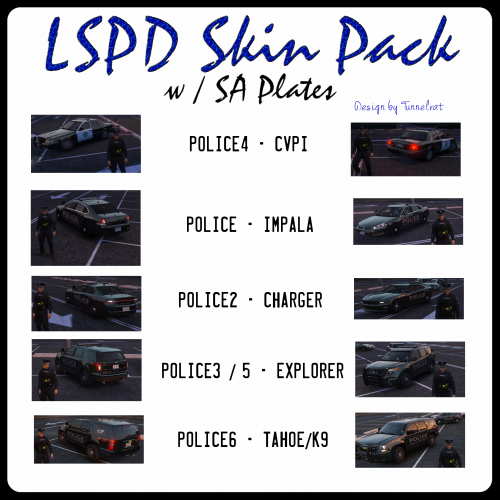 You have to open the .ytd file with OpenIV and replace the original sign with the .png, as specified in the readme.txt
 -
 Best vehicle pack to date! The quality and attention to detail is outstanding.
- 779 comments
- 187 reviews
-
-
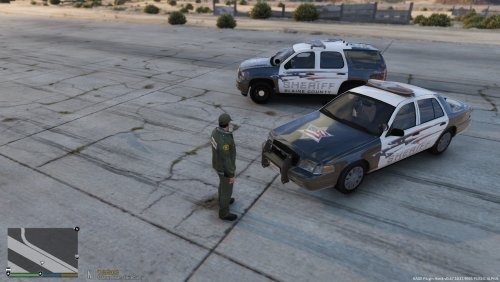 This is just a new skin pack to replace or supplement the original skins provided by Captain14. These liveries are for the models in his pack found here: To replace the original skins, just rename the files to 1 instead of 2. (i.e. chgr_skin_1.png instead of chgr_skin_2.png). Install location included in the readme.txt Screenshots included in download. *Vehicles are not included in this pack. **Only liveries and how to install.
- 3 comments
- 2 reviews
-
-
- 1
-
-
Sorry about that, will upload more screens.
-
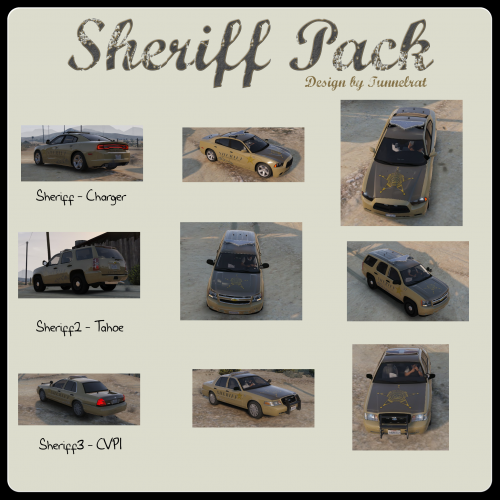 These liveries are for the sheriff, sheriff2 and sheriff3 vehicles in the Sheriff and FIB Pack by Captain14. No vehicle files are included in this download, just the replacement/supplemental liveries. *You must have installed the vehicles from the link above to use these liveries.
- 1 comment
- 1 review
-
-
- 1
-
-
This is just a new skin pack to replace or supplement the original skins provided by Captain14. These liveries are for the models in his pack found here: Created an SA 'Official' Plate to go with the skins, but only one variant was made. *Vehicles are not included in this pack. **Only liveries and how to install.
-
-
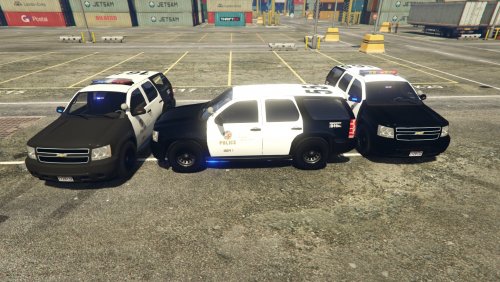 You can change the light/siren settings in the carvariations to: lightSettings=1 sirenSettings=7 It will be red and amber but all over. The purple still looks better imo.. here is a screenshot
- 118 comments
- 18 reviews
-
-
 Yes, just change the textures for generic_lightbar_e.png and sheriff_lights.png to any of the police textures with the same name. Can change the glass too with generic_lightbar_glass.png
- 8 comments
- 3 reviews
-
-
- 1
-
-
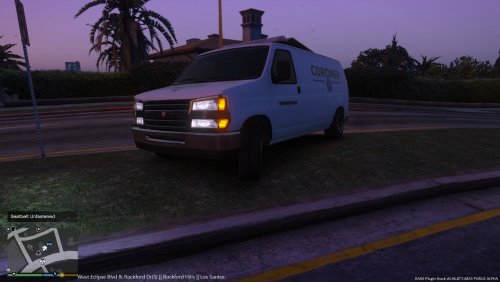
Coroner Van with working amber lightbar and livery, including the seal of the L.A. Dept. of Coroner and labeled boxes inside. Easy and Advanced Install instructions in the ReadMe.txt file.Included in the .zip file are the ReadMe (install), screenshots, vehicle files, vehicles.meta and carvariations.meta with specific settings for lights/sirens/engine sounds/interior and livery. Enjoy! * Works with FinKone's Police Radio, just change the .ini settings for coroner. Coroner Van with working amber lightbar and livery, including the seal of the L.A. Dept. of Coroner and labeled boxes inside. Included in the .zip file are the ReadMe (install), screenshots, vehicle files, vehicles.meta and carvariations.meta with specific settings for lights/sirens/engine sounds/interior and livery. Enjoy! * Works with FinKone's Police Radio, just change the .ini settings for coroner.
- 8 comments
- 3 reviews
-
-
- 1
-
-
The potential for LSPDFR with the new engine will be incredible. Time to consider upgrading my machine (PC) to get the most out of it. Thanks again for flipping the script!
-
Park Rangers are a new dynamic, would be nice to add some dynamics to their specific nature.

