



FallenOfficer
Members
-
Joined
-
Last visited
Everything posted by FallenOfficer
-
 For something as small as this file? It's more than plenty. Nobody needs to have 1TB of storage free for a few megabytes of data. The OIV file is what is bugged. The installation path is incorrect.
 -
Everything updated? ScripthookV, RPH, LSPDFR? if so, name mods folder to _mods and try to launch from there.
-
Solved it on my own, I'm pretty sure it was EUP causing it to crash as its the only thing that changes clothing related items.
-
Not sure what causes it, but anytime I go change components to clothing, on or off duty, GTA hard crashes, nothing gets logged onto why the game crashed. Wondering if there is a workaround or a fix for this issue.
-
No, my C drive has plenty of space left. 100GB free space.
-
@pherem Just a heads up, the OIV installer might be broken or trying to install into the wrong folders. Keeps failing to install. [6/17/2023 11:59:43 AM] [14852] INFO -> ARCHIVE "update\update.rpf" is exists [6/17/2023 11:59:43 AM] [14852] INFO -> ARCHIVE "update\update.rpf" is already in the "mods" folder [6/17/2023 11:59:43 AM] [14852] INFO -> Process ARCHIVE "update.rpf" with path "C:\Program Files (x86)\Steam\steamapps\common\Grand Theft Auto V\mods\update\update.rpf" [6/17/2023 11:59:43 AM] [14852] INFO -> ARCHIVE "x64\data\cdimages\scaleform_generic.rpf" is not exists [6/17/2023 11:59:43 AM] [14852] INFO -> Unable to open ARCHIVE with path "x64\data\cdimages\scaleform_generic.rpf" in parent archive "C:\Program Files (x86)\Steam\steamapps\common\Grand Theft Auto V\mods\update\update.rpf", return code "PathNotExists". [6/17/2023 11:59:43 AM] [14852] INFO -> ARCHIVE "update.rpf" processed [6/17/2023 11:59:43 AM] [14852] INFO -> ARCHIVE "GTA V" processed [6/17/2023 11:59:43 AM] [14852] INFO -> Installation FAILED The scaleform_generic.rpf is located under this path: C:\Program Files (x86)\Steam\steamapps\common\Grand Theft Auto V\mods\x64b.rpf\data\cdimages\scaleform_generic.rpf
-
Make sure your scripthookV is up to date as well.
-
If you want to go back to online, It's recommended, so that you don't get banned from GTA:O, to remove all files in relation to LSPDFR and RPH. You need the absolute vanilla game files to go play online without being banned. If you still want to play LSPDFR, copy game files and make modifications to those game files. I'm sure there is a video out there that can 100% explain it better than I can, but in short, you modify game files and try to go to online and RPH doesn't prevent you from going online, you will get banned on GTA:O. This may do justice for you;
-
I'm talking about having the newer "online" cars added into the traffic flow, not added density of traffic. MB about the wrong forum, thought I was over here haha.
-
I've tried using "Traffic Plus+ Lore Friendly" but all that seems to do is trigger the "ERR_FIL_PACK_3" warning. What mods have you used that haven't caused any major problem? It may have just been my own mistake, but I was using the automatic OIV install package provided with that file.
-
Most departments are finally getting rid of the crown vics, I know riverside sheriff still has some in commission.
-
The pros of using an adblocker. 9/10 you don't get fake downloads.
-
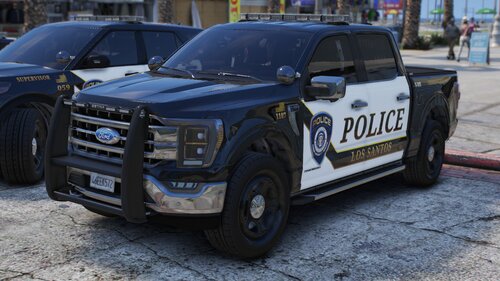 Fantastic as always! Hope you saw my message about a small issue, if not check your messages haha! Also not a big deal for me, but may be for others, the "takedowns" dummy is facing the wrong way.
 -
 I absolutely love the plugin, however it is annoying when we go to launch LSPDFR, waiting to go patrol only for the plugin to disable itself because of a new update. In my honest opinion it is a big mood killer, and turns it into a big hassle. Other than that there's not much more I can complain about. Thank you for removing that feature, It was just a hassle having to update the plugin and relaunch like I mentioned before. Nonetheless keep up the great work!
- 401 comments
- 24 reviews
-
-

- 1
-
-
Honestly makes much more sense. I appreciate it!
-
Forgive me if there is already a topic on this, but how exactly does this said point/ranking system work? Do you get points for posting in forums, replying to files/leaving reviews? I'm very curious on how it works as I haven't been able to find anything about how you get points toward the next rank.
-
-
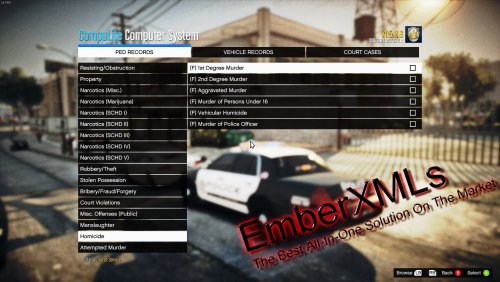 I couldn't ask for a better adaptation for the Compulite system! I think this is a must for Bejoljo's plugin(s). I'd recommend this to anyone and everyone as it adds more diversity within the game.
- 96 comments
- 9 reviews
-
-
 I absolutely enjoy using the chargers. The light patterns are on par as well!
- 324 comments
- 53 reviews
-
-

- 1
-
-
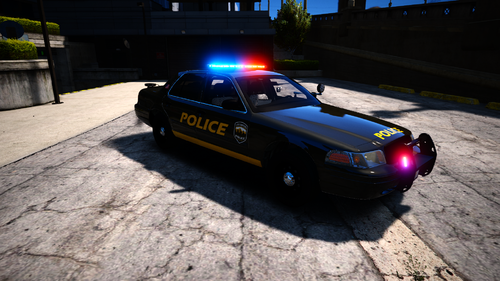 I did not, but ill give it a shot.
 -
When I drag "sanandreas" into Grand Theft Auto V>mods>update>x64>dlcpacks" it results in the game crashing. But when I remove it entirely, the game loads up just fine. Is there a workaround for this?


