


Invictus
Members
-
Joined
-
Last visited
Everything posted by Invictus
-
Tried a new model, that didn't work either. Thought maybe it was carvariations.meta, but I never touched that. UPDATE: Figured out it was carvariations.meta. I had to change the police3 line to police2 for the lights to start working again. Not sure how it was changed because I never touched it, but I'm glad my stuff is working again. Also, for anyone who comes across this. Just extract the carvariations.meta file to your desktop, edit it with worddoc or notepad, click edit, then click find, type in "police" and hit F3 until you find police3. Edit the line to make it say police2 instead of police3. I'm assuming it's the same as far as other police vehicles go. Not %100 sure though because I only saw Police and Police3. Maybe there are multiple carvariations.meta files?
-
Didn't work. Know any good vehicles I can use that replace Police2? Maybe it's the model. But it was working fine before.
-
I must have accidentally broken the lights for the Police 2 slot and I'm not sure how to correct this. I was messing with the LOD's in the Vehicles.meta to fix a glitch where vehicle models were not appearing. I can turn the sirens on in the vehicle but the lights are not working at all.
-
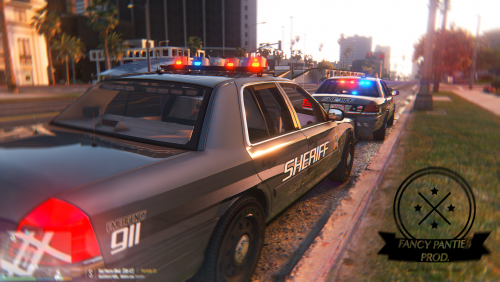 I'm having an issue where the vehicle model doesnt completely show up from a distance. Only the lights and windows, and the bars. The officers also show up floating in the air. (Sorry, just saw the comments.) UPDATE: I just attempted to change the LOD's although the vehicles are still having rendering issues. It's doing it for other police vehicles too for some reason.
- 108 comments
- 11 reviews
-
-

- 1
-
-
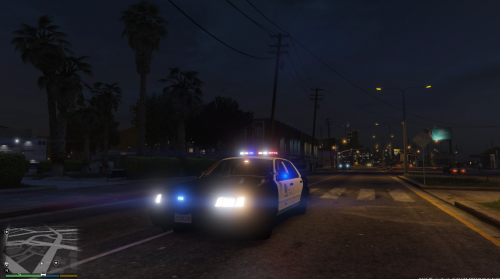
.thumb.png.84adb823f7f653b8d654f1ab13098851.png) Just watched a video with your cars in it, and I noticed something. My police lights don't give off a glow but it's working for others. My lights are just static without any glow or anything on them. Any reason for this?
Just watched a video with your cars in it, and I noticed something. My police lights don't give off a glow but it's working for others. My lights are just static without any glow or anything on them. Any reason for this?- 89 comments
- 44 reviews
-
 Sure, but what about the areas I put the normal Police1 and Police2 vehicles? I don't get why it's different.
- 148 comments
- 34 reviews
-
Was super excited to see this. The cars look perfect. My only issue is the lights. Seems like they don't have much of a glare at all. Other than the lights I love them.
- 89 comments
- 44 reviews
-
I was also thinking this, but then I tried it in Patchday9 and it worked even though there isnt a Sheriff slot in there.. so yeah I don't get it lol.
- 148 comments
- 34 reviews
-
-
-
 Yeah I figured that out the hard way. Now I just need to make a new button rather than f11 for clothes menu because thats my panic button lmfao
- 2,349 comments
- 238 reviews
-
Okay, so I got the new version installed, although I'm having issues with the textures. Some textures are causing weird artifacts to go crazy all over my screen. For the armor for example, every armor piece is glitched out for me.
- 2,349 comments
- 238 reviews
-
I think I figured out what I did wrong. I had another copy of dlclist.xml in my eup folder.. so I deleted that and added the dlc.rpf.
- 2,349 comments
- 238 reviews
-
Yeah, I tried matching them up and one of them gave me a trench coat instead of a HW Patrol shirt lol. I may not have installed the pack correctly... I don't know..
- 2,349 comments
- 238 reviews
-
-
Is it because I used the file in the vanilla folder instead of one of the others?
- 2,349 comments
- 238 reviews
-
I realize that. But the armor with "Police" on the back isn't there.. there's no sheriff uniform.. What am I missing?
- 2,349 comments
- 238 reviews
-
Skin control worked, but I can't find any of the skins in the video or the pictures. Not sure what I'm doing wrong.
- 2,349 comments
- 238 reviews
-
I don't know how to edit carvariations properly, so that's where my problem is. I managed to find a cool Tahoe that I'm using at the moment as well.
-
 How is everyone getting different skins? I only have like a yellow type sheriff skin. I was hoping you could change liveries to Police and such. Does anyone know how to do this? (I can't change liveries in trainer menu)
- 183 comments
- 38 reviews
-
Can anyone suggest any vehicles that replace the Sheriff SUV? I've been looking and I've only found a Shevrolet Suburban. I'm looking for an explorer or a Tahoe. Could anyone explain to me how I would go about replacing the Sheriff2 with a regular sheriff police interceptor or something? I don't know how to change vehicle metas and such.
-
 Not working of for me. Where would it go if I don't have a mods folder? (Never mind I fixed it.)
- 159 comments
- 53 reviews
-
-
Thanks man!
-
I recently updated back to the new version of GTA V so I could download the newest version of Rage Plugin and the newest version of ScripthookV. Although, police vehicles, sirens and plugins all seem to work besides weapon models and weapon sounds. I've tried reinstalling them with no avail. I'm assuming it needs to be installed into a new location but I don't know where and I don't want to corrupt my game. Anyone else having this issue?

.thumb.png.84adb823f7f653b8d654f1ab13098851.png)

.thumb.png.e88f1892e13ddb98db35e668d465c34b.png)