


trw1000
Members
-
Joined
-
Last visited
Everything posted by trw1000
-
-
-
-
-
-
-
-
-
-
-
-
Using Zmodeler 2, I can't deselect anything. So I manually have to disable layers and eyeball the position in which I want to place parts. Anybody know the key shortcut? I've heard Shift+D but that doesn't really seem to work at all. Keyboard shortcuts don't work at all for that matter, such as spacebar not automatically talking me to "Selected Mode."
-
Work in progress skins and models.
-
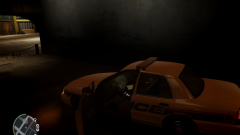
From the album: My WIP skins and models
WIP Model and skin. 3rd shot. Credits will be included in release. Looks a whole lot better at night when you can't actually see much. -
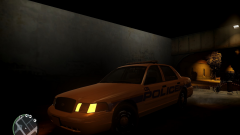
From the album: My WIP skins and models
WIP Model and skin. 2nd shot. Credits will be included in release. -
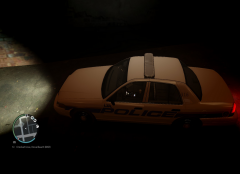
From the album: My WIP skins and models
WIP Model and skin. Credits will be included in release. -
Is this on the first start, or have you been using the game for some time. Check your PC specs and compare them to the system requirements or try to reinstall the game incase some type or crucial file has been deleted...
-
Can you give more detail. What were you doing? Have you installed many mods? Are you using a trainer? and also your computor specs...
-
I've found that if you use the trainer during career mode it can possibly corrupt the data, and the mission markers will not work. If you have problems like that, just reinstall the game or just use it on another user account.
-
Restart your computor, and avoid high-poly car models and possibly reinstall the trainer...
-
Make sure that your PC meets the system requirements, if it does not just upgrade it. I remember I had a less bad version of the problem, and it was due to ly Low Quality graphics card. To save the visual settings hit enter and then space I think.
-
I hear that the developers put it in to prevent modding. Try what ^ he said. Installing a car pack will not really help.
-
If it really bothers you I would say just reinstall the game. Changing the handling should usually do it though. If you backed your files up, you might want to try and put it back to normal, but this will replace all of your car mods...
-
I would say upgrade your graphics card or just tone your graphics card down a bit...
-
