trw1000
Members
-
Joined
-
Last visited
Everything posted by trw1000
-
Everybody who has viewed this probably doesn't know how to fix it either.
-
-
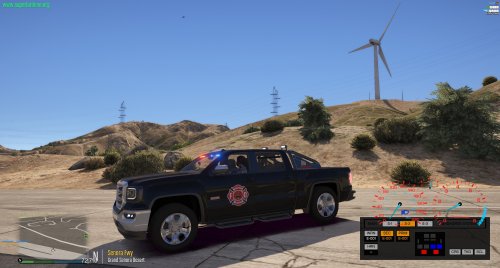 Wow, that's a pretty excessive setup that guys got going there. I'm honestly amazed more places haven't phased out or put limitations on the amount of POVS that people can run. Just from looking at YT, I'm seeing BMW convertibles and all sorts of weird stuff.
- 29 comments
- 2 reviews
-
Dang, wonder how much that setup cost. My local volunteer service doesn't allow POVs for responses anymore.
- 29 comments
- 2 reviews
-
-

- 1
-
-
Oh man if career Fire/EMS caught wind of this thing existing IRL.... Some select words would be said.
- 29 comments
- 2 reviews
-
-
- 2
-
-
-
 Planning on releasing these when they're done? They look great.
 -
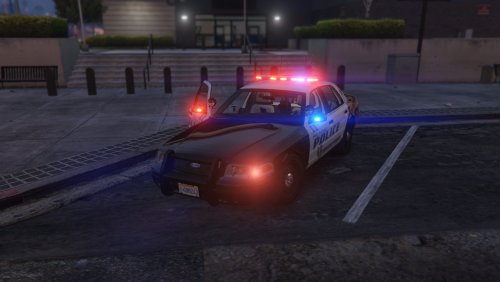 Great work! Good to see your stuff in GTA V. Only suggestion I have it to get the vinyl rear seat in it instead of the cloth one. Otherwise it looks excellent!
- 28 comments
- 10 reviews
-
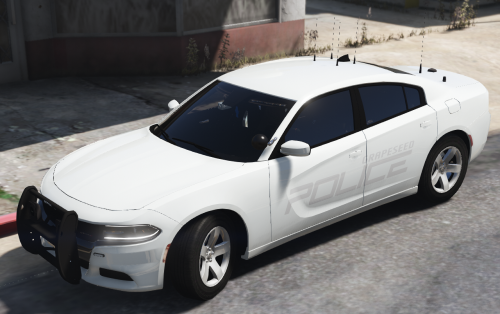 Thank you for updating the ELS file. My dumb ass troubleshooted by uninstalling everything except the ELS file. So I just reinstalled the game, tried to reinstall the car and then realized that it was the ELS file causing the crash all along.
- 22 comments
- 12 reviews
-
I literally haven't installed any script mods or anything in a month. I've deleted all of the cars I've decently installed and I have no idea why it's all of a sudden crashing. Any ideas? Win 10. I've deleted all car mods and renamed the mods folder _mods and switched back with no luck. I've also removed the mods folder and tried to launch it, also without success. I'm just baffled as to why it's crashing because the game was working perfectly fine a few hours ago and now when I try to launch it, it crashes. Literally hadn't installed anything in that time period. EDIT: The problem appears to be being caused by the presence of LSPDFR. When uninstalled, the game launches and runs fine. As soon as I reinstall LSPDFR, the game crashes. I'm going to try and reinstall the game clean and build up until I can figure out what is causing the crash, unless somebody lets me know before then. Here's the RPH log: [3/4/2018 12:26:29 PM.535] Started new log on 3/4/2018 12:26:29 PM.535 [3/4/2018 12:26:29 PM.537] ==================================================================================================== [3/4/2018 12:26:29 PM.529] Log path: C:\Program Files (x86)\Steam\steamapps\common\Grand Theft Auto V\RagePluginHook.log [3/4/2018 12:26:29 PM.537] Log verbosity: Trivial [3/4/2018 12:26:29 PM.538] Initializing input system [3/4/2018 12:26:29 PM.540] Initializing game console [3/4/2018 12:26:29 PM.547] Console key has been set to F4 (key code: 115) [3/4/2018 12:26:29 PM.604] Initializing console variable "ConsoleScrollAmount". [3/4/2018 12:26:29 PM.605] Type: System.Int32, Reading section: "Miscellaneous", key: ConsoleScrollAmount [3/4/2018 12:26:29 PM.607] Read value: <null> [3/4/2018 12:26:29 PM.607] Initializing console variable "DisableRenderVersionText". [3/4/2018 12:26:29 PM.608] Type: System.Boolean, Reading section: "Miscellaneous", key: DisableRenderVersionText [3/4/2018 12:26:29 PM.612] Read value: True [3/4/2018 12:26:29 PM.612] Setting value of console variable "DisableRenderVersionText" to stored value. [3/4/2018 12:26:29 PM.612] Initializing console variable "ConsoleKey". [3/4/2018 12:26:29 PM.612] Type: System.Windows.Forms.Keys, Reading section: "Miscellaneous", key: ConsoleKey [3/4/2018 12:26:29 PM.613] Read value: F4 [3/4/2018 12:26:29 PM.614] Setting value of console variable "ConsoleKey" to stored value. [3/4/2018 12:26:29 PM.614] Console key has been set to F4 (key code: 115) [3/4/2018 12:26:29 PM.614] Initializing console variable "PluginTimeoutThreshold". [3/4/2018 12:26:29 PM.614] Type: System.Int32, Reading section: "Miscellaneous", key: PluginTimeoutThreshold [3/4/2018 12:26:29 PM.615] Read value: 10000 [3/4/2018 12:26:29 PM.615] Setting value of console variable "PluginTimeoutThreshold" to stored value. [3/4/2018 12:26:29 PM.615] Initializing console variable "AlwaysShowConsoleOutput". [3/4/2018 12:26:29 PM.615] Type: System.Boolean, Reading section: "Miscellaneous", key: AlwaysShowConsoleOutput [3/4/2018 12:26:29 PM.616] Read value: <null> [3/4/2018 12:26:29 PM.616] Initializing console variable "ShowConsoleCommandInfoOnPluginLoad". [3/4/2018 12:26:29 PM.616] Type: System.Boolean, Reading section: "Miscellaneous", key: ShowConsoleCommandInfoOnPluginLoad [3/4/2018 12:26:29 PM.616] Read value: False [3/4/2018 12:26:29 PM.617] Setting value of console variable "ShowConsoleCommandInfoOnPluginLoad" to stored value. [3/4/2018 12:26:29 PM.617] Initializing console variable "ShowOnScreenWarnings". [3/4/2018 12:26:29 PM.617] Type: System.Boolean, Reading section: "Miscellaneous", key: ShowOnScreenWarnings [3/4/2018 12:26:29 PM.618] Read value: <null> [3/4/2018 12:26:29 PM.618] Console initialized [3/4/2018 12:26:29 PM.618] Initializing forms manager [3/4/2018 12:26:29 PM.620] Version: RAGE Plugin Hook v0.61.1204.14469 PUBLIC ALPHA for Grand Theft Auto V [3/4/2018 12:26:29 PM.832] ================ RAGE Plugin Hook ================ [3/4/2018 12:26:29 PM.836] Command line option -disableCustomLoadingScreen is specified; disabling custom loading screen rendering. [3/4/2018 12:26:29 PM.843] Detected Windows 10 Home (64-bit) (10.0.16299.0)! [3/4/2018 12:26:29 PM.849] Checking game support [3/4/2018 12:26:29 PM.986] Product name: Grand Theft Auto V [3/4/2018 12:26:29 PM.987] Product version: 1.0.1290.1 [3/4/2018 12:26:29 PM.987] Is steam version: True [3/4/2018 12:26:29 PM.988] Initializing DirectX [3/4/2018 12:26:29 PM.990] Initializing Direct3D [3/4/2018 12:26:29 PM.991] Loading C:\WINDOWS\system32\d3d11.dll [3/4/2018 12:26:29 PM.993] Loaded at 0x7FFA93EE0000 [3/4/2018 12:26:29 PM.993] D3D11CreateDeviceAndSwapChain at 0x7FFA93F33EC0 [3/4/2018 12:26:29 PM.993] Creating Direct3D 11 device and swap chain [3/4/2018 12:26:30 PM.085] Attempting feature level 10_1 [3/4/2018 12:26:30 PM.131] Failed to create D3D11 device for Grand Theft Auto V: 887a0001 [3/4/2018 12:26:30 PM.146] Swap Chain created: 0x2AE0921B000 [3/4/2018 12:26:30 PM.147] Swap Chain VTable: 0x2AE0921B000 [3/4/2018 12:26:30 PM.147] Swap Chain VTable_2: 0x7FFA95EC8018 [3/4/2018 12:26:30 PM.147] 0x748948000AE3E5E9;0x8D48564157552024;0x170EC814890246C [3/4/2018 12:26:30 PM.147] D3D11Present: 0x7FFA95E61D20 [3/4/2018 12:26:30 PM.148] D3D11ResizeBuffers: 0x7FFA95E70290 [3/4/2018 12:26:30 PM.148] D3D11ResizeTarget: 0x7FFA95EC0480 [3/4/2018 12:26:30 PM.148] D3D11SetFullscreenState: 0x7FFA95E7DAF0 [3/4/2018 12:26:30 PM.154] Getting device [3/4/2018 12:26:30 PM.155] Retrieved device [3/4/2018 12:26:30 PM.155] Creating wrapper [3/4/2018 12:26:30 PM.164] Direct3D initialized [3/4/2018 12:26:30 PM.164] Initialized DirectX [3/4/2018 12:26:30 PM.165] Direct3D watcher thread spawned [3/4/2018 12:26:30 PM.238] Wrapper created [3/4/2018 12:26:30 PM.247] Effect created [3/4/2018 12:26:30 PM.248] Creating buffer [3/4/2018 12:26:30 PM.248] Created buffer [3/4/2018 12:26:30 PM.248] Creating blend state [3/4/2018 12:26:30 PM.249] Created blend state [3/4/2018 12:26:30 PM.249] Done with creation [3/4/2018 12:26:30 PM.331] Initializing texture system. [3/4/2018 12:26:30 PM.332] Initializing texture system; phase 1 [3/4/2018 12:26:30 PM.332] Initializing texture system; phase 2 [3/4/2018 12:26:30 PM.339] Initializing texture system; phase 3 [3/4/2018 12:26:30 PM.339] Initializing texture system; phase 4 [3/4/2018 12:26:30 PM.352] Initializing texture system; phase 5 [3/4/2018 12:26:30 PM.354] Initializing texture system; phase 6 [3/4/2018 12:26:30 PM.356] Initializing texture system; phase 7 [3/4/2018 12:26:30 PM.358] Initializing texture system; phase 8 [3/4/2018 12:26:30 PM.360] Initializing texture system; phase 9 [3/4/2018 12:26:30 PM.362] Initializing texture system; phase 10 [3/4/2018 12:26:30 PM.365] Initializing texture system; phase 11 [3/4/2018 12:26:30 PM.365] Initializing texture system; phase 12 [3/4/2018 12:26:30 PM.368] Initializing texture system; phase 13 [3/4/2018 12:26:30 PM.368] Initializing texture system; phase 14 [3/4/2018 12:26:35 PM.167] Direct3D watcher thread ended [3/4/2018 12:27:01 PM.140] LoadingScreenMsg: Initializing game support [3/4/2018 12:27:01 PM.391] Initializing game support [3/4/2018 12:27:01 PM.954] LoadingScreenMsg: Velocity limit removed [3/4/2018 12:27:02 PM.273] Compatibility level: 0 [3/4/2018 12:27:02 PM.273] Supported version detected [3/4/2018 12:27:02 PM.274] ================================================== [3/4/2018 12:27:02 PM.274] LoadingScreenMsg: Patching code [3/4/2018 12:27:02 PM.524] LoadingScreenMsg: Waiting for game initialization [3/4/2018 12:27:02 PM.775] Waiting for game initialization [3/4/2018 12:27:02 PM.876] LoadingScreenMsg: Initializing core [3/4/2018 12:27:03 PM.128] Initializing hook [3/4/2018 12:27:03 PM.128] LoadingScreenMsg: Completing interoperability [3/4/2018 12:27:03 PM.379] Completing interoperability [3/4/2018 12:27:03 PM.379] Initialization code 1. [3/4/2018 12:27:03 PM.380] Initialization code 2. [3/4/2018 12:27:03 PM.380] Initialization code 3. [3/4/2018 12:27:03 PM.388] 1 Address: 0x00007FF62082EA00 [3/4/2018 12:27:03 PM.389] Calling func 1 [3/4/2018 12:27:03 PM.405] 2 Address: 0x00007FF621352316 [3/4/2018 12:27:03 PM.406] 3 Address: 0x00007FF61FE25CBA [3/4/2018 12:27:03 PM.436] Address: 0x00007FF6213522C0 [3/4/2018 12:27:03 PM.437] Unknown var: 0x00007FF6222F6840 [3/4/2018 12:27:03 PM.437] Initialization code 4. [3/4/2018 12:27:03 PM.437] Initialization code 5. [3/4/2018 12:27:03 PM.438] Completing interoperability, phase 1 [3/4/2018 12:27:03 PM.438] Completing interoperability, phase 2 [3/4/2018 12:27:03 PM.438] Completing interoperability, phase 3 [3/4/2018 12:27:03 PM.438] Completing interoperability, phase 4 [3/4/2018 12:27:03 PM.438] Completing interoperability, phase 5 [3/4/2018 12:27:03 PM.439] Completing interoperability, phase 6 [3/4/2018 12:27:03 PM.439] Completing interoperability, phase 7 [3/4/2018 12:27:03 PM.439] LoadingScreenMsg: [3/4/2018 12:27:03 PM.690] LoadingScreenMsg: Loading Story Mode [3/4/2018 12:27:16 PM.921] LoadingScreenMsg: Loading and Populating Game World [3/4/2018 12:27:17 PM.172] LoadingScreenMsg: [3/4/2018 12:27:30 PM.877] Initializing console variable "IsDeveloperModeEnabled". [3/4/2018 12:27:30 PM.878] Type: System.Boolean, Reading section: "Miscellaneous", key: IsDeveloperModeEnabled [3/4/2018 12:27:30 PM.879] Read value: <null> [3/4/2018 12:27:30 PM.879] Initializing console variable "TimeScale". [3/4/2018 12:27:30 PM.879] Type: System.Single, Reading section: "Miscellaneous", key: TimeScale [3/4/2018 12:27:30 PM.880] Read value: <null> [3/4/2018 12:27:30 PM.895] Loading plugin from path: C:\Program Files (x86)\Steam\steamapps\common\Grand Theft Auto V\Plugins\LSPD First Response.dll [3/4/2018 12:27:33 PM.625] <UNLOADED PLUGIN>: Initializing input system [3/4/2018 12:27:33 PM.627] <UNLOADED PLUGIN>: Initializing game console [3/4/2018 12:27:33 PM.633] <UNLOADED PLUGIN>: Initializing forms manager [3/4/2018 12:27:33 PM.700] Plugin "LSPD First Response" was loaded from "LSPD First Response.dll". [3/4/2018 12:27:33 PM.989] --------------------------------------------------------------------- [3/4/2018 12:27:33 PM.989] LSPD FIRST RESPONSE [3/4/2018 12:27:33 PM.989] Version 0.3.1 [3/4/2018 12:27:33 PM.989] A G17 Media Modification [3/4/2018 12:27:33 PM.989] - Developed by LMS & Sam [3/4/2018 12:27:33 PM.989] - Special thanks to Cyan, Lt.Caine, Alexander Blade, The OpenIV Team, LukeD & MulleDK19 [3/4/2018 12:27:33 PM.989] © Copyright 2015-2016, G17 Media, www.lspdfr.com [3/4/2018 12:27:33 PM.989] --------------------------------------------------------------------- [3/4/2018 12:27:33 PM.989] [INFO] Running LSPD First Response 0.3.1(0.3.38.5436) [3/4/2018 12:27:33 PM.989] [INFO] Copyright © 2015-2016, G17 Media, www.lspdfr.com [3/4/2018 12:27:34 PM.056] [3/4/2018 12:27:34 PM.189] C:\Program Files (x86)\Steam\steamapps\common\Grand Theft Auto V\lspdfr\lspdfr.ini [3/4/2018 12:27:34 PM.189] C:\Program Files (x86)\Steam\steamapps\common\Grand Theft Auto V\lspdfr\lspdfr.ini [3/4/2018 12:27:34 PM.191] Callouts: 250 [3/4/2018 12:27:34 PM.410] [TRACE] Thread CopManager #1 initialized
-
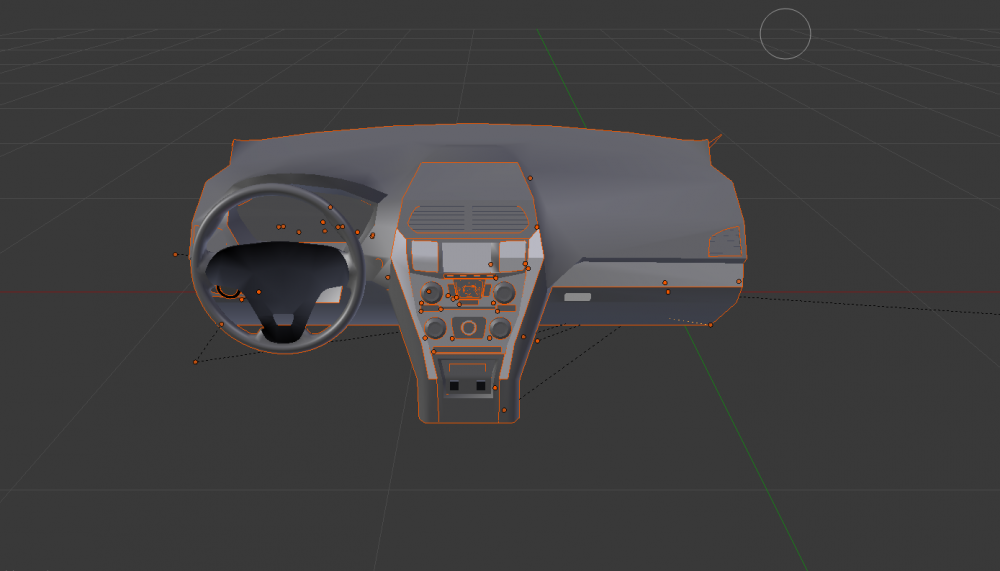
I noticed there isn't an HQ interior readily available unlocked for the 2013-15 Explorer. So I decided to make one that should be a direct fit as it's based on the existing one used that's photo textured. After the next update, I may release it for download as I don't have time to throw it in a vehicle. If somebody else wants to continue this project, let me know.
-
Yes, if you go to character load/save you can save the combination of tattoos into the slots there. You can change your characters clothing in the EUP menu and no matter what outfit you choose, the tattoos will stay. The only thing is that you have to reload them each session, but you can save them.
-
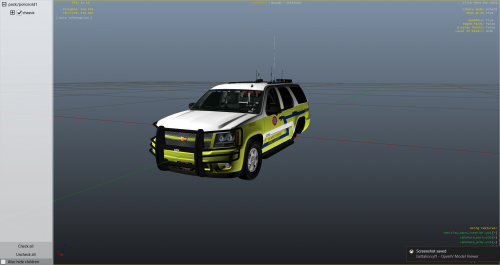 What Tahoe model did you use for the screenshots?
 -
This trainer here: https://www.gta5-mods.com/scripts/simple-trainer-for-gtav Go into model spawning, then to clothes and then select tattoos. You can save combinations of tattoos as well.
-
That initially worked. Then I tried reinstalling a car mod I have used before and it crashed on loading.
-
Hadn't fired up RageHook in about a month, so I did all the necessary updates and now the loading screen lasts forever when launching from RageHook. Everything has been updated and I'm not quite sure how to fix this.
-
The second I open Zmodeler 3, it crashes. I don't even get to the options screen. What gives? I've been using Zmodeler for years and I'm at a loss.
-
Nope. Once reverted, it will show up but the game itself won't launch; a scripthook error will come up.
-
Same deal here. As soon as I revert back to the last version, GTA V won't launch. It just says "GTA V Launcher Quit Unexpectedly." I'm assuming we're just gonna have to wait for a new version of Ragehook to come out.
-
Yeah, I have no idea what to think. Forgot to mention this earlier... For future reference, I reinstalled ELS and my ELS cars as well.
-
Both of those things are fine. I restarted my system and ELS seems to be working properly.
-
So, I installed ELS on my game yesterday and everything was working fine. Today, I jumped on and tried to get it to work. Nothing. Here's the log. I made no changes to the game since having it working fine yesterday. The siren controls still work fine, but the lights don't work at all. I can pull up the control panel, but I can't operate the lights. I've gone into the config settings and everything looks fine n there as well. Now, I understand that a bunch of other people have been having this same issue. I'm thinking it may be specific to Steam users. Any ideas? I'll post more stuff if needed. MOD ELS.asi NAM Emergency Lighting System V VER [ 1.05 ] -------------------------------------------------- <AHOOK> Attempting to initialize AdvancedHookV by LMS. (OK) AdvancedHookV.dll file found and successfully initialized. <FILEG> Collecting information from ELS.ini. (OK) Main configuration data successfully collected. <VCONT> Attempting to open VCF container at: [ .//ELS//pack_default ]. (OK) VCF container found, scanning for files. <FILEV> Found file: [ POLICE3.xml ]. <FILEV> Verifying vehicle model name [ POLICE3 ]. (OK) Is valid vehicle model, assigned VMID [ 0 ]. Parsing file. *A crash before all clear indicates faulty VCF.* VCF Description: 16FPIU_Legacy VCF Author: Luxart/Thehurk (OK) Collected data from: 'ADMIN'. (OK) Collected data from: 'INTERFACE'. (OK) Collected data from: 'EOVERRIDE'. (OK) Collected data from: 'MISC'. (OK) Collected data from: 'CRUISE'. (OK) Collected data from: 'ACORONAS'. (OK) Collected data from: 'SOUNDS'. (OK) Collected data from: 'WRNL'. (OK) Collected data from: 'PRML'. (OK) Collected data from: 'SECL'. (OK) ALL CLEAR -- Configuration file processed. <FILEV> Vehicle information retrieved. Loaded [ 1 ] ELS-enabled model(s).
-
-
-