


officerAMR
Members
-
Joined
-
Last visited
Everything posted by officerAMR
-
 Yah, vehicles meta goes to common>data>levels>gtav as you would with any car mod
- 501 comments
- 104 reviews
-
-

- 1
-
-
-
-
 Thats a long way out of jurisdiction
 -
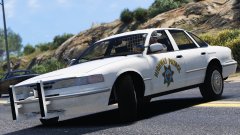 At this point i eat sleep and dream chp cars XD
 -

-
-
-
-
err no, hwaycar7 is the first entry press ctrl+f and type hwaycar6 and it shows Go into a trainer and change the colour to mattblack or something along those lines might help
- 501 comments
- 104 reviews
-
No its something to do with the vehicles collisions, try gresley as the handling line maybe that will keep the car planted
- 501 comments
- 104 reviews
-
I use this https://www.gta5-mods.com/misc/naturalvision-photorealistic-gtav
- 501 comments
- 104 reviews
-
-
- 1
-
-
I dont really know, you can try messing around with different ENB's and graphical mods
- 501 comments
- 104 reviews
-
-
- 1
-
-
-
-
-
Exactly. You can place it in anything above Patchday4 as R* hasn't update any police vehicles after that poiint
-
Its the game config thats causing all these issues. I remote controlled another users PC and he couldn't spawn anything until the config was installed The only thing that doesn't spawn ATM is the f350 on the replace version.I will be uploading the fix soon
- 501 comments
- 104 reviews
-
Just put all modded cars in patchday9. Anything thats in patchday 3 will be overwritten by the same file in patchday 4 For example if you place police car named "police" is in patchday2 and another one named "police" is in pacthday 3 the game will load the one in patchday3. If that makes any sense
-
No problem. When you play next, reinstall the mod completely and then place the gameconfig in update>update>common>data and you should be set to go
- 501 comments
- 104 reviews
-
-
The amount of messages i've been bombarded with is insane lol. I've spent a hour remote controlling a users computer to find a fix XD
- 501 comments
- 104 reviews
-
Yah, i could get up to 7 in my game Thanks for telling me this, you're a savoir
- 501 comments
- 104 reviews
-
-

