


OfficerFive0
Members
-
Joined
-
Last visited
Everything posted by OfficerFive0
-
yes please we need this!
-
so you are saying it has nothing to do with size/polygons
-
-
i was going to do a escape pack as they nypd use it a lot (more than any other suv) and also have an unmarked version which looks awesome and the escape taxis are everywhere.
-
looks awesome cant wait to use it in a patrol!
-
so i know that when u get a rc20 error its because its too big/too many polygons. so what suggestions do u guys have to reducing it/fixing the problem. one thing i found that works is attaching things the more attached the better example here with a newer version of my 2015 charger where i had to attach everything added besides the lights themselves to the body frame
.thumb.png.b2f33577fee52467eaabdbd9104d6dde.png)
.thumb.png.acb3b67071d384ef1be343ea48f2610a.png)
.thumb.png.70b84178960b7dffd0e7f2296248f212.png)
.thumb.png.8492b25d67f6290cdc6e3ed4c5fe7a93.png)
-
awesome! i was thinking of doing a few escapes (a marked unmarked and taxi) but still looking for an unlocked one
-
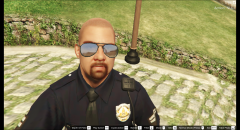
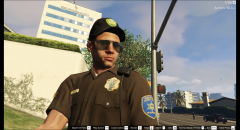
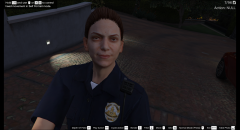
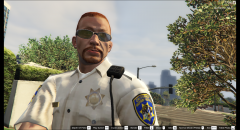
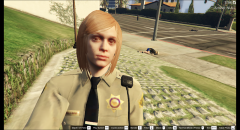
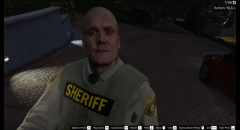
so you want suggestions for a better hat/glasses? or is there a problem with the model?
-
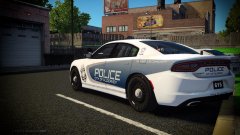 looking great!
 -
-
improved the wingman! now just have to fix the damn rc20 error
-
btw the code zeros textures work on this car
-
.png.eb11dbba2714a3c05bef807f617fc231.png) link to the post http://www.lcpdfr.com/topic/50327-officerfive0s-wips/?page=2#comment-333846 please leave suggestions on the skin etc
link to the post http://www.lcpdfr.com/topic/50327-officerfive0s-wips/?page=2#comment-333846 please leave suggestions on the skin etc -
any suggestions for the skin? or anything else?
-
-
-
-
-
-
-
-
-
-
-


.png.b259fed1c38fa93b16bf16b8291d3193.png)
.png.8f8160a8e0183513d3b3d39d94f356ce.png)
.png.bb9cba1ebacb59feb012d8ee4880feaf.png)
.png.708f52059ed7ce5c32dd2fe0639a741e.png)


.png.eb11dbba2714a3c05bef807f617fc231.png)
