


OfficerFive0
Members
-
Joined
-
Last visited
Everything posted by OfficerFive0
-
any way to setup extra5 and 6 to not be active during default light stages and when its not active to be enabled when pressing "L"?
-
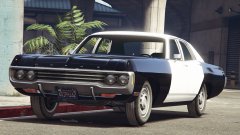 *drool
 -
derp thanks!
-
so im working on a nypd slicktop taurus and wanted to add in the warning lights they use and named them extra 5 and 6. although ingame they are very dim. comparison between the taurus and sgt kanyos cvpi comparing the extra 5 and 6.
.thumb.png.1ab5c620735fbc0d83da3bbb7dfc2f16.png)
.thumb.png.b3ef128caa03876d5df3bc5a5756629c.png)
.thumb.png.2916b775b14ea5d28735d7c8b310bc98.png)
-
that bodyslam tho
-
i still dont understand how blocking a highway is protesting police brutality.
-
here we see the idiot in his native enviroment
-
sure i just have to find my files
-
i think it was from the 2013 taurus
-
this is perfect
-
black lives matter
-
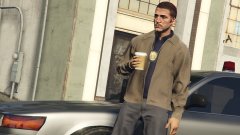 didnt notice the gumball the first time
 -
i know you can change the texture to make a light brighter but what i wan tto know is how to change the brightness of the actual light in zmodler
-
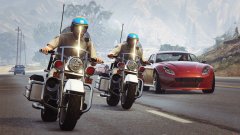 1970s chips next to a modern day sports car lmao. cant wait till release so i can fix your error
 -
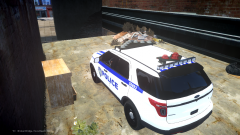 lol i know i just downloaded a skin but it didnt fit the car
 -
you accidentally pressed "S" instead of "C" my friend
-
yas please! i cant wait to do some CHiPS patrols
-
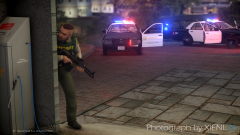 ooh will you release it?
 -
yea i wouldve put it in. i only put the slrs on top of the car just to test if it would actually work
-
i just had to share this hilarious article. make sure to read the comments http://news.yahoo.com/police-release-video-shows-ferguson-suspect-gun-003829519.html
-
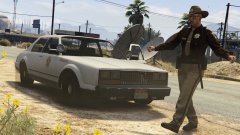 Oooh Oooh ooo YAY.
 -
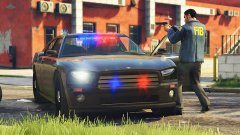 *FBI
*FBI -
-
too perfect
-
yea papd has a regular slr in front and the 3 pod version in the back. on their tahoes and explorers IMO they have pretty weird light setups thing is it seems there is a max of 8 rotators so this is impossible

.png.5643bdb46b73087e2c74adfab2c5792d.png)
.png.6786381841ac5ea37a840c3f509235a1.png)
.png.4d5a3a00b416f4aec01c3c8a7addad61.png)

