OfficerFive0
Members
-
Joined
-
Last visited
Everything posted by OfficerFive0
-
like i said before, just click the files
-
click Reveal hidden contents then click these to downoad them wheel2_musc_16.ydr wheel2_musc_16w.ydr wheel2_musc_17.ydr wheel2_musc_17w.ydr
-
just click the files
-
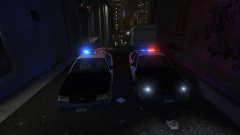 whats the other lightbar?
 -
of what? the gang unit?
-
?
-
-
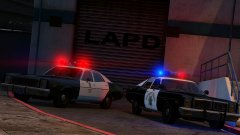 but theyz clearly diffrent
 -
btw ure using the wrong stoplights for the chp, ur using the modern ones
-
but then they cant see
-
but y notz
-
y no spotlightsxzss
-
im a bit new to taking screenshots, but i think these came out pretty decent.
-
perhaps because the video is sped up?
-
found this picture of a 2016 chp explorer
-
thats not going to change anything, itl be the same review with a different ratio. one thing that i do miss though, is the ability for the author to respond to reviews. too many times people leave a review where they shouldve left a comment. and we can t respond to said review.
-
-
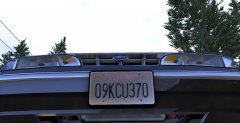 there i fixed your mistake :)
 -
 what were you importing? also are in u "all textures" or "extra_textures.ytd" in your texture browser
- 9 comments
- 3 reviews
-
did you have vehshare.ytd as one of your preload packs? thats also needed. also it will only show what it needs, so if the model just need env then thats all it will import
- 9 comments
- 3 reviews
-
-

- 1
-
-
unfortunately i cant due to the fact the hubcaps arent mine.
-
no those are buenos
-
well, idk for you since you dont use a mods folder normally, youd verify integrity of game crash, then copy the new update.rpf to your mods folder and reinstall any mods that u had in update.rpf
-
after updating gta v did you also update your update.rpf?
-
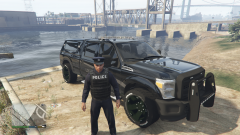 aah ok. and it should stay like that