OfficerFive0
Members
-
Joined
-
Last visited
Everything posted by OfficerFive0
-
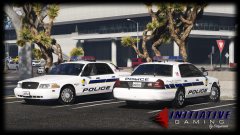 tbh with all the led lighting ur using, id replace the strobes on the vista with trioptics, as seen here
 -
doing that now :)
-
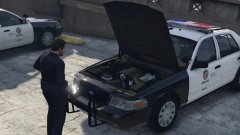 show off
 -
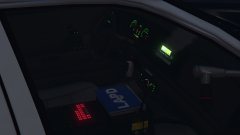 ik lmoa
 -
thats one ugly siren controller
-
 bxbugs
 -
at this point idk, depends how many problems i run into
-
also forgot to mention that the lapd bearcat will be coming soon
-
-
.thumb.png.89d479af631653fefb1c508c84b8ea55.png) its nice but doesn't have a accurate interior. nypd also doesn't use ions in the grills
its nice but doesn't have a accurate interior. nypd also doesn't use ions in the grills- 35 comments
- 8 reviews
-
-

- 1
-
-
yes! it will conform to ny state law
-
-
working on several different projects. finished modeling a fedsig dynamax speaker for a friend working on a 98 cvpi patrol/slicktop also working on a twiggs county sheriff k9 tahoe white plains explorer and a few other things
-
-
<
-
 saxy
saxy -
turn ur shader and post fx on high
-
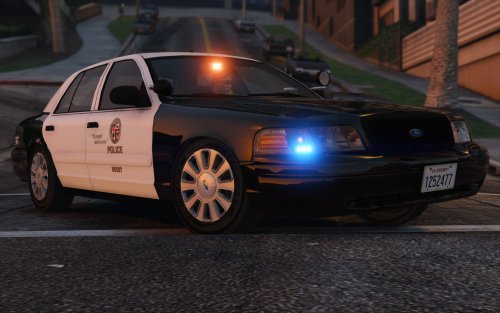 Los Angeles Slicktop Crown Victoria. {Gang unit/Swat} this vehicle comes with several extras to be accurate to whats used irl. the list of extras are extra_2 - puck antenna extra_3 - pushbumper extra_4 - trunk antenna extra_5 - headlight strobes extra_6 - laptop down position extra_7 - pass spotlight down position extra_8 - laptop upward position extra_9 - swat vest in trunk extra_ten - pass spotlight upward position Donating will help me pay for my zmodeler licence! known issues: if you crash at a high speed a duplicate chasis will spawn, looking into a fix for that. the lighting is not perfect, im going to tweak the colors and brightness a bit. install location: mods\x64e.rpf\levels\gta5\vehicles.rpf\ install location (RDE) mods\update\x64\dlcpacks\rde\dlc.rpf\x64\levels\gta5\vehicles\rdevehicles.rpf\ in the vehicles.meta find the line that says diffusetint and replace the value with this <diffuseTint value="0x00FFFFFF" /> heres the path to the meta mods\update\update.rpf\common\data\levels\gta5\vehicles.meta ~Credits~ screenshots by @steinberg4145 and @Officer27 06 cvpi by @steinberg4145 skins by fcvp71 Setina PB200 by 0taku Unity spotlight,tri-cuda optic,fedsig corner led,gunrack,laptop,smartsiren,havis console,antennas,motorolla xtl5000,motorolla mic,trunk equipement all by OfficerFive0
- 26 comments
- 12 reviews
-
-
-

- 13
-
-
you know this is for pics from the game. not real life :)
-
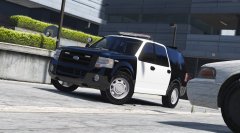 whats the problem? ykw join here itl be easier to help u https://discord.gg/013tAG2Q9VPAoFfIQ that wouldnt fit as hes using the modern expedition, not the older gen
 -
the spotlights seem to be an axis problem
-
do i need to edit any of the metas
-
quick question, i noticed that in the vehicles.rpf , for police 4 there is only the police4.ytd. the rest the game loads from the default location. can i just add all the files into rde's vehicles.rpf?
-
-
you drag and drop them into the location steingberg said above

.thumb.png.89d479af631653fefb1c508c84b8ea55.png)