




The Feniex Dealer
Members
-
Joined
-
Last visited
Everything posted by The Feniex Dealer
-
 No because that covers Openiv's area and thats their mod the instructions for this mod is from their website i didnt right them nor make them
- 55 comments
- 4 reviews
-
-
cool :)
-
Would be nice to respond to code 3 callouts like store holdups, hostage situations, code 2 calls like disturbing the peace, domestic assault etc. :D Just an idea
-
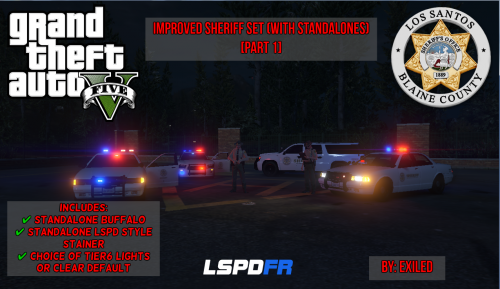 What this version Includes: Standalone BuffaloStandalone LSPD Style StainerRe-Mastered Sheriff themeLight bar choices (Default with a clear lightbar or Tier6)Please Report any bugs/Errors. VIDEO: N/ADo not distribute this mod.
- 8 comments
- 2 reviews
-
I found it this may be locked
-
Would it be against rules to ask for a 1.27 GTA5.exe and GTAVLauncher.exe file? I backed up my Update folder just not them D:
-
sure but since the scripthookv is not working right I cant :/ Yes it was updated but nothing is working... asi files wise
- 55 comments
- 4 reviews
-
-
Well... openiv.asi is a asi plugin therefor idk since this mod changes the police.ytds template to sheriff i believe its required. and only copy the folders you need into the mods folder not all of them. and yes the ones from the gta 5 main folder (where gta5.exe is)
- 55 comments
- 4 reviews
-
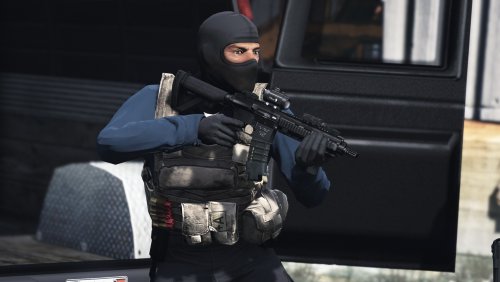 As my uncle is a US Marshal the back of their vest says Just US Marshal and on the front it says Varies From Police to US MARSHAL. Great IDEA tho downloaded! And i was working on something like this :/ but got pulled away for a while good to know i was not the only one that had the idea :D
- 31 comments
- 4 reviews
-
Copy your (UNMODDED) update folder and put the copy of it into the mods folder. Now any other mods that require files to go into the x64 folders you do the same. 2. Then open and load openiv 3.click tools > asi Manager 4.click install if you see install.(If you see uninstall leave it) 5.Now any mods you have go into the files in the mods folder. 6.Doing this will allow your game to remain default upon removing the openiv.asi (Meaning that the plugin in your gta5 files will read all mods from the mods folder. If you want to play without mods simply remove openiv.asi) **HOWEVER If you updated to the lil gotten gains pt 2 update this will not work atm as scripthookv wont launch due to the gta 5 update.***
- 55 comments
- 4 reviews
-
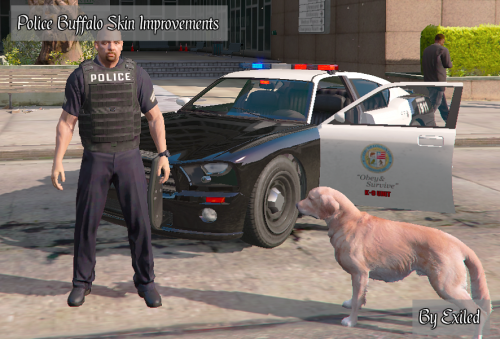 Post a pic please
 -
-
-
-
-
If you have done the above and still have errors Please join the skype support group.
- 55 comments
- 4 reviews
-
This is how to install the openiv.asi plugin NOTE: This is not my instructions. (Taken from their site to save you from googling) How to use OpenIV “mods” folder and keep your original GTA V files safe The latest version of OpenIV and OpenIV.ASI provide support for “mods” folder that can be very useful in the following cases: You have DVD or Rockstar Games Warehouse version of GTA V and every time you edit files Launcher download original files back; You want to have original GTA V files unmodified; You want to have fast way to switch between original and modified files. Required software: OpenIV (2.6.3 or newer) OpenIV.ASI (1.1 or newer) GTA V ASI LOADER (build “May 2 2015” or newer) Instruction: 1 – Download and install OpenIV. Configure it to work with your copy of GTAV. 2 – Navigate to ASI Manager using menu “Tools” > “ASI Manager” or “ASI Manager” button on tool bar. Through ASI Manager, you can install, update or remove ASI Loader and OpenIV ASI plugins. 3 – Install ASI Loader and OpenIV.ASI 4 – Open your GTA V folder in File Explorer; you can do it fast in OpenIV 5 – In root of your GTA V folder create new folder and name if “mods” (lower case) 6 – Now you have to copy RPF archives into “mods” folder. For example, if you want to modify “Grand Theft Auto V\update\update.rpf” you need to copy it like “Grand Theft Auto V\mods\update\update.rpf”. The following table is explain how you need to copy archives to mods folder. The path to RPF archive in “mods” folder must be the same as in real GTA Vfolder, here is some examples: Grand Theft Auto V – Original archive path Path in “mods” folder GTAV\update\update.rpf GTAV\mods\update\update.rpf GTAV\common.rpf GTAV\mods\common.rpf GTAV\x64\audio\sfx\SCRIPT.rpf GTAV\mods\x64\audio\sfx\SCRIPT.rpf GTAV\update\x64\dlcpacks\mpheist\dlc.rpf GTAV\mods\update\x64\dlcpacks\mpheist\dlc.rpf GTAV\x64e.rpf GTAV\mods\x64e.rpf 7 – From this point if you want to install mod or edit some file you need to do it in archive from “mods” folder. Now all your mods will be in separated folder, and original files will stay not modified. If you want to switch back to original files just go to ASI Manager and remove OpenIV.ASI. In addition, you can remove ASI Loader to disable all ASI plugins that you have installed. You can use ASI Manager any time to switch between mods and original game. You no need to remove “mods” folder every time.
-
As this mod Changes the cars template I HIGHLY recommend to use the openiv.asi Plugin. Simply Follow these steps
- 55 comments
- 4 reviews
-
LOL idk.... its so much better to just use the openiv.asi plugin... Try putting them files in the x64e.rpf folder as well. as I think thats the problem gtav/x64e.rpf/levels/gta5/vehicles.rpf
- 55 comments
- 4 reviews
-
-
you use openiv right..... Click TOOLS > ASI MANAGER and install them both then create a mods folder (all lowercase) and copy your UNMODDED update folder into it along with x64e UNMODDED. Using openivs mods folder and asi plugin allows you to edit the games files without messing with the default files so... like if you want to play with no mods simply remove the openiv.asi from your gta 5 folder and the game goes back to default.
- 55 comments
- 4 reviews
-
the mods folder is part of open IV's asi file that is a real path if you follow the instructions from openiv's asi file :/ since not everyone uses the mods folder (It seems) I will edit the files on where to put them if you dont have a mods folder
- 55 comments
- 4 reviews
-
I have to say I am IMPRESSED by how quick its getting updated. Keep up the good work!!!



