


FireSheriff343
Members
-
Joined
-
Last visited
Everything posted by FireSheriff343
-
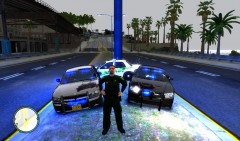 Theyve already been released lol. take a look through the downloads drop menu on this site
 -
who cares about how he did it? you can still hear the siren. at least i could with no issues
- 13 comments
- 4 reviews
-
yea its kind of a fictional skin for my local department. but here the law is 500 feet i just wanted to make it different
-
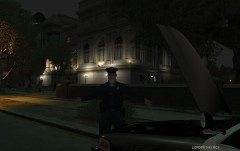 looks like me when my transmission went..... big WTF
 -
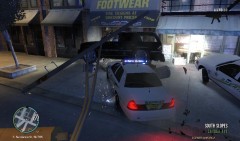 lol it was a very tactical ramming :P
 -
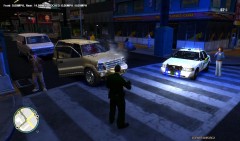 lol yea! she screamed and ran away haha
 -
lol thank ya!
-
From the album: Life of the S.O. Version 2
Multi island pursuit on this calvalcade turns into shots being fired when the driver tried to ram me with the vehicle. The passenger managed to remain alive :( so he was taken into custody -
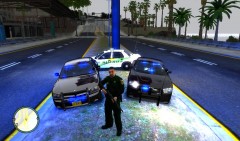 go to the downloads on this site. it should be there but it has a skin on it
 -
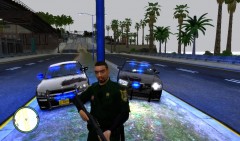 damn right lol
 -
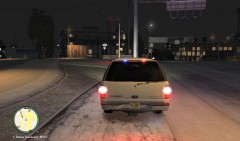 yea well the real ATTF dont have alot of light because of them trying not to be seen at night...... even though the big ass bumper gives them away
 -
the charger to the right is great.... i just wish it had as many lights as the other one lol
-
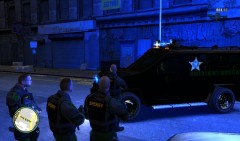 o i love it
 -
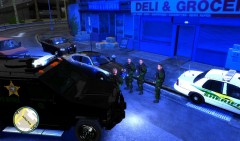
From the album: Messing around with fraps
At approximately 2234est Sheriffs Deputies receive a report of a man barricaded in his apartment with multiple weapons ranging from a semi automatic .45 handgun to a AK74. When the primary deputy arrived he stated that he could hear the man talking to himself in the apartment and that the door to his apartment was nailed shut with something behind it. SWAT was called in at 2236est where the decided to bring the Bearcat APC (Armored Personnel Carrier.) After a few minutes SWAT decided to enter the apartment to try and minimize the possibility of casualties out on the street. SWAT breached the door at 2240est and shot and killed the barricaded suspect as he reached for his Assault Rifle. Suspect was called DRT(Dead Right There) :P at 2241est. -
From the album: Messing around with fraps
At approximately 2234est Sheriffs Deputies receive a report of a man barricaded in his apartment with multiple weapons ranging from a semi automatic .45 handgun to a AK74. When the primary deputy arrived he stated that he could hear the man talking to himself in the apartment and that the door to his apartment was nailed shut with something behind it. SWAT was called in at 2236est where the decided to bring the Bearcat APC (Armored Personnel Carrier.) After a few minutes SWAT decided to enter the apartment to try and minimize the possibility of casualties out on the street. SWAT breached the door at 2240est and shot and killed the barricaded suspect as he reached for his Assault Rifle. Suspect was called DRT(Dead Right There) :P at 2241est. -
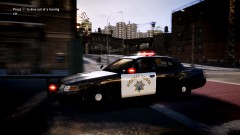 change it to all blue and put a SHERIFF sticker on the side of the car and itll b all good
 -
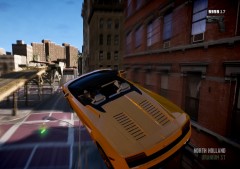 I was gonna say have dfine help but hes probably higher than ur car right now
 -
ill go ahead and start fire rescue for ur landing :P
-
Couldnt find it due to my house being struck by lightning and now having no internet or cable. I have to do everything by phone. And with GPM down im having trouble finding it
-
that is a PBSO uniform that I edited to make into a MCSO uniform with MCSO patches and a MCSO badge. also lemme look for the road textures and ill get them to ya by the end of the night
-
id have to look it up and message you about it..... im a little bit busy today but ill get it all to ya by the end of the night
-
o no no no im not complaining about the lights at all. Id actually prefer more lol. im a big fan of having alot of lights on a vehicle. I wouldnt change a thing about it
- 38 comments
- 14 reviews
-
-

- 1
-
-
Came out perfect for me! no issues what so ever and i must say... this is my type of car... christmas tree on wheels :P
- 38 comments
- 14 reviews
-
-
- 1
-
-
its great man! especially with all blues :P
-
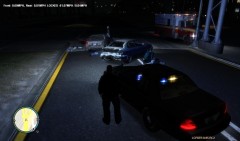
From the album: Life of the S.O. Version 2
Made a traffic stop on the silver vehicle which took off and ended up ramming straight into the other vehicle. Both occupants were DOA/DRT in which medics confirmed

