


FireSheriff343
Members
-
Joined
-
Last visited
Everything posted by FireSheriff343
-
this mod works great for me. My favorite part about this is checking ID on foot. Ive always wanted the ability to do that for certain situations and can only search the person. Great Mod thanks!
- 316 comments
- 152 reviews
-
 yea give me a few minutes
 -
a friend of mine gave it to me... ill have to ask which site he got it from but it wasnt one of the big ones like this site or gpm
-
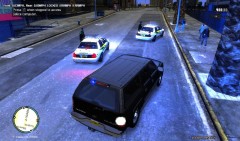 this is the ATTF suburban by bugs that i made to have FL license plates and all blue lights. It has a large reinforced bumper on the front (from ATTF)
 -
more pics of the Sheriffs Office's around Florida
-
FHP Pursuit with great ending
-
 MCSO ATTF has a little fun 2
-
 MCSO ATTF Has a little fun
-
MCSO ATTF Responds to Officer Needs Assistance Call
-
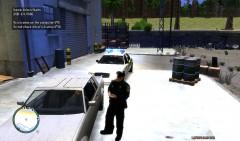 Signal 13v (Suspicious Vehicle) in Algonquin just off of Grummer Road
-
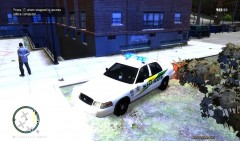 Suicidal Subject in Northwood
-
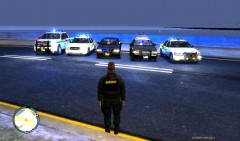 New Fleet
-
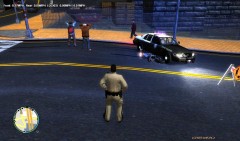 Florida Highway Patrol Motorcycle Chase
-
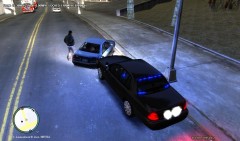 Short Pursuit with Assault on LEO 2
-
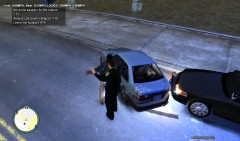 Short Pursuit with Assault on LEO
-
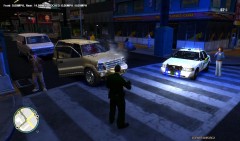 Love the smell of Buckshot in the mornin'
-
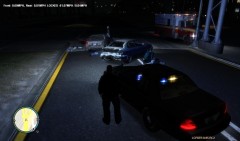 On Scene of Late Night Accident
-
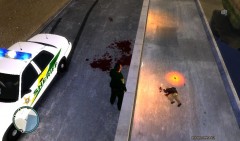 Did u fall?? oops... my b
-
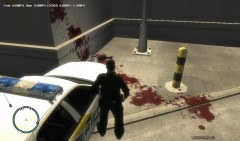 Lets pull a gun on a cop..... what could go wrong?
-
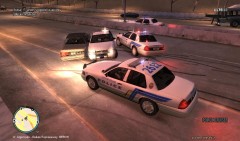 Stuart PD and MCSO Pursuit
-
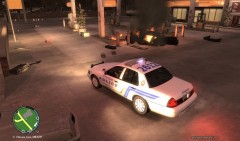 Pursuit turns into fireball.... times 2
-
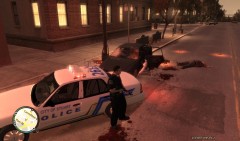 Gotta love shots fired calls...
-
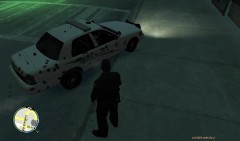 Sarge is gonna be pissed
-
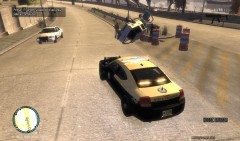 FHP Pursuit with MVA
-
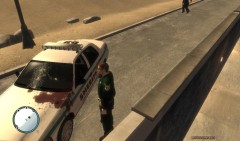 Aftermath of Shots Fired Call
-
-
From the album: Life of the S.O. Version 2
Chased suspect for a good 15 minutes until he was finally stopped -
From the album: Life of the S.O. Version 2
timber.... -
From the album: Life of the S.O. Version 2
broke a couple axels and bent the frame..... no big deal -
From the album: Life of the S.O. Version 2
as i was using the baitcar mod a call came over the radio for officer needs assistance so i responded along with another deputy. -
Congratulations to everyone here at G17 media!
-
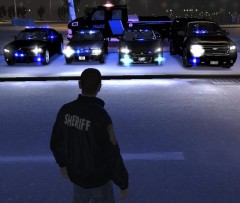 I changed it in photoshop.... I wanted to keep the american flags on the sides and the 911 emblem or whatever was on the back so i had to use that
 -
From the album: Life of the S.O. Version 2
decided to try to patrol around Algonquin a little bit and after being called to about 10 suicidal subject calls...... im D.O.N.E. done -
From the album: Life of the S.O. Version 2
decided to try to patrol around Algonquin a little bit and after being called to about 10 suicidal subject calls...... im D.O.N.E. done -
From the album: Life of the S.O. Version 2
From left to right: FWC F150, MCSO CVPI with rotating lightbar, nickieb's new unmarked CVPI with all blue lights, FHP CVPI, MCSO CVPI with whelen justice -
From the album: Life of the S.O. Version 2
I observed this motorcycle traveling Northbound on Dukes Boulevard traveling at 51 mph in a 35 mph zone. I finally stopped the motorcycle about a mile from where he passed me and as i approached the motorcycle he took off leading me on a 25 minute pursuit where i eventually stopped him on the road in between the police department in hove beach and romans taxi shop. This was a very challenging pursuit trying to match the acceleration and speed of the motorcycle (plus hardcore mode) -
From the album: Life of the S.O. Version 2
Got into a chase with this suspect for about 5 minutes. I ended up have to shoot shotgun rounds at his car as he came towards me at a point in the pursuit. I ended up PIT maneuvering him out front of the Police Department. At least he knew where he was going -
From the album: Life of the S.O. Version 2
Got into a chase with this suspect for about 5 minutes. I ended up have to shoot shotgun rounds at his car as he came towards me at a point in the pursuit. I ended up PIT maneuvering him out front of the Police Department. At least he knew where he was going -
-
ahhhh so this is the car you were talking about?? Cant wait to put it in my game!
- 33 comments
- 9 reviews
-
I have a horrible computer for running GTA and this car works great for my game and this isnt the only modded car in my game either.
- 38 comments
- 14 reviews
-
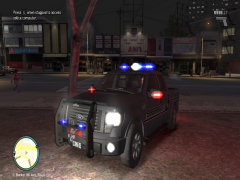 I love this truck. especially with this skin on it. I wish the red on the mirrors would only be on during night time and not all the time
 -
Hey guys. My friend jesse0000000007 are trying to start up a clan that does both Grand Theft Auto 4 for the Xbox 360 and ARMA 2 Operation Arrowhead (with police mods) for the PC. Here are a couple of videos we've done just to show the mods that have been put into the game. If you are interested in joining go to http://s4.zetaboards.com/LCSO/index/ or contact me or jesse on xbox live. http://www.youtube.com/watch?v=cnSXqhUy1JM&feature=g-u-u Also feel free to message me or jesse0000000007 on here for further info.
-
Thank you for changing the file to all blue! Greatly appreciated. the problem i have now is when i spawn it the lights and everything are blue but the car acts like its on hydraulics where its just bouncing around everywhere. Im not sure if its my game or not
- 21 comments
- 3 reviews
-
I went and tried to change the emergency lights file so that the lights would be all blue but when i went into the game they were still red/blue. is there a file that i missed that i have to change or is the car itself set at red/blue?
- 21 comments
- 3 reviews
-
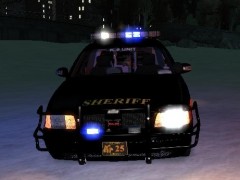 are you talking about one with a wraparound still or just a normal pushbumper? because there is a PBSO crown vic that looks like this but it has a normal push bumper.

