


GlowFunky
Members
-
Joined
-
Last visited
Everything posted by GlowFunky
-
Try download LCPDFR said becuase it 0 kb in the folder and again and run it as Admin.
-
Try install both .Net Framework 4.5 and Microsoft Visual C++ Redist 2012. It should work after you install it.
-
Did you try it and if it didn't reinstall LCPDFR?
-
Try deleting you oldsession.fr and savegame.fr. Now download this from here http://www.mediafire.com/view/o8444lllguayti4/Savegame.fr and copy and paste it. If it still doesn't work fully uninstall LCPDFR and install it again.
-
I edit the enb to it's lowest and I got like 4 or 6 fps higher, but I didn't look that nice so I just changed it back as normal. Thanks anyways :D
-
Is it even possible to upgrade my GPU on a laptop? I mean like I never seen anyone or heard anyone do it before.
-
-

From the album: GTA IV 2015 ENB
Not bad a for HD Intel Graphics card 3000 right? -
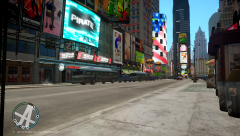
From the album: GTA IV 2015 ENB
Not bad a for HD Intel Graphics card 3000 right? -
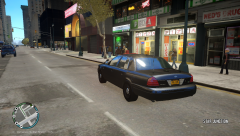
From the album: GTA IV 2015 ENB
Not bad a for HD Intel Graphics card 3000 right? -
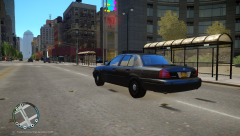
From the album: GTA IV 2015 ENB
Not bad a for HD Intel Graphics card 3000 right? -
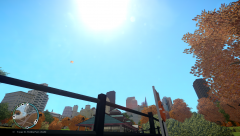
From the album: GTA IV 2015 ENB
Not bad a for HD Intel Graphics card 3000 right? -
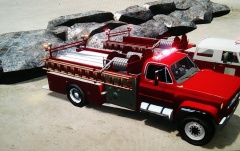 I haven't seen those firetrucks since a long time, but it looks nice!
 -
Ok, I wish you good luck on the installation.
-
Today I just tried running IV 2015 ENB on my laptop with 4gb memory, Intel Graphics 3000 1gb, and Intel Core i3. Believe it I got run with no lag and 1 - 25 FPS (which is not bad for a laptop). It was shocking because who knew you could run nice enbs on a crappy laptop! I get about 25 FPS standing or walking around, I get like about 10 - 20 FPS driving around, and I usually start getting FPS drop when in pursuit with with a car, but other than that everything is fine. You can look at how pretty it is on a laptop that was not made for gaming right here http://imgur.com/cdJnL4B,T9bSVSa,xwwa80V,L5UyNfg,hXtM28D,zUx6qEb,3SV1E01,COvEGYP#7 (Everything was ran on low except texture it was ran on medium) If anyone can give me some advise on anything that could help my FPS go up even higher?
-
You might want to go to your graphics settings and change the views to how far you want to see it. If that doesn't work I'm not really sure, it might be your graphics card or something else.
-
First fully unstall LCPDFR! Download the installer from here https://www.lcpdfr.com/files/download/4607-lcpd-first-response/ , press "Agree & Download" and press on 1. LCPD First Response 1.0d_2 Automatic Install.zip. Now open up the file and run the .eve file as Admin, and install it. It should work fine, if you still having issues just tell me :D
-
Uninstall and install LCPDFR 1.0D again, and check if you are missing .Net Framework 4.5 or Microsoft Visual C++ Redist 2012. You can search those on Google or press .Net Framework 4.5 and Microsoft Visual C++ Redist 2012. Hopefully I solved your issue and I hope you enjoy LCPDFR.
-
I don't know if it's just me, but I start lagging when I record with FRAPS. It makes my fps drop to like 10 - 1, but it might be my crappy computer not really sure.
-
-
-
I do and it always ends up saying disregard or crime scene clear. I tried reinstalling everything and the same thing keeps happening.
-
-
Use LCPDFR 1.0D Manually install and copy and replace in GTA IV directory. AdvancedHook.dll, dsound.dll (If you are using it, if not leave it alone), and ScriptHook.dll. It should work it reported an error about AdvancedHook as said here " [ERROR - 6:33:00 PM] [] System.IO.FileNotFoundException: Could not load file or assembly 'AdvancedHook, Version=0.0.0.0, Culture=neutral, PublicKeyToken=null' or one of its dependencies. The system cannot find the file specified. File name: 'AdvancedHook, Version=0.0.0.0, Culture=neutral, PublicKeyToken=null' "
-
Looking nice :)

