


GlowFunky
Members
-
Joined
-
Last visited
Everything posted by GlowFunky
-
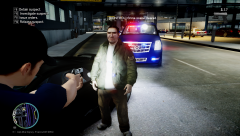 Nice Cadillac you got there.
 -
Looks amazing!
-
So much more stable. Thanks! :D
-
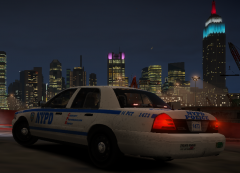 I love your ENB it doesn't lag like other ENBs for some reason, but thanks for taking your time making this very nice enb!
 -
I cleaned my fan and I started to get 20 - 35 fps which was very shocking for a very old laptop.
-
-
From the album: NYPD
I was responding for a call and made a u-turn, and than I see a beautiful view of the city. -
Does anyone have LCPDFR 1.0B HOTFIX? If you do can you pm me thanks.
-
-
Just reinstall LCPDFR or repleace AdvancedHook.dll, ScriptHook.dll, and dsound.dll if your not using xlive.dll from the manually install. It should work after you have done this.
-
I got a new computer and I installed everything that is needed. I am using the AdvancedHook.dll in LCDPFR too so thats not the issue! Here is my specs http://prntscr.com/681rzu Here is the error: [ERROR - 9:32:41 PM] [] System.BadImageFormatException: Could not load file or assembly 'AdvancedHook.dll' or one of its dependencies. is not a valid Win32 application. (Exception from HRESULT: 0x800700C1) File name: 'AdvancedHook.dll' at .() at .() in d:GTA IVLCPDFRSVNbranchesLCPDFR Ambient ActionLCPD First ResponseLCPD First ResponseEngineScriptingEntitiesPoolUpdaterUnmanaged.cs:line 117 at ..ctor() in d:GTA IVLCPDFRSVNbranchesLCPDFR Ambient ActionLCPD First ResponseLCPD First ResponseEngineScriptingEntitiesPoolUpdaterUnmanaged.cs:line 14 at LCPD_First_Response.Engine.Main.() in d:GTA IVLCPDFRSVNbranchesLCPDFR Ambient ActionLCPD First ResponseLCPD First ResponseEngineMain.cs:line 162 at LCPD_First_Response.Engine.Main.() in d:GTA IVLCPDFRSVNbranchesLCPDFR Ambient ActionLCPD First ResponseLCPD First ResponseEngineMain.cs:line 222
-
Make sure you have .Net Framework 4.5 and Microsoft Visual C++ Redist 2012 installed.
-
Just reinstall LCPDFR or repleace AdvancedHook.dll, ScriptHook.dll, and dsound.dll if your not using xlive.dll from the manually install. It should work after you have done this.
-
If anyone got Eyecandy ENB v6 can you please upload it and give me the link thanks.
-
Just reinstall LCPDFR or repleace AdvancedHook.dll, ScriptHook.dll, and dsound.dll if your not using xlive.dll from the manually install. It should work after you have done this.
-
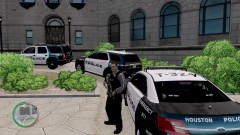 Can I have a link to this please?
 -
Maybe when you press alt+p it turns off definition? Just press P again when I turn off definition I start lagging too.
-
Reinstall LCPDFR or you can repleace these files from the manually install AdvancedHook.dll, ScriptHook.dll, and dsound.dll if your not using xlive.dll. Hope it solves your problem :D
-
Please do the following: Make sure you aren't using a crack - We don't support cracks Update GTA IV to 1.0.7.0 (the latest version of the game, or 1.1.2.0 for EFLC) - This sometimes fixes a wide variety of issues Make sure that you run the game as an administrator. Make sure that your GTA IV root folder (and every subdirectory) is not set to "read-only" Ensure that ScriptHook.dll, ScriptHookDotNet.asi and Dsound.dll OR Xlive.dll are in the GTA IV ROOT folder Ensure that there is a folder titled 'LCPDFR' in the ROOT GTA IV folder. Check that all the above files exist, if they do not, reinstall LCPDFR with the MANUAL installation. Ensure that you are using up to date versions of every LCPDFR dependency and LCPDFR itself. Install these: .Net Framework 4.5, Microsoft Visual C++ Redist 2012 If you has please upload your logs that would be helpful. :D
-
Reinstall LCPDFR or you can repleace these files from the manually install AdvancedHook.dll, ScriptHook.dll, and dsound.dll if your not using xlive.dll. Hope it solves your problem :D
-
 Yeah it does look so real lol
 -
Something is using up your memory and making your game crash. (It might be a mod)
-
Try editing your ini file or maybe reinstalling LCPDFR full.
-
Try clearing your DNS cache, if you don't know how you can go here and follow the instructions http://www.noip.com/support/knowledgebase/how-do-i-flush-my-windows-dns-cache/
-
Just leave ELS just where it is and uninstall LCPDFR and simply install it again. It should replace the files you replace with ELS. If you don't want to lose your config in LCPDFRthan just download LCPDFR manually install and copy AdvancedHook.dll, ScriptHook.dll, and dsound.dll if you not using Xlive.dll. Now just copy and paste them in you GTA IV Directory, and should repleace the files you replace. If you still have the same problem just post it here and I can try my best to help you. :D

