


Eastsiderellie89
Members
-
Joined
-
Last visited
Everything posted by Eastsiderellie89
-
-
-
@envi12345678913 i have 3504 scripthook
-
Does anyone know why els is not working, only works on signal 1, no flashing lights, just the tail light flashing on signal 3
-
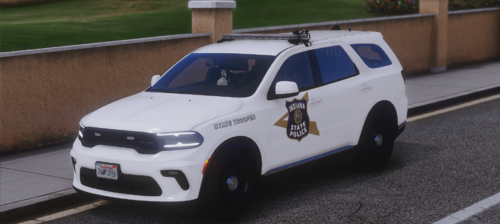 I have the els vehicle for the indiana state police, but I'm not the owner
 -
-
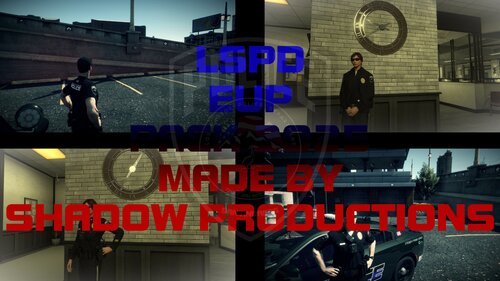 what plugin or script you using at the mission row pd gate and textures of the building
 -
post your ragehook log
-
change the ragehook plugin timeout to 6000 its crashing with the stop the ped key which is E
-
set the timeout to 6000 in the ragehook settings you probably need packlife adjuster and heap adjuster if you dont have them
-
send the rhp log
-
.thumb.png.cb930dd9b410e00dcfa81bb2cfa7b15c.png) how do you replace the texture
how do you replace the texture -
 somehow this plugin crashed lspdfr
 -
-
yeah I have no clue because I did exactly like you said and still no speed limit on the mini-map i meant the postal limit
-
ok so have to redownload then does it goes into scripts folder
-
do anyone knows why the speed limit not showing
-
Tenkeyless KeyBoard is correct but you need a regular keyboard that has all function buttons the Tenkeyless is mostly for typing
-
Blk Highway is missing an XML file and you missing Scene Manager which causing the game to crash
-
if the game is in Steam and Rockstar goes to Steam Library click the setting on the right side browser to manage files to your local files
-
yes and open from steam
-
rename mods to mods to see
-
is eup install correct is showing some of the plugin not check on ragehook and send ragehook log so i can check the log sheet
-
3407 is old v34 is the one with 2 or 2.5 ped and traffic
-
did you download 3407 Gameconfig V34

.thumb.png.cb930dd9b410e00dcfa81bb2cfa7b15c.png)
