

Synthacrat
Members
-
Joined
-
Last visited
Everything posted by Synthacrat
-
Yeah sounds good. So I was thinking maybe a breathalyzer script to start. See if there maybe some type of API support so if they breath over amount, they sometimes flee, and that will register as a pursuit for lspdfr Definitely as turn tires mod. Are you going to be using RAGE?
-
Great Double Doppler, now get that NYPD Rumbler going lol.
-
I am sure we will, it's just about animations for patting down and handing ID's
-
Can't be said any better. If people want to complain about the mod not being good, then develop your own addons such as callotus and pat-downs and breathalyzers.
-
1st Episode video of LSPDFR
-
I think what people are missing is, this is first off the 1st release, and Sam wanted to make it spiced up with a nice action twist to start out, and then add more and more and more great stuff in the future when the time is right. Sam is an artist and if you aren't an artist or don't have the artistic eye that me and some other people might have, then you may not be able to see what is really going on here. A few updates from now, and this mod will blow LCPDFR out of the water as it has pretty much started to do already. Also, with the RAGE Hook being worked on all the time, more features and abilities will be available for the Devs. I want to ask, what did you expect in the 1st release people, a finished and final product.....? C'mon, seriously, Sam is great, but he can't snap his fingers like a genie and make a mod complete in 1.5 months. Like the devs have said many times, your patients will be rewarded. Give them some time.
-
 I am trying to decode a file but it's just stuck at converted 0 files and it doesn't do anything.
- 12 comments
- 1 review
-
I have been online with mods in my directory and I haven't been banned nor contacted by R* because the only time you get banned is if you get reported or if the systems detects that you tampered your account settings with a foreign entity aka a trainer and or a modified ScriptHookV to activate the trainer online. Each GTA O account is a bunch of digits and logs on their side of view, so anything that is tampered by a trainer or any other mod will be detected. If it's something to troll people online like a weapon that shoots tanks, then it's obviously reported. It's like committing a crime, and if you get caught and have prior offenses and have been reported by many people, you get banned.
-
 I like to help people, that is what I do and try my best to do. That's why I want to be an officer.
- 20 comments
- 3 reviews
-
-

- 1
-
-
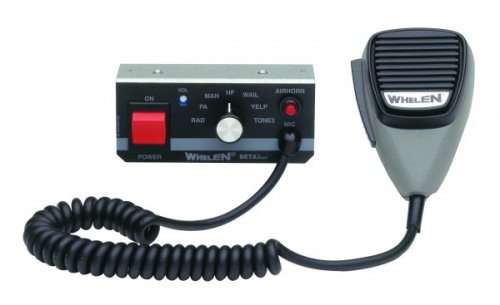
I know some people find the siren annoying, but I would love to have the NYPD Rumbler siren mod for my game. If it is possible, can someone make one. Please and thank you.
-
dammit man your a genius.
-
Thank you. I stockpile siren mods so I can switch them quickly. Glad you got this one released.
- 20 comments
- 3 reviews
-
-
- 1
-
-
Just don't launch the game through Ragepluginhook.exe. As long as you don't have modified files within a .rpf folder thorugh OpenIV, no mods will load online. Same with the ScriptHookV.asi
-
-
We had a discussion about this earlier Sam and you stated the "wall of text" was too bland. I understand that, but until animations can be found, that may be the only thing you can do. Without things such as frisking, ID checks, and etc, this might as well be Police Mod on crack. The mod itself has a great foundation, but don't let animations and audio files get in the way of police work. You want to simulate a realistic police feeling, not all police work is action as you know, so a wall of text to just be told what items someone has when they get frisked, or the name on an ID doesn't bother me one bit. Eventually, you may uncover animations that work, or even be able to create your own. Don't let what you have now stop you from what you could have in the future. Overall, this mod is absolutely amazing as a first release, and look forward to future updates.
-
Yep exactly, add them now, visuals later for when they come. I was in a convo with Sam about this and he feels it's better to have the visual immersion to the game. I understand but it's still a game and I feel like the more things you can do, the better.
-
You and Adam 12 lol.
-
oh agreed, I want more calls like domestics, suspicious persons, assist in a traffic stop and all. I think the reason Sam put those callouts was just to give some people some action. Also, there will be API scripts for the game if someone wanted to make more types of callouts. Sam said hat the mod will support that.
-
You do know the intended goal of LSPDFR was to not be like LCPDFR. The reason your feeling off about the traffic stops and such is because it is more real and immersive. Your just another entity in game if you, backup, and suspect are not blipped on map. To me it feels more natural but that's just me.
-
Feature preview video for LSPDFR Build 0.1d Beta.
-
For those who want to load in more than one Rage Plugin without using console to manually open them, this is for you.
-
Yeah sometimes it doesn't work for me as well.
-
 Magnificent work sir. Yeah, it was the startup.rhps file that screwed me over. Now that I know what it is, we doing fine now.
- 101 comments
- 40 reviews
-
 So far so good team. Can't wait to see a more variety of call-outs but even these end up differently each time. Also looking forward to ped stops and id checking as well as the computer in the car. Thanks guys, and great start!!
 -
Well in the trailer there was the standing up animation. What happened to that?