


Hunter
Members
-
Joined
-
Last visited
Everything posted by Hunter
-
A PC game on a Laptop!!??! A miracle.
-
IDK for steam, but I think you get the point of it. Click the blue orb (aka Start Button.) and go to Documents>Rockstar>GTAIV>Savegames. Here's a link for a new 100% Campaign save: http://www.gtainside...wnload&id=20685 PS: I think the saves apply for the install disc and steam. So it should have created a Rockstar document directory.
-
And if re-loading the scripts and debugging doesn't work, just quit the game & start it up again. Usually I can play for about 30-40 minutes before I get a script error or the game crashes.
-
That's exactly how I feel! I do, however, have an unmarked British BMW Police Vehicle..(I LOVE the solid blue for an unmarked vehicle installed as my FBI.wtf/.wtd) - I like the cars(In real life) but not in GTA IV.
-
 What went down here? LOL
 -
It's best to just leave the siren as is or just use a different siren mod.
-
^^ If your computer can't handle it, try turning the graphic settings down a bit. This reduces the lag & a few game crashes.
-
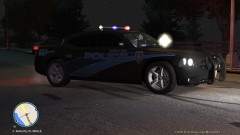 I honestly don't know, the author of the mod made the colour tint of the windows, not me. I only added a texture to the vehicle.
 -
Dang, I was gonna join, but I'm American :( I hate British Police Cars O.o They do use awesome uniforms though!
-
LCPD's Finest
-
GTAIV 2012 07 09 09 47 25 91
-
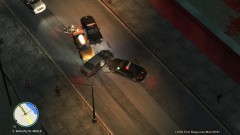 GTAIV 2012 07 09 09 47 22 59
-
 GTAIV 2012 07 09 09 47 06 01
-
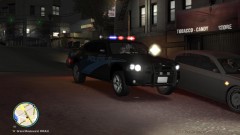 GTAIV 2012 07 09 09 46 47 65
-
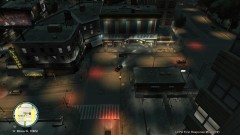 GTAIV 2012 07 09 09 46 38 14
-
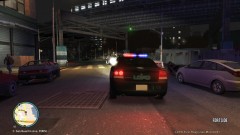 GTAIV 2012 07 09 09 46 09 49
-
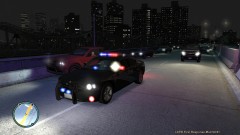 GTAIV 2012 07 09 09 45 30 07
-
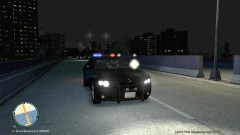 GTAIV 2012 07 09 09 45 21 35
-
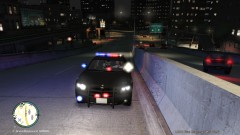 GTAIV 2012 07 09 09 45 09 33
-
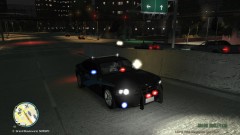 GTAIV 2012 07 09 09 45 07 64
-
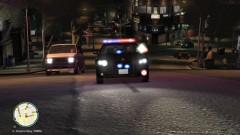 GTAIV 2012 07 09 09 46 26 83
-
-
From the album: LCPD Chases/Responding
-
From the album: LCPD Chases/Responding
-
From the album: LCPD Chases/Responding
-
From the album: LCPD Chases/Responding
-
From the album: LCPD Chases/Responding
-
From the album: LCPD Chases/Responding
-
From the album: LCPD Chases/Responding
-
From the album: LCPD Chases/Responding
-
From the album: LCPD Chases/Responding
-
From the album: LCPD Chases/Responding
-
From the album: LCPD Chases/Responding
-
-
-
-
Where's the v2 download link!!!????!

