


NefariousBonne
Members
-
Joined
Everything posted by NefariousBonne
-
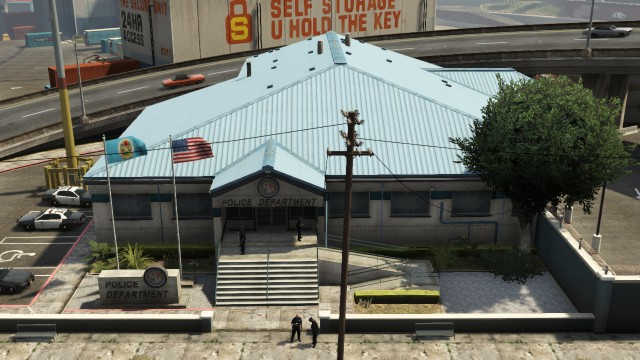
That'd be RDE, as the station in the vanilla game is actually an LSPD station, but converted into a SAHP station by us. There is a sign there by default that was removed (not sure why), as seen here: So that'd be a collision thing to my knowledge.
-
Flattering, but I don't think any of us would want to work with R*. Regarding the ped issues, I presume that 3.0 launched with some "errors" so to speak with how the ped entries are set up in peds.meta, as I'm not sure when the original peds.meta was cracked open. To my knowledge this isn't an issue in 3.1 as all the addon cops now have the full, and proper "cop" entry to prevent them from fleeing/running away in combat.
-
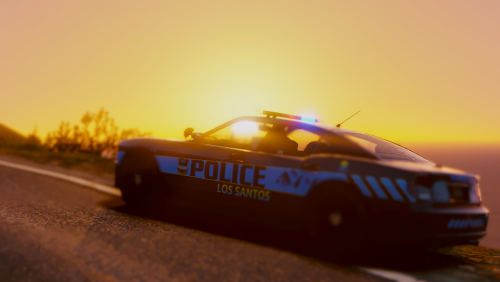 Someone else had a similar issue, but it was with the riot vehicles, as I recommended to them, try installing them into a different DLC, such as mpheist and see if the issue persists. I'm not sure if that issue fixed it for them, as they never responded back. Oh well. Anywho, try that, and if that doesn't work, feel free to PM and I'll do my best to further help. Make sure you're using the VCF files that came with (and not the optional red/blue ones that came with), I checked them again just now, and they are set up correctly.
- 82 comments
- 30 reviews
-
-

- 1
-
-
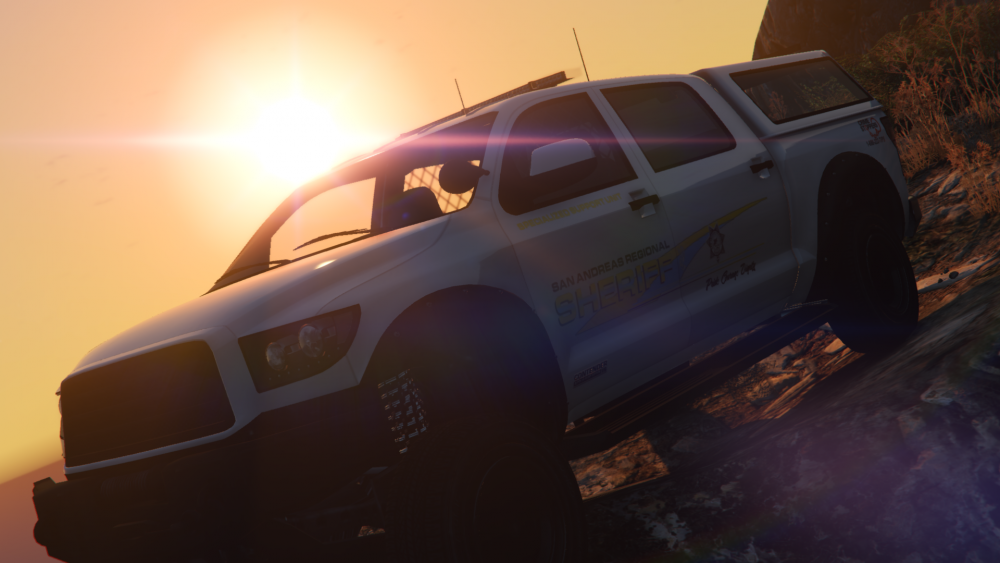
The Sheriff pack released today, it contains a variant of the Stanier, and new to the table is the Landstalker, Fugitive, Contender and the Bison. The vanilla light setup is blue/blue, but also contains a red/blue option for those who want it. Additionally, DukSezQuak and myself have more stuff planned for the LSPD, and some fresh content that we'll touch upon (again) when more appropriate. We have a Discord server too if you want to chat with us, just throw me a PM.
-
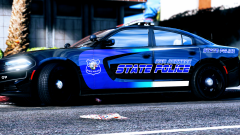 It's an interesting design; however the LS city seal in the middle of the badge looks out of place, surrounded by "San Andreas State Police".
 -
IV Pack support is something we get asked quite often, it's something plenty of the beta testers and community want so it'd be something for us to consider; it'd be under the RDE WOV umbrella, and seeing as Cass dropped IV pack support, it'd be a bit of work on our part. I'd like to see it to, but for the time being I don't know if that's feasible. StreetHawk for what agency?
-
 Are you asking how to remove the script or how to remove the "sixth" star? To get rid of SSR, just remove it from your scripts folder, to remove the "sixth" star, go into your Six Star Response config file and jack up the "SixStarPedsKilledThreshold" number.
- 1,515 comments
- 85 reviews
-
-
- 1
-
-
The south California vibe is the artistic decision that was made by us here at the RDE team. You however are free to create your own liveries as you see fit.
-
Welcome to California. The halogen rotatory lights will be making a return eventually; @11john11 was working on an enhanced vanilla MX7000 that we will use, and I've been on and off working on a better vanilla Edge for the BCSO.
-
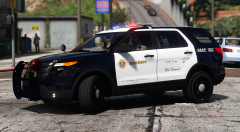 If you aren't going to use the R* "SHERIFF" decals, I'd recommend a font called "Elephantmen", it's the closest font to the LASD stencils, example: As for the slogan, I'd recommend Commercial Script. Not sure if that helps or not; just some things to consider.
 -
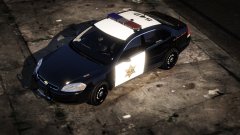 Just happened to notice it while I was browsing; there appears to be an error on the hood with the numbers; they appear to be facing the wrong direction, just as a little heads up if you didn't notice:
 -
It should; haven't seen any of the testers say it didn't, as we've needed testers to verify that some of the new models work with LSPDFR. To start off, make sure you can actually launch the game with RDE installed, then go from there.
- 1,515 comments
- 85 reviews
-
-
- 1
-
-
If you intend to use RDE as a base for LSPDFR, make sure that you remove your SSR (SixStarResponse) scripts from your scripts folder, they are known to conflict with LSPDFR.
- 1,515 comments
- 85 reviews
-
-
We've made a statement here in our DEV thread: In the meantime, here is my gameconfig, should work, and make sure you do not have over 48 entries in your DLClist, as that will cause crashes:
- 1,515 comments
- 85 reviews
-
-
- 3
-
-
Just backup the vehicle pack you are currently using; install RDE, and then install it into RDE's vehicle archive. However; just note that we haven't updated RDE for the latest patch, so I'd hold back until it's updated.
- 1,515 comments
- 85 reviews
-
I did actually attempt to convert the vanilla Vector/Vision into ELS; however I couldn't get it to look good, so it's funny you mention it. I suppose I could "cheat" and set it up as ROTAs, but I think they look better with the pod spinning around a emissive.
- 82 comments
- 30 reviews
-
-
- 1
-
-
By 'rotary lights' do you mean the vanilla MX7000 bar? I do have plans to add a rotator bar to some of the models, however it's a modified version of it, made to look more like the Excalibur. Sneak peak if you're curious:
- 82 comments
- 30 reviews
-
-
- 2
-
-
Entering it causing crashes may be due to an error in the vehicles.meta entry. I know this issue was being had with some RDE vehicles due to an incorrect <layout> line. For the Insurgent, make sure the layout line is: <layout>LAYOUT_VAN_ARMORED</layout>. However, looking at the entry I supplied in the readme appears to be correct, so I'm not sure why that would be causing issues.
- 82 comments
- 30 reviews
-
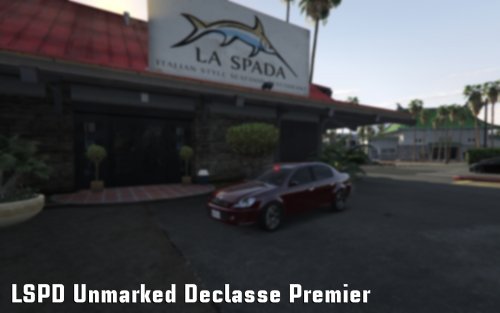 This one doesn't, when this was made (almost a year ago now) that wasn't possible. An updated version with steady burns will appear in the next RDE update.
- 5 comments
- 2 reviews
-
-
- 1
-
-
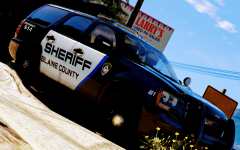 I'll chime in with some GTA trivia; if you're wording it as "Paleto Bay Sheriff", that doesn't make sense, if you put it as "Paleto County Sheriff" than it does make sense. Paleto County is a county that is mentioned by Lester in one of the online missions. However; it does not appear in GTA V, but it does exist. There's some useless trivia for you.
 -
Make sure the ELS VCF files are in a folder (the pack includes "pack_NB-DSQ") which you should have drag and dropped into your ELS folder, then gone into your ELS.ini file, and made sure that ELS is loading the folder with your VCFs. You'll want your "VcfContainerFolder" line to be VcfContainerFolder = FOLDERYOUWANTLOADED. For example; VcfContainerFolder = pack_NB-DSQ
-
If they aren't "functioning" it's probably intentional. In carcols.ymt if you want to re-enable them:
-
Do you have ELS installed? If not get it here:
-
Yes they use the same templates as the RDE vehicles; as for an addon pack, that's not something that has been considered.

