


NefariousBonne
Members
-
Joined
Everything posted by NefariousBonne
-
The ped models are located at \Grand Theft Auto V\x64v.rpf\models\cdimages\componentpeds_mp.rpf The ped props for them are located at \Grand Theft Auto V\x64e.rpf\models\cdimages\pedprops.rpf The Professionals are internally named "mp_g_m_pros_01" Hope that helps you.
-
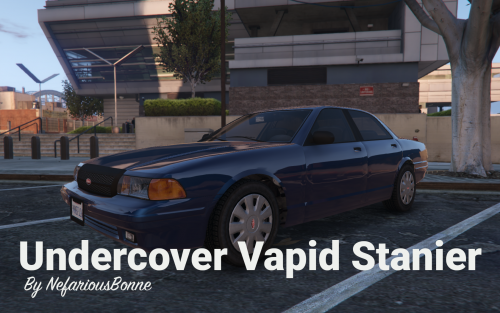 An undercover/detective Vapid Stanier, sporting a lore-ified Federal Signal Delta Ray. -------------------------------------- The Delta Ray and sun visor is rigged to the trunk, so it can flip up and down for immersion/role-playing purposes. Using a trainer or other door opening script, opening the 'boot' will flip down the visor, and closing the 'boot' will make it flip back up. -------------------------------------- A readme is provided in the archive containing installation instructions. -------------------------------------- Credits: If a credit has been omitted or incorrect; feel free to let me know and I'll correct it as soon as possible.
- 2 comments
- 5 reviews
-
-

- 7
-
-
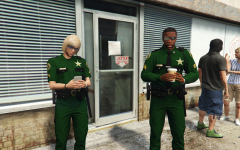 Well thank you. The pack and idea was to be unique, but it of course takes inspirations from real life (such as Florida). The idea was 'rural' so minimalist equipment (sideways ammo pouches, taser, baton, flashlight and a pair of cuffs and that be your lot). Overall I'm quite happy with how it came out, and it was a nice change from vehicle modeling. At this point I'm just waiting on my beta testers to stress test it and to do some touch ups and I'll be able to call it a wrap.
 -
There is no EUP version at this time, nor do I have any plans for EUP at the moment. However, with LSPDFR 0.4 introducing configurable online peds it is something I will consider.
-
From the album: NefariousBonne's Garbage
© NefariousBonne
-
WIP things and the sort.
-
Deputies on Patrol
-
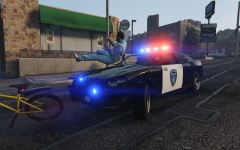 Kifflom, brother-brother
-
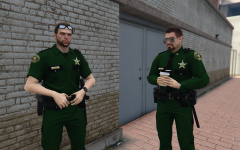 Taking a Break
-
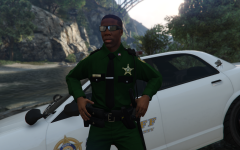 Rural Sheriff
-
.png.c1b03ba6f84ab5b9231d2da9dfd3f99d.png) Parked in the Rain
Parked in the Rain
-
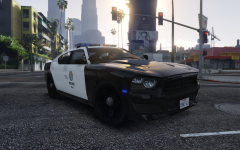 You've got quite the Bravado to you
-
.png.c9d7985327c89b11ec9e78df01a32c5b.png) Built Vapid Tough
Built Vapid Tough
-
.png.e560fa71cefcbda0336c1965036cc238.png) Nightly Arrest
Nightly Arrest
-
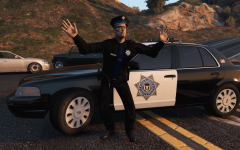 Nothing to See Here
-
.png.c8dcf6ed7e529a08235f588b8412c238.png) Completely Innocuous
Completely Innocuous
-
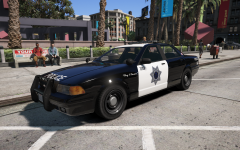 Parked in Legion Square
-
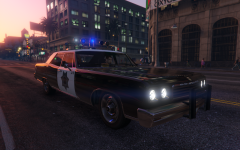 Downtown Cruising
-
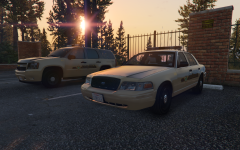 The County Sheriff
-
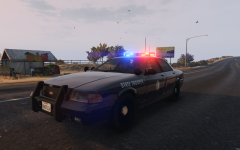 State Trooper
-
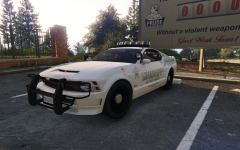 Dominance
-
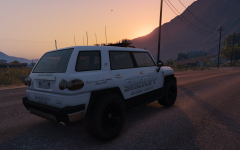 BJ Cruising
-
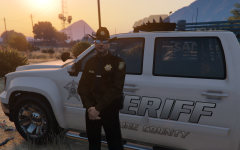 Blaine County's "Finest"
-
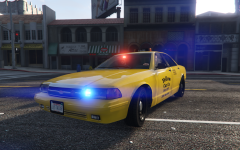 Taxi Patrol
-
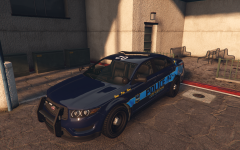 Getting an Upgrade
-
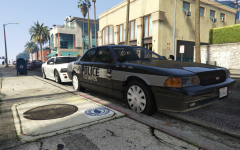 Slicktop Patrol
-
-
Since I was feeling helpful, I decided to do a test myself regarding this. I was able to get it to work the first try, so if this doesn't work for you, you've got something else installed in your game that is overwriting it. Copy this meta entry to your peds.ymt in \mods\update\update.rpf\x64\data
-
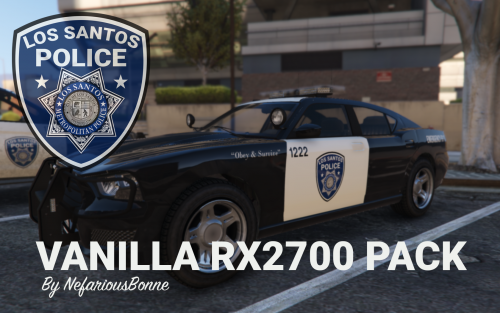 Wraparound as extras: https://www.dropbox.com/s/40pwn1vm383gdrf/RX2700 Pack - Wraparound Extras.zip?dl=0
- 19 comments
- 5 reviews
-
-
- 2
-
-
-
Of the Ballers, only the second generation has armoured variants, so doing something with the first is unlikely. Could you elaborate further though? Would this be unmarked/marked, lightbar/slicktop, etc.?
- 19 comments
- 5 reviews
-
Well I don't know about all, but I do have plans to add several more vehicles in the coming days.
- 19 comments
- 5 reviews
-
-
- 1
-
-
Alrighty, we still have one extra left (extra_ten), so that is possible. I'll try to get back to you on that.
- 19 comments
- 5 reviews
-
From the album: NefariousBonne's Garbage
An ELS mini-pack featuring a lore-ified RX2700. Available here: https://www.lcpdfr.com/files/file/20043-els-vanilla-rx2700-pack/© NefariousBonne
-
Here I'll save you the trouble: (This goes to \mods\update\update.rpf\common\data) dlclist.xml
- 19 comments
- 5 reviews
-
-
- 1
-
-
A mini-pack of vanilla vehicles decked out with a lore-ified Code 3 RX2700, made entirely out of default R* parts. Contains the Stanier, Buffalo S., and XLS. Includes red/blue and blue/blue lighting configurations. -------------------------------------- This mini-pack of vehicles are being released exclusively as an easy to install DLC. A readme is provided in the archive containing installation instructions. -------------------------------------- Credits: If a credit has been omitted or incorrect; feel free to let me know and I'll correct it as soon as possible.
- 19 comments
- 5 reviews
-
-
-

- 14
-
-
From the album: NefariousBonne's Garbage
© NefariousBonne
-
From the album: NefariousBonne's Garbage
© NefariousBonne
-
From the album: NefariousBonne's Garbage
© NefariousBonne
-
That video was in my recommendations earlier, but I thought that I'd check it out now that it has been mirrored here. Have to say it was quite fun to see how law enforcement vehicles have changed through the decades. However, there seemed to be a large gap when he got to modernity, (to mirror some of the comments) he didn't mention the Chevrolet Impala, the Chevrolet Tahoe, Ford Taurus or Dodge Charger. He kind of just skipped from Crown Vic to Explorer, without mentioning any of its contemporaries; which I think is missed mark to talk about. Regardless, the Crown Victoria will remain the quintessential police car, and while its era is ending here in Canada and the United States, it will live on in the hearts of police car enthusiasts. As for the modern era of policing, my personal favorite is the Dodge Charger.
-
From the album: NefariousBonne's Garbage
Saving the best for last of the 3 main squad cars.© NefariousBonne
-
That appears to be an error, I'm not sure why the spotlights would have been removed. I'll make sure that gets fixed when the vehicles are overhauled for the umpteenth time.
-
Sure, if you want to send it over.
-
I will swap it over when I get a chance.
-
I would like to include the Transporter and Ranger at some point. I don't see what's wrong with the Maverick though, other than the livery.
-
Yes, they aren't going anywhere, just the models will be updated.
.png.c1b03ba6f84ab5b9231d2da9dfd3f99d.png)
.png.c9d7985327c89b11ec9e78df01a32c5b.png)
.png.e560fa71cefcbda0336c1965036cc238.png)
.png.c8dcf6ed7e529a08235f588b8412c238.png)
