
Gwar Against the Pigs
Members
-
Joined
-
Last visited
Everything posted by Gwar Against the Pigs
-
-
 Great Pack. i loved using these vehicles. I attached a zip file of els xml configurations of POLICE, POLICE 2, and POLICE3 that i think looks great with the car. els xml.zip
- 110 comments
- 39 reviews
-
 i know what you mean. i know els has switches for cruise and takedown lights. cruise lights turns the lights on and don't flash. you would also need a car that supports that. but to have them flash only on the back side I don't think it has that feature. maybe in the future.
- 2,698 comments
- 239 reviews
-
-

- 1
-
-
-
 You noted this in a response to someone already. There are some people who don't mind those individual details that others pick apart for the sake of "accuracy". I am like that. The cars look great, the els lighting is great, installation was easy and no problems with it. i love all the cars here. So what if the rambar is slightly too low? I'd really only complain if it was mounted on the windshield. Good job.
- 127 comments
- 24 reviews
-
 For the speed checker, not the radar, but the timed VASCAR. how do you set the distance?
- 3,646 comments
- 306 reviews
-
-
-
-
-
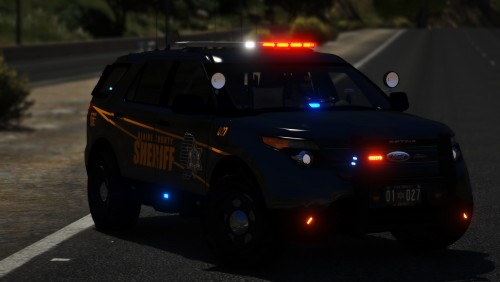 One of the best FPIUs I've used. The lights look really good. ELS config caters to my liking. And looks really clean. Good job. I'd like to put some custom skins on it but it wont let me.
- 35 comments
- 15 reviews
-
-
- 1
-
-
 Theres an issue with putting peds in the back of your police car. They just get out and follow you.
- 1,915 comments
- 242 reviews
-
-
- 6
-
-
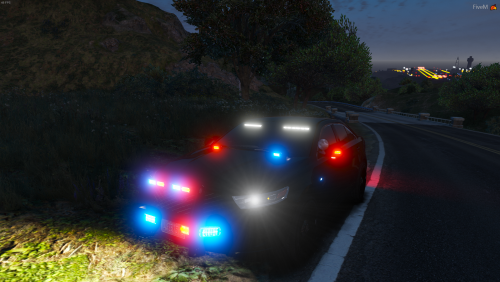 I like the car and the lights. I do have a small issue with the els config. i don't know much in els configuration in the .xml file but Is there a way i can keep the lighting pattern i set in game? To give you an idea, the patterns change when i leave the vehicle for a traffic stop, but when i get back in it goes back to the pattern i set. It kind of bugs me and just wanted to ask if there is something i can change to stop that? any help would be appreciated. -thanks
- 22 comments
- 7 reviews
-
-
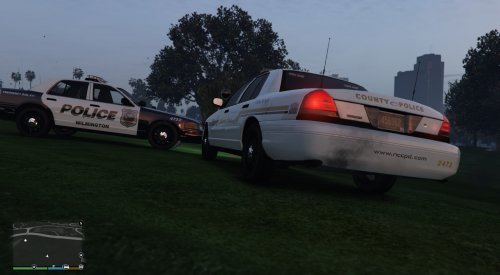 I love the NC County skin. Works well with another tahoe i have. CVPI skin didn't work with any of my CVPIs tho.
- 7 comments
- 6 reviews
-
I love downloading pictures.
-
 Got stopped doing 39 in a 30 zone by the Dewey Beach PD. Now i'm obligated to download this and pull over motorist going 5 miles over the speed limit. GG.
- 58 comments
- 37 reviews
-
-
- 1
-
-
I didn't read the text with the credits. I noticed the licence plate and was like "that's for sure a Delaware plate." Where have i seen this car before? and then it hit me. Last year getting stopped going 39 in a 30 zone on my trip down to Bethany for the week by none other than the Dewey Beach PD. GG man.
- 58 comments
- 37 reviews
-
-
- 1
-
-
-
 i was wondering, Is there a separate mod for the speed gun similar to the one in the video. i go to preform a speed trap but it is still the pistol.
- 1,178 comments
- 137 reviews
-
-
 Really good and well done. I am not sure if its just me or if i screwed up somewhere but when activating the lights with a car with the ram-bar the rambar flashes as it would as if it were a light pattern. I noticed that was occurring on every car regardless if i had a ram-bar or not when selecting it. It was also happening to the glass separating the back from the front. If this was addressed somewhere, then disregard this setback. Video attached should describe it better. Capture.wmv
- 779 comments
- 187 reviews
-
-
- 7
-
-
-
-


.thumb.png.cc2699824b5c603a8e4dab586aa7fdd9.png)